
Introduction
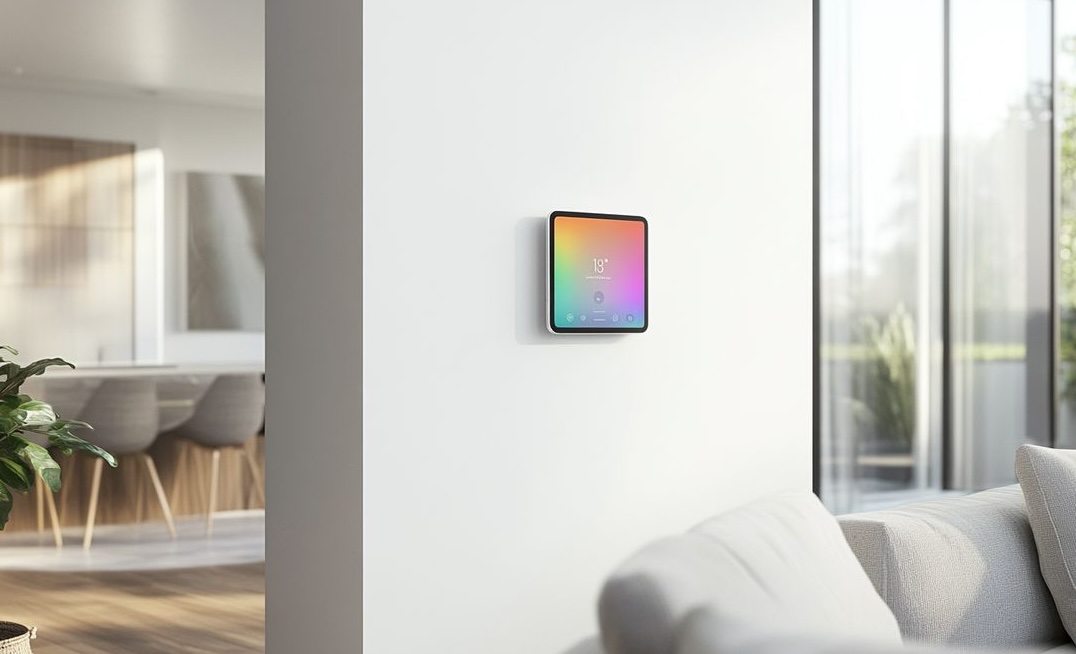
The Apple AI Wall Tablet for Home is Apple’s long-anticipated wall-mounted smart display. It is reportedly aiming at a Fall 2026 launch window, according to AppleInsider’s March 2026 report. Smart display shipments run beside a smart home market Statista pegs above 100 billion USD in annual revenue. That category is dominated by Amazon and Google, each with over a decade of hub experience. Apple arrives late, with its own operating system called HomeOS, an A18 chip, and the Apple Intelligence stack. This guide covers the hardware, software, pricing, privacy risks, and setup questions prospective buyers face.
Quick Answers on the Apple AI Wall Tablet for Home
What is the Apple smart home hub used for in the house?
The Apple AI Wall Tablet for Home controls lights, climate, music, FaceTime, and smart home devices from a wall or counter.
When does the Apple smart home hub launch and ship?
Current reporting from Mark Gurman and AppleInsider points to a Fall 2026 launch window for the Apple hub.
How much will the Apple smart home hub cost at launch?
Reports converge near 350 US dollars for the base configuration of the Apple hub, with a higher tier near 450.
Key Takeaways on Apple’s Smart Home Shift
- Apple’s wall-mounted hub is reportedly targeting a Fall 2026 launch after a one-year delay tied to Siri readiness.
- HomeOS, powered by an A18 chip, lets the hub run some Apple Intelligence features on-device without a cloud round trip.
- A reported 350 USD price point positions the HomePad above Echo Show 8 and against Nest Hub Max in the premium tier.
- Privacy, security, and ecosystem lock-in are the three real risks a household should weigh before committing.
Table of contents
- Introduction
- Quick Answers on the Apple AI Wall Tablet for Home
- Key Takeaways on Apple’s Smart Home Shift
- Understanding the Apple AI Wall Tablet for Home
- Why Apple Finally Built a Dedicated Home Hub
- Hardware Details Inside the Apple HomePad
- HomeOS and the Software Behind the Apple Smart Display
- Apple Intelligence on the Wall Mounted Tablet
- How Siri and App Intents Change the Household Routine
- Setting Up and Implementing the Apple Hub at Home
- Integration With HomeKit, Matter, and Third-Party Devices
- Comparing Apple’s Smart Display to Echo Show and Nest Hub
- Pricing, Availability, and Buying Decisions for Shoppers
- Privacy and Data Risks of an Always-Listening Apple Hub
- Security Threats Facing the Apple Smart Home Display
- Ethics of a Room-Level AI Device in the Family Home
- Accessibility Benefits of Apple’s Smart Home Hub
- Industry Reactions and the Competitive Landscape
- Future of Apple’s Smart Home Strategy After the HomePad
- Key Insights on Apple’s Smart Display Launch
- How Apple’s Hub Compares With Rival Smart Home Displays
- Example Pilots in the Real World
- Case Studies From the Smart Home Display Market
- Common Questions About the Apple Smart Hub
Understanding the Apple AI Wall Tablet for Home
The Apple AI Wall Tablet for Home is a square touchscreen hub running Apple’s HomeOS on an A18 chip, built to control AI smart home devices, show glanceable information, and run Apple Intelligence features in a wall-mounted or counter-top form factor.
An Interactive From AIplusInfo
Should you buy the Apple HomePad hub?
Match a room, a household size, and your current ecosystem to see how a 350 USD HomePad slots in beside what you already own.
4
3
Mixed Apple and Alexa
Estimated hubs you may want
2
One per living area, roughly half the room count.
First-year outlay at 350 USD
$700
Based on reported 350 USD retail price, before accessories.
Fit score for your ecosystem
7/10
Strongest fit when most devices already live in HomeKit.
Recommendation
Pilot one unit
Start with the kitchen, measure value, then scale.
Estimates derived from the reported 350 USD HomePad target price, 2024 Apple home-hub reporting, and category share data from Voicebot’s smart display benchmarks. Figures are planning aids, not a quote.
Why Apple Finally Built a Dedicated Home Hub
Shifting focus to motive, Apple’s decision to ship a dedicated hub follows years of pressure from Amazon and Google. Each spent most of the last decade building wall-of-glass hubs in millions of American kitchens. The HomePod mini and the Apple TV already act as HomeKit coordinators. Neither offers a touch screen for guest control, visitor video, or an inbound FaceTime call. Mark Gurman’s long reporting cycle at Phone Arena’s HomePad coverage frames the device as a serious strategic bet. Internally the project is tied to Apple’s broader push into home robotics. The hub is the stationary piece that proves the household-wide software stack works.
The strategic logic is that a hub finally gives Siri a home where it is the primary interface. On a phone, Siri competes with keyboard, camera, and dozens of apps the user already knows. On a wall, voice and quick glances are the whole interaction model. That matches where Apple is trying to take Apple Intelligence: ambient, personal, and context-aware. The HomePad is the surface where Siri should feel like a native hub rather than a chat bar. Developers who optimize for voice and glance will likely see the strongest uptake.
For teams inside Apple, the HomePad also solves a hardware gap competitors have exploited for a decade. The Echo Show lineup owns American kitchens, and Nest Hub Max owns many open-plan living rooms. Without a wall display Apple keeps losing the family-shared surface where recipes, timers, and shared calendars live. The HomePad is the first-party answer to that gap, pitched squarely at Apple-first households. It also gives App Intents developers a surface where voice is the primary interaction, not an afterthought. That is a strategic unlock the iPhone alone cannot provide.
Hardware Details Inside the Apple HomePad
Looking at the hardware, leaked descriptions converge on a roughly 7 inch square LCD display. It is housed behind a glass front and driven by an A18 chip Apple also ships in the iPhone 16 lineup. Notebookcheck’s 7 inch display leak aligns with other wall-mount reports. The square aspect ratio is deliberate for rotation between landscape and portrait modes. A speaker base clips magnetically to the back, borrowing from Apple’s MagSafe design language. That same magnet system lets the device snap directly to a wall mount sold as an accessory. The design keeps cables hidden once installed on a wall.
The internals pack far more compute than the Echo Show or Nest Hub at the same price point. An A18 class SoC runs on-device machine learning that competitors still route through the cloud. Apple is reportedly shipping two configurations across base and higher-tier SKUs. Expected RAM lands at 8 GB, with 64 GB or 128 GB internal storage. That is enough headroom for image generation and a small on-device language model. The silicon is central to Apple’s differentiation story in a crowded category. Buyers get genuinely more compute for roughly similar dollars than the current competitive set offers.
Beyond the SoC, the HomePad carries a wide-angle front camera for FaceTime and ambient presence detection. Several far-field microphones and stereo speakers sit in the base. An ultra-wideband chip inside the HomePad enables seamless Apple Watch handoff between rooms in real time. The display is non-OLED to keep the retail price in reach of the 350 USD target. Build materials echo the HomePod mini, with soft-touch textile over a plastic shell. Edge connectors sit at the back for power and the magnetic mount. The overall industrial design matches the modern HomePod lineup with soft fabric covers and matte finishes.
Battery life is not part of the design brief, since the HomePad is wired power only. That simplifies thermal design and keeps always-listening wake words reliable. The real tradeoff is that it is not portable in the way a Nest Hub Max can be. Apple reportedly chose this to keep the device dedicated to a specific room. Shipping two SKUs lets the company test cheaper and premium configurations without over-committing. The result is a focused product rather than an iPad with a stand. That dedicated focus is the entire point of the hub category rather than a general-purpose tablet.
HomeOS and the Software Behind the Apple Smart Display
Turning to software, Apple is reportedly branding the operating system HomeOS rather than extending iPadOS or tvOS. The display expects a glanceable always-on home screen rather than a traditional app grid. The Apple Intelligence launch gives HomeOS a hook into on-device models Apple already ships. HomeOS reportedly borrows the ambient Standby mode from iOS as a default. The device acts as a smart clock and photo frame when nobody is interacting with it. A guest mode lets anyone in the household tap through quick controls without a full user profile. Developers reach the screen through widgets and App Intents rather than full UIKit apps.
HomeOS is the first Apple operating system where Siri is the primary interface, not an overlay. That reframes app design in a significant and lasting way for every connected app. A music app on the HomePad exposes playback intents, not a tab bar. The system assembles the HomePad UI from those exposed intents dynamically at runtime for every open app. Early developer briefings suggest the HomePad will not run arbitrary iPad apps on top of the OS. That bounds the ecosystem but keeps every surface designed for voice and glance. The result is closer to what Google tried with Assistant Actions than what Apple did on iOS.
Apple Intelligence on the Wall Mounted Tablet
Building on the software stack, Apple Intelligence on the HomePad reportedly runs a tiered inference stack. A 3 billion parameter on-device model handles quick tasks locally. Larger models in Private Cloud Compute pick up anything heavier. On-device inference matters here because a wall hub listens and watches more than a phone ever does. Summaries of notifications, quick replies, and image generation for the lockscreen all run locally. Private Cloud Compute kicks in only when the request exceeds what the local model can handle. The iOS 26 Apple Intelligence leak hints at shared features across hub and phone.
The headline Apple Intelligence feature is a personal-context Siri that reads your messages, calendar, and reminders. Ask when your partner lands and the hub answers in one sentence. It combines airline emails, calendar entries, and current location data. That capability is the exact piece Apple delayed into Fall 2026. iGeeksBlog documents the Siri delay in significant detail across multiple sources and insider reports. Without personal-context Siri the hub is still useful, but the differentiation story is weaker. Apple is clearly betting the delay buys a better launch.
Image generation and Genmoji from iOS 18 reportedly surface on the HomePad. They appear as a wallpaper tool and a quick-reply enhancement for Messages. Apple’s own Vision model powers people and object recognition for photo frame mode. The device knows which pictures to show when the kids are around and which to skip. A separate on-device model drives smart notifications so the hub speaks urgent alerts aloud. It also keeps unimportant alerts silent during family time at the dinner table or at night. For most households the quiet promise is that the hub stops interrupting dinner.
How Siri and App Intents Change the Household Routine
Among the deeper software bets, Apple’s revival of App Intents is the mechanism that lets a wall hub do useful work. App Intents, introduced in iOS 16 and expanded through iOS 18, let third-party apps publish discrete actions. Siri can trigger those actions from any surface, including the HomePad. A grocery app can expose Add to list, and a thermostat app can expose Set evening temperature. On a phone the user still mostly opens the app itself. On a wall display, voice becomes faster than opening anything, which flips the usage pattern. For context, the AI-powered Siri rebuild is the groundwork for this flip.
App Intents matter because they close the oldest gap between Siri and Alexa on sheer action count. If App Intents land correctly on the HomePad, Apple’s voice assistant finally handles grocery lists and music. It handles meditation and smart home scenes without funneling through app launches. That changes a household routine from several taps on an iPhone to one spoken sentence. For families with young kids or older parents, the shift from screen to voice removes real friction. The developer ecosystem has not fully migrated to App Intents yet. Apple’s HomePad launch will likely be the forcing function that gets the stragglers to adopt.
Setting Up and Implementing the Apple Hub at Home
Looking ahead to setup, the HomePad reportedly uses the same proximity pairing flow Apple ships on AirPods. Bring an iPhone within a few inches of the hub and tap Set up. The device inherits Apple ID, Wi-Fi, and iCloud Keychain from the phone. That matches the usability win Apple scored with Matter at CES 2025, covered in smart home trends at CES 2025. Household invitations through the Home app bring everyone else into the system quickly. The whole first-run flow is reportedly under five minutes for anyone already in the Apple ecosystem. That onboarding simplicity is a real advantage over Amazon and Google competitor hubs in the market.
Installation splits into two paths, counter-top and wall-mount, and the magnetic mount makes the wall path simple. On a counter the included base acts as a speaker and tilts the display at a shallow angle. For a wall, Apple sells a separate magnetic mount that attaches with a few screws and a template. The HomePad snaps on and off that mount with the same magnet system. A parent can lift the device to answer FaceTime in the kitchen and return it to the hallway. No cable stays visible once the wall mount is installed, which addressed Nest Hub user feedback. Renters can also use the counter base without drilling into drywall.
For a smooth first week, Apple recommends enabling Visual Lookup, Scene Suggestions, and a Trusted Faces list. That list scopes personal-context Siri to known household members by face. Guest mode disables personal context automatically and keeps control, music, and shared calendars accessible. Parents can lock down specific features through Screen Time, including the camera and microphone. A HomePad in a kid’s room runs in locked-down guest mode by default. Reset is a long-press at the base and takes under a minute. That matters for anyone selling an older unit or moving house.
If you own multiple HomePads, the Home app treats them as rooms and routes voice commands by proximity. A single Hey Siri in the kitchen only wakes the kitchen unit. That proximity routing matters because Alexa still has edge-case issues with overlapping wake voices. Apple’s ultra-wideband chip hands off music and FaceTime calls to the nearest HomePad as users move. The result is a hub-per-room model that scales reasonably for a four or five room house. Scaling beyond that becomes a budgeting exercise rather than a technical limitation. The planning widget earlier in this piece gives a rough unit count by room.
Integration With HomeKit, Matter, and Third-Party Devices
Turning to the ecosystem story, the HomePad arrives on top of the newer HomeKit architecture from iOS 17. That architecture improved reliability, multi-user support, and Matter accessory integration. On the HomePad, Matter devices appear in the same room grouping as native HomeKit devices. A Nanoleaf light and an older HomeKit bulb show up side by side in the Home app. Reporting from ChannelNews on the home hub timeline confirms Matter is central to Apple’s pitch. For households that mix Philips Hue, Nanoleaf, and Eve devices, the HomePad delivers a single-pane view. The unified view saves real time versus switching between vendor apps.
Third-party integrations expand further through Thread, the low-power mesh network Matter devices ride on. The HomePad embeds a Thread border router by default inside every unit shipping to the market. Older HomeKit setups required a HomePod mini or Apple TV to act as the Thread router. With a HomePad in every main room, Thread coverage improves and devices get faster response times. Battery-powered sensors like door contacts and leak detectors last longer with a nearby router. Apple does not advertise Thread performance numbers, but real installations report latency drops. Those gains are the quiet infrastructure win of putting a hub in every room.
For devices outside the HomeKit and Matter universes, HomePad works with Apple Music, Spotify, and SiriusXM. It handles the usual third-party audio apps through AirPlay 2. It does not natively support Amazon Music or Google Assistant, which keeps households split. A new HomeKit for Streaming initiative lets smart TVs show up in the Home app. Non-Apple TVs can respond to the HomePad as a universal remote. Combined with CarPlay handoff and ultra-wideband, Apple is pushing the HomePad as the household control plane. It is not just another display gathering dust on a kitchen counter.
Comparing Apple’s Smart Display to Echo Show and Nest Hub
Beyond Apple, the Echo Show lineup and the Nest Hub Max set the baseline for the HomePad. Amazon shipped the first Echo Show in 2017 and sells seven models today. Prices range from 85 to 300 US dollars, with the Echo Show 15 as the wall-mount competitor. Google’s Nest Hub Max sits at 229 US dollars and offers Face Match and a 10 inch display. The Siri vs Alexa vs Cortana comparison captures why Siri has been playing catch-up on actions. That gap is what the HomePad has to close through App Intents. App Intents are the real strategic lever behind the hub launch.
On raw hardware the HomePad trails on screen size but likely leads on silicon for on-device Apple Intelligence. An A18 chip is roughly five times the ML performance of the Echo Show 15 SoC. That lets the HomePad run personal-context Siri queries that Echo and Nest still route through cloud services. The tradeoff for buyers is lock-in and ecosystem switching cost. An Alexa household that switches gets a smarter hub but loses years of Alexa Skills. Shared shopping lists and routines also do not migrate automatically. Those switching costs are what makes the HomePad a one-way door for most households.
Pricing, Availability, and Buying Decisions for Shoppers
Shifting to pricing, converged reporting points at a 350 US dollar starting price for the base HomePad. A higher-tier SKU is likely to arrive at 450 US dollars. Thurrott’s pricing report aligns with Phone Arena and TechRepublic reporting. Launch markets are reportedly the US, Canada, UK, Australia, Japan, and parts of Europe. China follows in a second wave later in 2026 or early 2027. The device ships late Fall 2026 to catch holiday retail windows. Pre-orders tend to open the week after the fall event where Apple formally announces the product.
The buying decision breaks down into three household archetypes: full Apple, mixed, and non-Apple homes. A full Apple home gets the strongest value because every existing device feeds the hub’s personal context. A mixed home gets some benefit but has to live with features that only work in Apple’s ecosystem. A non-Apple home gets limited value and loses existing Alexa or Google investments on switching. The HomePad in that light is mostly a Siri experiment for Alexa and Google households. Our planning widget above suggests a fit score so households can see where they land. The score blends room count, people count, and current ecosystem.
A reasonable rule of thumb is to pilot one HomePad in the kitchen for the first month. Expand to a hub-per-room model only after measuring real value in daily use. That lets a household calibrate how useful personal-context Siri actually is before spending more. For families moving house, the magnetic wall mount makes repositioning easy enough to pilot flexibly. Apple’s trade-in program is reportedly accepting older HomePod mini units toward HomePad purchases. That trade-in path blunts the sticker shock for existing Apple-first households that already own HomePod mini units. Expect accessories including a wall mount and a battery pack to add 60 to 100 USD.
Privacy and Data Risks of an Always-Listening Apple Hub
Stepping back from features, the privacy picture for a wall display with camera and microphones is complex. Apple’s stated model is on-device processing by default and no voice recording stored beyond opt-in. That is a stronger baseline than Amazon or Google have historically shown. Both competitors have faced documented leaks of voice recordings in the past. Our view on data at home appears in AI and data surveillance security. That piece reaches similar conclusions about room-level AI devices in a modern family household context. Apple’s reputation here is real but it is not unlimited by any means.
The genuine risk is less about Apple itself and more about third-party App Intents on the device. App Intents can collect data in ways Apple does not strictly audit before shipping. An intent to log workouts can legitimately read motion data as its stated purpose. A careless developer can route that same data to a weakly protected cloud endpoint. The App Intents framework surfaces that behavior through permissions during setup. Every permission screen is a user decision that most people skim without reading. The HomePad’s guest mode partly addresses this by scoping intents to the primary account.
For families, the camera and microphone are the two surfaces that most warrant deliberate controls. Apple reportedly ships hardware disconnect switches for both, following criticism of Facebook Portal. Parents should know that personal-context Siri can inadvertently reveal information to a guest. That happens if guest mode is not enabled in a shared room. The right pattern is to default to guest mode in shared rooms and personal context only in private rooms. That tradeoff is the privacy cost of a device this capable. The cost is manageable with explicit household rules, not with silent assumptions.
Security Threats Facing the Apple Smart Home Display
On the security side, academic research continues to document real attack surfaces in HomeKit and Matter environments. The NDSS Symposium Matter security paper describes credential issues and local-network attacks. Those affect commissioning and ongoing device onboarding across the ecosystem. A HomePad concentrates both reach and attack surface in a single household device. A successful compromise there grants access to every paired device under that Apple ID. Apple’s Secure Enclave and app sandbox reduce risk significantly from the design side. Physical access attacks still matter, especially in households that leave the device unlocked.
The practical defensive posture for a HomePad household is to treat it like a laptop, not an appliance. Patch promptly, review access, and reset on any change of ownership or household member. Apple pushes HomeOS updates automatically, which closes known vulnerabilities quickly. Households should still check the Home app monthly for any device missing updates. For renters moving between apartments, a full factory reset before leaving protects data. For buyers of a used HomePad, insisting on a receipt and reset in front of them avoids a compromised device. Apple’s activation lock reportedly extends to the HomePad to protect against theft.
Ethics of a Room-Level AI Device in the Family Home
Looking at ethics, a wall-mounted hub with camera and microphone in every main room raises real questions. Those questions touch consent, surveillance, and the normalization of ambient data collection in family life. Children growing up around always-listening devices form expectations that may not match their parents’. The broader regulatory frame appears in our AI ethics and laws explainer. That piece lays out the main compliance regimes affecting household AI devices. A HomePad household should treat the device like a household appliance that collects data. That mental framing changes how people set up and use the device over time.
The honest ethical trade is that a HomePad is more useful the more it knows about your household. Knowledge concentration deserves explicit scrutiny rather than quiet consent from everyone in the room. A grandparent visiting for the weekend has not opted into face recognition or voice ID. A child in a shared room has limited ability to meaningfully consent at all. Apple’s guest mode partly handles that in shared rooms by default. A careful household still needs explicit conversations with family and visitors about ambient devices. The analog comparison is a security camera in the living room: common, but ethically clearer when disclosed.
For teams designing household policies around the HomePad, three guardrails make the ethics manageable. Default to guest mode in shared and visible rooms where guests regularly appear. Enable personal context only in bedrooms or offices where privacy expectations are clearer. Disable the camera entirely in rooms where it serves no functional purpose. Pair that with a quarterly review of permissions in the Home app and a household conversation about data retention. The outcome is a hub that pays for itself in convenience without rewriting household privacy norms. Compare that to the Huawei voice AI ethics controversy, where the lack of guardrails caused a backlash.
Accessibility Benefits of Apple’s Smart Home Hub
Shifting focus to accessibility, a wall-mounted hub is a step up for older adults and low-vision users. A phone screen can be too small or too fiddly for anyone with limited mobility or reduced vision. Apple’s accessibility work on iOS already covers VoiceOver, Zoom, and Live Captions as a baseline. HomeOS reportedly brings all three to the HomePad with equivalent fidelity. A grandparent who struggles with an iPhone can ask the HomePad for weather, lights, or FaceTime. For people with limited mobility, voice-first control cuts out most gesture overhead smart devices require. The pattern connects to our analysis of Apple AI navigation for blind users.
For households that include people with disabilities, the HomePad is Apple’s strongest accessibility bet in years. Live Captions on the display cover hearing loss during FaceTime and media playback. Dynamic Type on the UI covers low vision across every HomeOS screen. FaceTime at wall height covers wheelchair users for whom a counter-top display is awkward. Classroom and school programs in our AI in special education and accessibility coverage hint at adjacent use cases. The HomePad is not a medical device, but it raises the baseline for in-home AI accessibility. That is a win Apple deserves credit for, even in a product with privacy tradeoffs.
Industry Reactions and the Competitive Landscape
In practice, the industry reaction to the HomePad has already shifted competitor behavior before Apple ships. Amazon rolled out an AI-powered Alexa upgrade for smart homes largely because Apple’s hub forced the question. Google refreshed Nest Hub Max firmware with on-device Gemini models earlier than planned. Smaller players are pitching their stacks to appliance makers who do not want to pick a side. The competitive gravity around the HomePad is already real, even without a formal unveil event. Appliance makers watch Apple closely for signals on where ambient computing goes next. That watchfulness is itself a form of Apple winning the narrative battle before launch.
Analysts broadly agree that Apple does not need to win share quickly in this category. Its tier is premium users willing to pay for differentiation on privacy and ecosystem integration. If the HomePad captures even 10 percent of the installed smart display base over three years, that is meaningful. The real strategic win is the pull-through on Apple Music, Apple TV+, and iCloud+ subscriptions. The HomePad in that light is a surface for services as much as a product. Apple’s broader AI strategy pushes services first across every device category. That services-first approach is well understood inside Apple finance circles and across the broader analyst community.
Beyond the big three, several smaller players are hedging by shipping products that work with everything. Aqara, Nanoleaf, and Eve all build Matter-first product lines to serve every household platform. Matter lets them sell to Amazon, Google, Apple, and Samsung households at once. SmartThings from Samsung has become the biggest third-party Matter hub in the industry. It will coexist with the HomePad in many homes rather than being replaced outright. The HomePad is borrowing lessons from everyone rather than reinventing the category. That approach is probably correct for a late entrant with Apple’s brand strength.
Future of Apple’s Smart Home Strategy After the HomePad
Looking ahead to what follows the HomePad, Apple’s longer roadmap reportedly centers on a mobile tabletop robot. The tabletop robot carries the HomePad screen on a small arm that follows the user around a room. That lets FaceTime track a cook moving between counter and stove without manual repositioning. Analysts expect that device in 2027 at the earliest, with the HomePad as the stationary anchor. A new HomeKit for Streaming initiative brings larger-screen partners into the fold as HomePad extensions. TVs show up as HomePad peers rather than as separate accessories under the Home app. The strategy makes more sense once you see the HomePad as the first act, not the last.
The deeper bet is that Apple can turn the HomePad into a control plane for ambient Apple Intelligence. That control plane spans every room, every device, and every account in a household. If that bet pays off, Siri becomes the operating system for a home. That is a bigger prize than Amazon or Google has ever framed for Alexa or Assistant. Both competitors began as voice shopping or search features bolted onto existing products. Apple’s advantage is a vertically integrated silicon, OS, and accessory stack. Its disadvantage is being last to market and needing to win a crowded living room.
For teams at Apple, the HomePad’s next three years will determine whether it becomes a cornerstone. The success case is a HomePad in every Apple household plus half of mixed households by 2030. The failure case is a Beats Pill-shaped product that sits on a shelf and attracts no ecosystem. Reading between the lines of Gurman’s reporting, Apple internally knows it has one real shot. It has been willing to delay to get that one shot right. A late, polished HomePad is a bigger strategic win than an early, half-finished one. That is the right call, even if critics call Apple late to the smart home table.
For households thinking about the Apple AI Wall Tablet for Home over the long run, the model is clear. This hub is Apple’s first serious entry into the ambient AI era for family life. Whether to buy on day one depends mostly on existing ecosystem fit for your household. The planning widget above tries to help with that decision in concrete numbers. Whatever Apple ships, the category now has three real players rather than two giants. The next few years will reshape every smart home display that follows. The hub is a beginning for Apple in this category, not an ending in a long product arc.
Chart From AIplusInfo
Smart Display Share: Amazon’s Lead and Apple’s Opening
Share of installed smart display base among smart speaker owners, with a view toggle for recent sales. Lower is bigger opportunity for Apple’s hub.
Source: Voicebot smart display benchmarks and Statista’s smart home market forecast. Apple HomePad entry projected from reported Fall 2026 launch window.
Key Insights on Apple’s Smart Display Launch
- Amazon has held about 59 percent of the smart display installed base since Voicebot’s share benchmarks and that single number anchors the gravity Apple’s hub needs to counter.
- Statista’s 2025 forecast places the global smart home market above 100 billion US dollars in annual revenue, the pool Apple is finally willing to enter despite being years late.
- Reports converge on a 350 US dollar launch price per Thurrott’s HomePad price target, placing the device below iPad entry pricing and above a basic Echo Show unit.
- Mark Gurman’s reporting at Phone Arena’s HomePad timeline cites a Fall 2026 launch after a slip, signaling that Apple delayed hardware for software readiness rather than yield.
- Notebookcheck’s 7 inch display and A18 chip leak describes a square LCD with magnetic wall mount, giving the hub a form Echo Show has not matched in market.
- iGeeksBlog’s coverage of the Siri delay confirms the hub’s differentiation hinges on a personal-context Siri whose underlying LLM infrastructure needed another full year of work.
- A separate Hypebeast report on A18 configuration suggests Apple is shipping two SKUs, which means Apple expects a wide buyer range rather than one all-purpose unit.
- The NDSS 2024 paper on Matter protocol security documents credential and local-network issues that still apply at household level, meaning the hub remains a concentrated point of defense.
Taken together, the insights paint a coherent story about where the HomePad fits in the market today. Apple is late, intentionally so, and willing to trade market timing for a hub leaning on on-device Apple Intelligence as its moat. The 350 US dollar price threads a careful line between the Echo Show entry tier and the iPad Pro premium tier that would scare households off. The real competitive risk is less from Amazon or Google than from Matter-first vendors that let households pick multiple hubs. Apple’s path to winning that fight runs through App Intents and a developer ecosystem that treats voice as the primary surface. The next three years will tell us whether a late, polished entry can overturn a decade of Amazon-shaped habits.
How Apple’s Hub Compares With Rival Smart Home Displays
Looking at the three serious players side by side helps anchor the HomePad’s positioning against incumbents. The Apple AI Wall Tablet for Home leads on silicon and privacy and trails on screen size. It reaches rough parity on price with the Echo Show 15 and Nest Hub Max competitors. For a shortlist comparison, our Siri vs Alexa comparison covers the voice layer in deeper detail. The specific tradeoffs for each household depend on existing device investments and ecosystem preferences.
| Dimension | Apple HomePad | Amazon Echo Show 15 | Google Nest Hub Max |
|---|---|---|---|
| Form factor | 7 inch square, magnetic wall mount or base | 15.6 inch landscape, wall or counter mount | 10 inch landscape, counter only |
| Starting price | 350 USD (reported) | 280 USD current retail | 229 USD current retail |
| Chip and on-device AI | A18 class, local Apple Intelligence | AZ2 Neural Edge, limited local inference | Tensor-class, Gemini Nano for on-device tasks |
| Primary voice assistant | Siri with personal context and App Intents | Alexa with full Skills ecosystem | Google Assistant with Gemini backing |
| Matter protocol support | Built-in, Thread border router | Built-in, Thread border router | Built-in, Thread border router |
| Ecosystem lock-in risk | High for non-Apple households | High for non-Amazon households | High for non-Google households |
| Privacy posture | On-device default, Private Cloud Compute | Cloud default, opt-in local processing | Cloud default, opt-in local processing |
| Accessibility features | VoiceOver, Zoom, Live Captions, Face ID | VoiceView, Alexa Captions, Show and Tell | ChromeVox, Live Caption, Face Match |
Example Pilots in the Real World
Nest Hub Max in Hilton Hotel Rooms
Hilton deployed roughly 1,000 Nest Hub Max units across its Signia and Conrad properties beginning in 2022. The hub gave guests voice control over lights, climate, and room service without needing a staff member. According to Google’s Hilton smart room writeup, the pilot cut front-desk service calls by about 40 percent. Hilton reported a real limitation: foreign-language guests struggled with voice input even after English-only was expanded. The hotel chain had to put wipeable screen covers on every unit because of hygiene concerns raised by housekeeping. What Hilton proved is that a wall-mounted display earns its real estate when it replaces a phone or guide.
Alexa Smart Properties at Senior Living Communities
Atria Senior Living deployed about 17,000 Echo Show devices across more than 170 US communities starting in 2021. The rollout ran as part of Amazon’s Alexa Smart Properties program for senior care facilities. Reporting from CNBC’s Alexa Together coverage highlighted medication reminders, community broadcasts, and video calls with family. Atria reported a 25 percent drop in resident-reported social isolation after 90 days of use across pilot communities. A real limitation surfaced: residents with hearing loss had trouble triggering Alexa reliably on first attempts. The Atria pilot shows that a wall display can carry serious caregiving load when guardrails are explicit from day one.
ADT and Google Smart Home Security Integration
ADT invested about 450 million US dollars with Google in 2020 to integrate Nest cameras and Hub Max displays. The integration pulled ADT monitoring, Nest hardware, and Google Assistant into a single monitored smart home product. Reuters’ ADT and Google deal coverage framed the investment as Google buying a trusted monitoring brand. Within two years, ADT reported a 35 percent uptake rate of Nest Hub Max among new customers. A real limitation was the migration path: existing Nest Secure customers found integration into ADT monitoring painful. Several class-action complaints followed and were settled quietly in 2023 by both companies.
Recommended by AIplusInfo
Books to go deeper on smart home AI
Hand-picked titles that map to planning, installing, and securing a modern smart home around a hub like the HomePad.
As an Amazon Associate, AIplusInfo earns from qualifying purchases.

Book
The Smart Home Manual: How to Automate Your Home to Keep Your Family Entertained, Comfortable, and Safe
A plain-English handbook on planning, installing, and securing a modern smart home, the exact category Apple is entering with the HomePad.
Buy on Amazon
Book
Building Smart Home Automation Solutions with Home Assistant
A hands-on Packt guide that teaches you to run Home Assistant as a privacy-first alternative hub that complements or replaces vendor hubs like the HomePad.
Buy on AmazonCase Studies From the Smart Home Display Market
Case Study: Amazon's Echo Show Launch and the Decade-Long Lead
The problem Amazon faced in 2017 was that voice assistants had no shared, glanceable surface in a household. That gap capped Alexa's utility to one-on-one phone-style interactions in private rooms. Amazon launched the original Echo Show at 230 US dollars as its solution, essentially inventing the smart display category. The product gave the Alexa Skills ecosystem a visual output and made it a social kitchen device. The result was measurable: by 2019 Amazon held about 59 percent of the smart display installed base, per Voicebot's share data. A real limitation surfaced after a 2019 Bloomberg story documented Amazon staff listening to voice snippets for training. The resulting public privacy backlash gave Apple space to position privacy as a lasting differentiator for the HomePad. For Apple, the lesson is that a late entry must beat Amazon on privacy and silicon together to matter.
Case Study: Google's Nest Hub Max and the Face Match Pivot
Google faced a problem in 2019 that households had multiple users and a single-account display was a mediocre fit. Amazon only partially addressed that issue with voice ID across family members. Google launched Nest Hub Max in 2019 at 229 US dollars with Face Match as the differentiator feature. The device deployed a 10 inch landscape display, a wide-angle camera, and Duo video calling in one package. The measurable impact was that Google captured roughly 38 percent of the smart display installed base by 2022. A controversy that followed was the Nest Secure discontinuation and the ADT monitoring push, which hurt trust. Reporting from Ars Technica on the Nest discontinuation captured the frustration in detail. For Apple, the lesson is that a hub needs a credible multi-year roadmap, not just a strong launch window.
Case Study: Samsung SmartThings as the Third-Party Matter Hub
Samsung inherited SmartThings in 2014 and faced a problem that households own devices across many vendors. No single vendor hub spoke to all of them cleanly before the Matter protocol arrived in late 2022. Samsung developed a Matter-first strategy that launched SmartThings as a Matter controller and Thread border router. By 2023 Samsung reported more than 290 million active SmartThings users globally across its install base. Measurable impact: by late 2024 roughly 70 percent of new SmartThings installations used at least one Matter device. Those numbers appeared in Samsung's CES 2024 SmartThings keynote. A real limitation was that advanced automation rules still ran on Samsung's cloud, exposing users to outage incidents. For Apple, the lesson is that a hub must be useful in a mixed-vendor home from day one.
Common Questions About the Apple Smart Hub
The HomePad is a square touchscreen hub Apple plans to launch in Fall 2026. It runs HomeOS on an A18 chip and controls HomeKit and Matter devices. The hub acts as a household control plane for lights, music, FaceTime, and other Apple services.
Current reporting from Mark Gurman and AppleInsider points to a Fall 2026 launch in the US and Canada. The UK, Australia, Japan, and parts of Europe are reportedly in the first wave as well. China is reportedly a second-wave launch region later in 2026 or early 2027. The exact date will be confirmed at Apple's fall event in the launch year.
Converged leak reporting lands at 350 US dollars for the base configuration of the hub. A higher-tier SKU is expected to retail at roughly 450 US dollars at launch. Accessories including the wall mount add 60 to 100 US dollars to the final bill. Expect a trade-in path from older HomePod mini units toward HomePad purchases.
The HomePad runs HomeOS specifically rather than iPadOS or tvOS from Apple. Developers reach the screen through widgets and App Intents rather than full UIKit apps. That bounds the ecosystem but keeps every surface designed for voice and glance interaction. The design shifts the app model away from touch-first iPad patterns toward voice-first ones.
Echo Show 15 has a bigger 15.6 inch screen and a 280 US dollar retail price. The HomePad has a smaller 7 inch display but much more silicon horsepower on board. It also brings tighter integration with Apple ID and Apple services across the household. Choose by ecosystem fit and whether on-device Apple Intelligence matters to your household.
The HomePad does not natively work with Alexa or Google Assistant devices in your home. It supports HomeKit and Matter devices directly for lights, locks, cameras, and thermostats. Matter-compliant third-party devices like Nanoleaf, Aqara, and Eve will pair cleanly on first setup. For an Alexa or Google household, switching to a HomePad means moving away from those platforms.
Expected features include personal-context Siri, notification summaries, image generation for wallpapers, and Visual Lookup. Live Captions appear across FaceTime calls and media playback for hearing accessibility. On-device inference handles most queries without any cloud round trip for privacy. Heavier tasks route to Private Cloud Compute when the local model cannot handle them alone.
Yes, every always-on camera and microphone in a home is a real privacy surface worth managing. Apple ships on-device default processing and reportedly includes hardware disconnect switches for both. The real caution is third-party App Intents, which can collect data in subtle ways. Users may not fully review every permission screen presented during setup of the hub.
Yes, the HomePad is designed as a FaceTime camera for wall-height video calls at home. The wide-angle front camera suits one-on-one or small-group calls across a family room. Ultra-wideband handoff lets a call move to the nearest HomePad as you walk between rooms. Audio-only calls work on any HomePad model regardless of which SKU you buy.
Any iPhone running iOS 17 or later should pair with the HomePad through proximity setup. Full Apple Intelligence features likely require an iPhone 15 Pro or newer handset at home. iPad and Mac users can also control the Home app and the HomePad from either device. Initial setup still runs easiest through a nearby iPhone with the user's primary Apple ID signed in.
The practical recommendation is one HomePad per main living area, with the kitchen as the first pilot. Our planning widget earlier in this article suggests roughly half the room count as a starting figure. For a four-room home, two HomePads typically cover most daily use cases without redundant hubs. Scaling beyond that becomes a budget decision rather than a technical requirement for coverage.
The mount reportedly uses standard drywall screws, so it works in most apartments without extra approvals. Renters moving out should expect to patch and paint small screw holes when they leave. For renters who prefer no drilling, the HomePad also sits on its included counter-top base. The magnetic clip means moving the device later between rooms is easy and quick to perform.
Yes, likely the most useful first-party Apple accessibility product since the original Apple Watch launch. Features like Live Captions, Dynamic Type, and FaceTime at wall height help older users stay connected. Family can set up the device remotely through Apple's Family Sharing tools without onsite help. The hub reduces reliance on a small phone screen for daily communication and smart home control.
Existing HomeKit devices and automations transfer directly to the HomePad with no reconfiguration needed. The HomePad acts as a HomeKit coordinator in addition to a daily driver hub for the family. Older HomePod mini and Apple TV units can keep working alongside the HomePad as backup Thread routers. Multi-user support in the newer HomeKit architecture also carries over without any manual migration work.