
Introduction
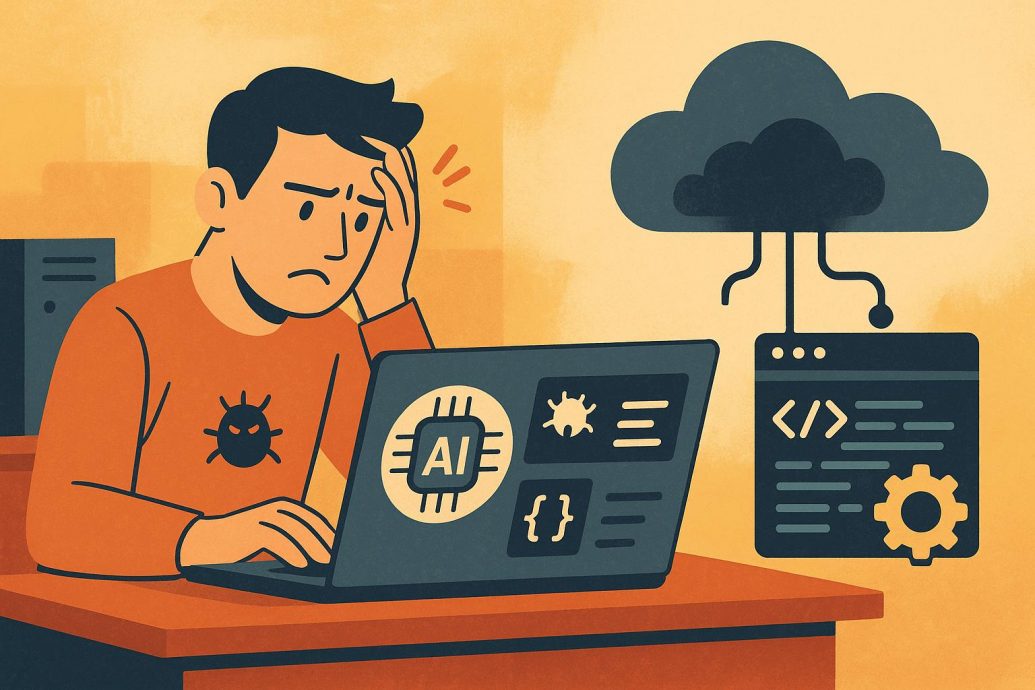
Local AI Coding Stack Challenges Cloud is more than a bold headline. It reflects a growing shift among developers craving speed, privacy, and offline autonomy in their AI workflows. As open-source tools like Codestral and CodeGemma mature, and platforms like Ollama and Continue IDE simplify integration, developers are beginning to reassess their reliance on cloud-first tools like GitHub Copilot, Claude, and Codex. Whether influenced by regulatory requirements, spotty connectivity, or efforts to manage cost, the interest in local-first AI coding stacks is accelerating. This article takes an in-depth look at the components, performance, and growing influence of local AI coding assistants that are transforming software development.
Key Takeaways
- Local AI coding stacks now offer offline, secure, and rapid support for code generation and debugging, rivaling cloud tools.
- Open-source models like Codestral and CodeGemma support multiple programming languages and pair smoothly with Continue IDE.
- Ollama allows easy model deployment and local fine-tuning using consumer GPUs, giving developers more control.
- Use cases include startups focused on cost, enterprises needing data privacy, and individuals in regions with limited connectivity.
Why Local AI Coding Matters Now
Most AI code assistants today are cloud-based. Services such as GitHub Copilot, Codex, and Claude Code Interpreter provide strong functionality. Still, they come with downsides related to cost, internet access, and privacy. For developers in regulated sectors or those operating in areas with poor connectivity, a cloud-based tool may not be reliable or acceptable. Local AI stacks address this gap by offering high-performance AI support directly on personal machines using open-source language models and accessible hardware.
This trend fits well with broader tech goals such as enhancing privacy, ensuring regulatory compliance, and minimizing recurring costs. By keeping code and compute on local devices, developers remove third-party dependencies and retain full ownership of their intellectual property. Local stacks appeal not just to large companies but also to smaller teams and individual developers who want greater transparency and control.
The Core Components of a Local Coding Stack
A typical local AI coding stack includes several key elements:
- Language Models (LLMs): Codestral and CodeGemma are strong open-source options for performing completions, formatting, and debugging tasks in multiple programming languages.
- Inference Engine: Ollama simplifies the local serving of LLMs and handles functions such as memory optimization and GPU utilization.
- IDE Integration: Continue IDE is a ChatGPT-style extension for VS Code that links to local models for live suggestions and assistant functionality.
- Hardware: A GPU with at least 6 GB of VRAM, like the NVIDIA RTX 3060, is recommended for smooth inference speeds.
With this setup, developers can generate functions, perform code refactoring, fix bugs, and even design system modules without ever uploading code to the internet.
Performance Benchmarks: Local vs Cloud-Based Coding Assistants
| Feature | Local Stack (e.g., Codestral + Ollama) | Cloud-Based (e.g., Copilot, Claude) |
|---|---|---|
| Latency (avg) | 100–300 ms locally | 500 ms–2 seconds over API |
| Model Size | 3B–7B parameters (downloadable) | Typically 12B–100B+ (hosted) |
| Privacy | 100% local, no internet connection needed | Transmits code snippets externally |
| Hardware Requirements | GPU with at least 6 GB VRAM recommended | None (runs in the cloud) |
| Cost | Free/Open Source, one-time setup | $10–$30/month per seat |
Choosing the Right Open-Source Model: Codestral vs CodeGemma
When selecting between Codestral and CodeGemma, the ideal choice depends on both technical and practical considerations:
- Codestral: Suitable for environments involving several programming languages. It supports over 80 languages and performs well with longer code contexts. Its efficient tokenizer helps reduce latency and memory usage during inference.
- CodeGemma: More focused on Python and JavaScript, it excels in environments such as web development or data science. It also provides strong accuracy when fine-tuned for specific tasks. See our guide on fine-tuning LLMs at home for more setup tips.
Your specific workflow and available hardware will usually determine the most practical choice for your needs.
Developer Perspectives: Real-World Use Cases
Simone K., ML Engineer at a FinTech Startup: “Using Continue IDE with Codestral has slashed our reliance on cloud APIs. We no longer worry about proprietary finance logic leaving our systems.”
Luis M., Independent Developer in Rural Spain: “My Wi-Fi is patchy. With Ollama serving CodeGemma locally, I get stable completions right from my laptop.”
Arjun V., Security Consultant: “Operating under tight compliance rules means zero cloud usage. Local assistants help us maintain both performance and confidentiality.”
These cases reflect diverse needs met by maintaining AI code generation on-site. Local setups can give teams a strong foundation for privacy-preserving development and even help boost startup product development speeds with reduced overhead.
Step-by-Step: Setting Up Continue IDE with Ollama and Local Models
This guide takes you through setup in only a few steps:
- Download Ollama from ollama.com. Versions are available for Windows, Linux, and macOS.
- Pull a model: Use either
ollama pull codestralorollama pull codgemmadepending on your focus. - Install Continue IDE through the VS Code marketplace.
- Set the endpoint: Within the IDE settings, target your Ollama local server (likely
http://localhost:11434). - Begin development: Use Continue’s sidebar to ask coding questions and generate suggestions locally.
This configuration requires no internet connection after setup and supports advanced usage like prompt chaining and output reformatting for frameworks. To go further, check out advice on building a data infrastructure for AI, which can help scale your offline stack more efficiently.
Why Local Coding Assistants Excel at Privacy
Data protection and compliance are key parts of today’s development practices. When using cloud AI tools, your code is tokenized and transmitted to external servers controlled by external vendors. This can be risky if proprietary or private code is involved. Even anonymized data could pose exposure threats if mishandled.
Local stacks avoid this by keeping all operations within your personal machine or internal network. Nothing is uploaded or stored by third parties. Many professionals in sectors like healthcare, legal tech, and defense are now moving to local-first tools for exactly this reason. For more insights, see our approach on managing AI-related risks and challenges.
When to Use Local vs Cloud-Based Coding Assistants
- Use Local if: You need offline access, are working with private datasets, want reproducible fine-tunes, or are looking to reduce recurring costs.
- Use Cloud if: You require powerful models beyond 7B parameters, do not have a GPU, or need fast setup with multi-device access.
FAQs
What is a local AI coding stack?
A local AI coding stack is a setup where developers run artificial intelligence models and coding assistants directly on their own machines or on-premise servers instead of using cloud APIs. It typically includes open-source language models, local inference engines, development environments, and supporting tools operating without external data transmission.
How does a local AI stack challenge cloud AI services?
A local AI stack challenges cloud services by reducing dependency on remote providers, lowering recurring subscription costs, improving latency, and increasing data privacy. Developers gain full control over configuration, customization, and deployment without relying on external infrastructure.
Why are developers moving away from cloud-based AI coding tools?
Developers are exploring local alternatives to avoid API limits, usage-based pricing, vendor lock-in, and privacy concerns. Running models locally enables experimentation without cost spikes and keeps proprietary code within controlled environments.
What are the main benefits of running AI models locally?
Local AI offers enhanced privacy, lower long-term operating costs, reduced latency, offline capability, and greater flexibility. Sensitive source code remains on internal systems rather than being processed through third-party servers.
What are the challenges of using a local AI coding stack?
Challenges include high hardware requirements, expensive GPUs, complex installation processes, model optimization issues, and ongoing maintenance. Smaller local models may also lack the scale and refinement of large proprietary cloud models.
Is local AI cheaper than cloud AI in the long term?
Local AI can become more cost-effective over time because it eliminates recurring API fees. However, the upfront investment in powerful hardware and infrastructure can be significant.
Can local AI match the performance of cloud models?
Local AI can perform well for coding assistance and smaller inference tasks when optimized properly. However, very large proprietary models hosted in the cloud may still outperform local setups in advanced reasoning or multimodal tasks.
Does running AI locally improve data security?
Running AI locally reduces exposure of sensitive data because code and prompts do not leave the internal environment. However, overall security still depends on system configuration, access controls, and hardware protection.
What hardware is required for a local AI coding stack?
A capable GPU with sufficient VRAM, high system memory, and fast storage are typically required. Model size and inference speed depend heavily on hardware capabilities and optimization techniques.
Is the future of AI development local or cloud-based?
The future is likely hybrid. Developers may use local AI for privacy-sensitive tasks and low-latency workflows while relying on cloud platforms for large-scale training and advanced model access.
How does vendor lock-in impact cloud AI adoption?
Vendor lock-in occurs when developers depend heavily on a single provider’s APIs and infrastructure, making migration difficult and costly. This concern is driving interest in open-source and locally hosted AI solutions.
Are enterprises adopting local AI stacks?
Many enterprises are exploring local AI solutions to maintain data sovereignty, reduce compliance risks, and control long-term costs. Adoption depends on infrastructure readiness and internal technical expertise.
Conclusion
The rise of local AI coding stacks signals a shift in how developers approach artificial intelligence integration. While cloud platforms offer scalability and access to massive proprietary models, local stacks provide privacy, control, and cost predictability. The debate is not purely cloud versus local but rather about flexibility and ownership. As hardware improves and open-source models advance, hybrid approaches combining local inference with selective cloud resources may define the next phase of AI-powered software development.