
Smart Ways to Use AI in Daily Life for Study and Work
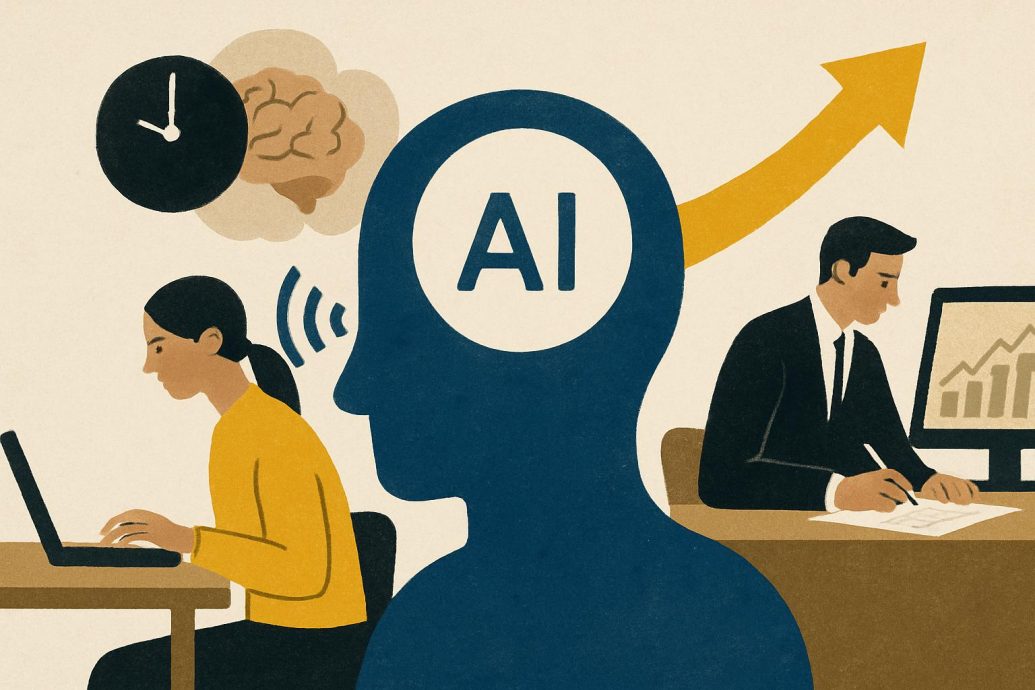
Imagine opening your laptop on a Monday morning and seeing your emails pre summarized, your study or project plan laid out, and your reading list distilled into key points, all ready for your review. Artificial intelligence has moved from research labs into everyday tools, and it is quietly changing how people study and work. A 2023 report from McKinsey estimates that generative AI could add between 2.6 and 4.4 trillion dollars in annual economic value, much of it from routine knowledge work tasks such as writing, analysis, and customer support. When you translate those big numbers into personal terms, they point to something simple. Used thoughtfully, AI can help you reclaim hours each week, reduce mental overload, and focus on deeper learning or higher value work.
Key Takeaways
- AI is most useful when it supports clear routines for planning, writing, study, and communication, rather than when it is used randomly.
- Evidence from universities, companies, and consultancies shows that AI can improve speed and quality for many everyday tasks, if humans stay in control.
- Responsible use matters, since tools can produce errors, reflect bias, and raise privacy or academic integrity concerns for students and professionals.
- Learning to treat AI as a co-pilot, not an autopilot, is quickly becoming a core study and work skill for many careers.
Understanding Why People Search For Smart Ways To Use AI
What Smart Ways To Use AI In Daily Life For Study And Work Really Means
Smart ways to use AI in daily life for study and work means using AI tools to handle repetitive tasks such as drafting, summarizing, organizing information, and planning, while people focus on judgment, creativity, and ethical decisions. This approach treats AI as a supportive assistant that works inside existing workflows instead of as a replacement for human thinking. From a search intent perspective, people usually come with overlapping needs. Some want simple productivity tips, some want technical explanations, and others are asking if AI will change their career or education path. In my experience, good guidance meets all these intents by combining definitions, practical routines, and clear limits. That mix is what separates a quick list of tools from an article that actually changes behavior.
The Main Types Of Questions People Bring To This Topic
When you look at common queries and surveys, five expert level questions appear again and again. People ask how to use AI every day without breaking rules at school or work. They want to know which tasks AI is actually good at, and which tasks still need human effort. Many wonder how AI systems like ChatGPT or Google Gemini work under the surface and why they sometimes hallucinate. Others search for reliable data on productivity, so they can judge whether AI time savings are real or marketing hype. A fifth major question concerns risk, since students and professionals are aware of privacy rules, academic integrity policies, and new regulations such as the European Union AI Act.
From Buzzword To Daily Tool: What AI Can Actually Do For You
Core Tasks Students And Workers Can Safely Offload To AI
At a practical level, everyday AI use usually clusters around a few repeatable task types. Text generation tools such as ChatGPT, Claude, and Microsoft Copilot can draft and edit emails, essays, reports, and proposals, which saves time on first drafts and improves clarity. Summarization tools, including features in Google Docs or specialized services like Perplexity AI, can turn long articles, lecture transcripts, or meeting notes into short bullet lists or executive summaries. Planning features inside Notion AI, Todoist, and similar apps can organize tasks into schedules, giving you structured study plans or work sprints. Language models can also brainstorm ideas, generate project outlines, or turn bullet points into slide structures for tools like Microsoft PowerPoint or Google Slides. Finally, translation and simplification capabilities help learners break down complex topics, support language learning, and create explanations at an appropriate reading level.
The Everyday AI Stack For Non Technical Users
Most people do not need dozens of tools to get meaningful benefits from AI in daily life. A general purpose conversational assistant such as ChatGPT, Claude, or Google Gemini handles writing, brainstorming, explaining concepts, and basic coding support. For people working in Microsoft 365 or Google Workspace, built in assistants like Microsoft Copilot and Google’s AI features in Docs and Gmail integrate directly into documents, spreadsheets, and email threads. Note taking platforms such as Notion AI and Evernote with AI features can summarize, rewrite, and tag notes from lectures or meetings, which supports revision and knowledge management. Meeting and lecture transcription tools like Otter.ai and Zoom AI Companion capture spoken content and produce searchable transcripts with suggested action items. Writing support services such as Grammarly and QuillBot help check grammar, tone, and clarity across assignments and professional communication, which is especially useful for non native speakers or people writing in a formal context. If you want a broader view of how this feels in practice, you can explore a guide on life with AI assistants and compare it with your own routine.
How Modern AI Tools Work Behind The Scenes
From Training Data To Language Models That Feel Conversational
To use AI responsibly for study and work, it helps to understand the basics of how large language models operate. Systems like GPT 4 from OpenAI, Gemini from Google, and Claude from Anthropic are trained on very large collections of text, code, and other data, taken from books, websites, open source repositories, and licensed datasets. Engineers build a model architecture, such as the Transformer architecture introduced by Google researchers in 2017, that is designed to predict the next word in a sequence given the previous context. During training, the model adjusts billions of internal parameters so that it becomes very good at predicting likely continuations of prompts. Companies then apply reinforcement learning from human feedback, often called RLHF, where human reviewers compare and rate outputs to shape the model toward safe, helpful answers. Evaluation involves benchmarks for reasoning, reading comprehension, coding, and safety, drawn from datasets created by academics, industry labs, and communities such as BigCode and MMLU.
Quality, Hallucinations, And Why Human Oversight Still Matters
Quality control for these models is an active research area in places like Stanford HAI, MIT, and various open source communities. Labs test models using standardized suites and also track user feedback on harmful or incorrect outputs. Even with such checks, models can hallucinate, which means they generate confident but wrong answers or fabricate sources, because they are pattern predictors rather than fact databases. This limitation explains why UNESCO and the OECD stress that generative AI in education should be supervised and should never replace human teachers or experts. In real workplaces, organizations add extra safety layers, such as retrieval augmented generation, which links models to internal document search so that answers are grounded in actual company data. Many enterprises also use access controls, logging, and content filters to reduce risks around privacy, compliance, and reputational harm, which is why corporate deployments often look different from consumer chat apps.
Evidence That AI Can Help With Everyday Study And Work
What Research Says About Productivity Gains
Over the last few years, controlled experiments have started to measure how generative AI affects productivity for different tasks. A 2023 study by MIT and Boston Consulting Group found that consultants using an AI assistant for creative and analytical writing tasks completed their work 25 to 40 percent faster, while independent evaluators rated quality as higher on average compared with a control group without AI. Research on GitHub Copilot, which is an AI coding assistant from GitHub and Microsoft, showed that developers working with the tool completed coding tasks about 55 percent faster in a controlled trial. The 2024 AI Index Report from Stanford HAI documents similar findings across writing, programming, and support roles, though it notes that effects can vary widely by task type and user skill. Microsoft’s 2023 Work Trend Index survey reported that workers estimated they could save significant time on emails, document summaries, and meeting notes with AI assistants, and early pilots of Microsoft 365 Copilot suggested hours saved per week for many participants.
How Students And Educators Are Actually Using AI
On the education side, adoption is growing but remains uneven across institutions and age groups. Surveys from Inside Higher Ed and EDUCAUSE during 2023 reported that a sizable share of college students, often above half in some samples, had tried tools like ChatGPT for studying, brainstorming, or writing support, although many did so without clear guidance from instructors. Faculty surveys showed mixed feelings, with many professors concerned about plagiarism and accuracy, but also interested in using AI for course planning, assessment design, and feedback generation. UNESCO’s 2023 guidance on generative AI in education emphasizes that tools can support accessibility, personalized practice, and language learning, provided that policies clarify acceptable use and protect student data. Pew Research Center found that awareness of generative AI among adults was high in 2023, but trust in AI systems to make fair decisions was much lower, which reflects a healthy skepticism about full automation. One thing that becomes clear in practice is that the most effective classrooms treat AI as a topic to be taught and discussed, instead of as an invisible tool that students must hide. For a deeper look at this shift, you can compare these findings with an overview of how AI is used in education and how teachers are responding.
Designing Smart Daily AI Routines For Students
Planning Study Time And Turning Content Into Active Learning
For students, the smartest use of AI is to structure time and deepen understanding instead of short cutting assignments. A simple morning routine might start with asking a general purpose AI to help translate a syllabus and list of deadlines into a weekly plan, with two or three focused blocks each day. You can paste non sensitive information about courses, exam dates, and major projects, then ask the tool to suggest what to study today based on priority and difficulty. During or after lectures, note taking apps like Notion AI or OneNote with AI features can help you tidy rough notes into clean summaries, which you can then feed back into a model to generate flashcards or practice questions. For reading heavy courses, services like Perplexity AI or built in summarization tools in PDF readers can turn long articles into key points that you then verify against the original text. What many people underestimate is how powerful it is to ask AI to quiz them with short answer questions or spaced repetition style prompts, which turns passive notes into active recall practice.
Getting Explanations Without Crossing Academic Integrity Lines
Ethical study use means asking AI to teach concepts, not to write graded work for you. A safe approach is to copy a textbook definition or your own attempt at explaining a concept, then ask the model to explain it more simply, give examples, or compare it with related ideas. For problem solving subjects like math, physics, or economics, you can paste a worked example and ask the AI to walk through the reasoning step by step, while you solve a similar problem yourself. Tools like Khan Academy’s Khanmigo, which is built on top of large language models, are designed specifically to guide students with hints and Socratic questions rather than direct answers. UNESCO and many universities advise students to disclose AI assistance when it has shaped their work, particularly in drafts or idea generation, and to follow institutional policies that often ban submitting uncredited AI generated assignments. In my experience, students who use AI as a patient tutor for targeted confusion, and who still write and solve on their own, tend to perform better and feel less anxious near exams.
Case Study, Georgia State University And AI Supported Advising
Georgia State University provides a useful example of AI supporting students without replacing human responsibility. The university deployed an AI powered chatbot, built with technologies from companies such as AdmitHub and backed by natural language processing, to answer common questions from incoming students about enrollment, financial aid, and deadlines. The system handled thousands of text messages during the summer, freeing human advisors to focus on complex cases that needed judgment. Studies reported by the university found that students who engaged with the chatbot were less likely to miss key steps, which helped close some gaps in enrollment outcomes. This kind of narrow, well defined AI support illustrates how targeted automation can reduce friction while keeping people in charge of important decisions.
Designing Smart Daily AI Routines For Professionals At Work
Inbox, Meetings, And Routine Writing Under Control
For knowledge workers, AI delivers the most value when it handles routine communication and information processing, leaving humans more time for strategy and relationships. A typical morning might involve using an assistant like Microsoft Copilot or a general model to summarize batches of non confidential emails into a short list of senders, topics, urgency levels, and suggested responses. You can then ask for draft replies in your usual tone, which you review and customize before sending, saving cognitive effort on repetitive phrasing. Before meetings, you can paste an agenda or recent documents into an AI tool and request a concise brief, key questions to raise, and potential risks or objections. During or after meetings, transcription tools such as Otter.ai or Zoom AI Companion create text records, which AI can compress into decisions, action items, and owner lists. People working with documents and slide decks can ask AI to outline reports from bullet notes, create initial slide text for presentations, or turn data points into narrative summaries for stakeholders. Once these fundamentals feel comfortable, you can experiment with targeted workflows that boost productivity with AI chatbots for your specific role.
Secure Use, Compliance, And The Limits Of Automation
In professional settings, secure and compliant AI use is just as important as productivity. Organizations governed by regulations such as the European Union AI Act or sectoral laws on data protection often restrict what information employees can share with public tools. Best practice is to avoid pasting trade secrets, client identifiers, personal health information, or any data covered by non disclosure agreements into consumer chatbots. Many companies are rolling out internal AI platforms that connect language models to company data while applying access control, logging, and encryption, which gives staff safer options for search and drafting. The White House Blueprint for an AI Bill of Rights in the United States, while not binding law, emphasizes principles such as data privacy, notice, and algorithmic discrimination protections. Workers should see AI as an assistant that offers suggestions, which they must verify, adapt, and approve, rather than as a system that can send messages or approve decisions without human review.
Case Study, GitHub Copilot And Software Development Teams
GitHub Copilot, which is based on models from OpenAI and integrated into code editors, demonstrates how AI can change daily work for developers. In an early study published by GitHub, developers assigned to use Copilot for a coding task finished in a median time of under half the time taken by a control group without it. Engineers reported that the tool helped with boilerplate code, standard patterns, and remembering library syntax, which reduced cognitive load and context switching. Teams at companies like Shopify and Duolingo have shared that Copilot lets them experiment faster and focus more on architecture and design decisions. These gains come with new responsibilities, since developers must review generated code for security, performance, and license compliance, especially when models have been trained on open source projects. This case shows that AI pair programming is most powerful when combined with strong engineering judgment and code review practices.
AI For Freelancers, Creators, And Job Seekers
Marketing, Content, And Client Communication At Scale
Freelancers and creators often juggle marketing, client communication, and delivery work, which makes structured AI support particularly valuable. A writer or designer can use AI to brainstorm newsletter topics, social media angles, or content series tailored to a niche audience, then draft outlines that they refine with their own voice and expertise. Proposal writing becomes less painful when a tool like Notion AI or Jasper suggests section structures, client benefit statements, and timeline templates that you customize. For portfolio sites or case study pages, AI can help turn bullet notes about a project into a polished narrative that highlights the problem, process, and results. Independent consultants can ask AI to analyze client briefs, identify missing information, and propose clarifying questions before discovery calls. In my experience, the most effective freelancers keep a small library of prompts for these workflows, which they reuse and tweak instead of starting from scratch each time.
Using AI To Search For Roles And Prepare Applications
Job seekers can also benefit from careful use of AI as a coach and writing aid. LinkedIn and Microsoft have reported sharp growth in job postings that mention AI skills, which suggests that familiarity with these tools is itself becoming an asset across fields. An applicant can paste a job description into an AI chat tool and request a structured summary of required skills, desired outcomes, and keywords. With their own resume text, they can then ask for suggestions to improve alignment and clarity, without claiming false experience or fabricating credentials. For interview preparation, AI can simulate a hiring manager by asking role specific questions based on the job description, then offering feedback on the clarity and structure of your answers. Smart use avoids submitting AI generated cover letters unchanged, and instead treats outputs as starting points that must reflect genuine interests and accurate history. If you want a focused playbook on this topic, compare your approach with guidance on how AI is changing job hunting and modern hiring practices.
Case Study, Duolingo And AI Enhanced Learning Products
Duolingo, the language learning platform, has adopted generative AI to create more interactive experiences for learners, which offers a real world example of AI powered content at scale. The company partnered with OpenAI to build features such as Duolingo Max, which uses GPT 4 to deliver explanations of answers and conversational role play scenarios. Learners can ask why a specific response was wrong and receive tailored guidance in natural language, which mimics the experience of a human tutor. Duolingo engineers and learning scientists control the structure of exercises, the curriculum, and the feedback design, while the model supplies varied examples and conversations. Reports from Duolingo suggest that these features increase engagement and give advanced learners richer practice, although randomized controlled trials on learning outcomes remain an active area of research. This blend of pedagogy and generative content hints at how many future learning and coaching products will operate. Educators who want to build on this model can compare it with broader strategies for revolutionizing education with AI in classrooms and online programs.
Risks, Misconceptions, And How To Use AI Responsibly
Common Myths About Everyday AI Use
Several simplistic beliefs often appear in popular writing about AI for study and work. One myth claims that AI will soon replace most knowledge workers, which ignores research showing that tools tend to automate tasks within jobs rather than entire roles, and often complement human skills. The McKinsey report on generative AI notes that many high impact applications still require human oversight, and that organizations see the best results when they redesign workflows, not just cut headcount. Another belief presents AI as instantly doubling productivity for everyone, while controlled experiments demonstrate wide variation depending on baseline skill, task type, and how thoughtfully people integrate tools. A third misconception holds that AI outputs are neutral and objective, even though many studies have documented that training data can contain social and cultural biases, which may be reproduced or even amplified by models. Understanding these points allows users to approach AI with cautious optimism, treating it as powerful but imperfect infrastructure rather than magic.
Privacy, Integrity, And Regulatory Context
Responsible AI use in daily life puts privacy, integrity, and fairness at the center of practice. For students, this means following institutional AI policies, which often require citing tools used, prohibiting uncredited AI written assignments, and encouraging conversation with instructors about acceptable help. For workers, it means respecting company rules, regional laws such as the European Union General Data Protection Regulation, and sectoral standards in fields like healthcare or finance. The European Union AI Act, which is progressing through implementation stages, categorizes some AI uses as high risk and sets transparency and governance requirements for many systems, especially those affecting education or employment. The White House Blueprint for an AI Bill of Rights outlines principles such as safe and effective systems, algorithmic discrimination protections, and data privacy, which can guide organizations and individuals even before detailed regulations mature. When people remember to fact check important outputs, avoid sharing sensitive data with public tools, and stay alert for biased or harmful content, they dramatically reduce the main risks highlighted by policymakers and ethicists.
Expert Gaps That Many Guides Ignore
A common mistake I often see in basic AI guides is that they skip three important challenges that shape real world outcomes. One gap concerns data quality and context, since AI tools work best when given clear, accurate input, and often perform poorly on messy, ambiguous, or low signal prompts. Another gap involves organizational change, because even effective tools cannot deliver value if workflows, incentives, and skills do not evolve, which is why many corporate pilots stall after initial excitement. A third gap is cost tradeoffs, since advanced models can be expensive to run at scale, and firms must weigh licensing, infrastructure, and support costs against measured productivity gains. Practitioners who plan for these issues, by investing in prompt literacy, change management, and cost monitoring, tend to capture durable benefits instead of short lived experimentation.
Looking Ahead, Skills And Trends For The AI Powered Daily Routine
Future Skills Students And Workers Will Need
As AI tools become woven into education and work, a new set of baseline skills is becoming important for many people. Prompting effectively, which includes giving clear instructions, constraints, and examples, resembles a form of digital literacy that affects how useful responses will be. People will need the ability to evaluate AI outputs, checking for factual accuracy, bias, and logical coherence, which echoes traditional critical thinking but in a faster feedback loop. Collaboration with AI tools, such as using them to explore multiple options and then making a reasoned choice, will sit alongside collaboration with human colleagues. LinkedIn’s recent data shows rapid growth in job postings that mention AI literacy, large language models, or prompt engineering skills across a wide range of roles, not only in software engineering. For students, learning to document when and how they used AI during projects can also prepare them for workplaces that expect transparent reporting on automation and decision support.
Economic And Social Implications Of Everyday AI Adoption
On a larger scale, widespread use of AI in daily study and work routines will influence productivity, job design, and access to learning. Reports from McKinsey, the OECD, and the World Economic Forum suggest that if organizations deploy AI thoughtfully, they can increase output, support more flexible work, and expand access to personalized education. At the same time, there are concerns about inequality, since people and institutions with better access to technology, skills training, and safe infrastructure may benefit more quickly than those without such support. Policymakers and educators are therefore exploring ways to integrate AI literacy into school curricula and worker training programs, aiming to reduce gaps in opportunity. Stanford’s AI Index highlights growing public and private investment in AI capabilities, but it also records growing attention to governance, with more countries issuing national AI strategies and guidelines. For individuals, this environment means that learning to use AI responsibly is not just a personal productivity strategy, but also part of engaging with wider economic and civic changes.
FAQ, Common Questions About Using AI In Daily Life For Study And Work
How can I start using AI in my daily routine if I am a complete beginner?
A practical way to begin is to choose a single general purpose AI chat tool and pick one or two simple tasks to automate. You might start by asking it to help draft a polite email, summarize a short article, or explain a concept from class in simpler terms. As you gain confidence, you can create a small routine, such as using AI every evening to plan the next day’s study or work tasks. It helps to keep your input clear, mentioning your role, your goal, and any constraints like tone or length. Always review outputs carefully, and avoid using AI for tasks that are graded or confidential until you understand your school or company policies.
What are the best ways for students to use AI without cheating?
Students can focus on using AI for understanding, practice, and organization instead of answer giving. For example, you can ask for explanations, analogies, and step by step reasoning on concepts you find confusing, while still doing your own homework solutions and essay writing. Tools can help you turn notes into summaries, flashcards, and practice quizzes, which support active recall and spaced repetition. Many universities now allow AI for brainstorming, structure suggestions, and language polishing, as long as the final work reflects your own understanding and you follow disclosure rules. If you are unsure, check your institution’s guidelines or talk with your instructor before using AI on a particular assignment.
Which everyday work tasks benefit the most from AI tools?
Routine writing and information processing tasks tend to see the biggest gains from AI support. These include drafting and editing emails, creating first drafts of reports or slide outlines, summarizing long documents, and preparing meeting agendas or follow up notes. Professionals also use AI to research topics, by asking for structured overviews and then checking those against trusted sources. Coding tasks that involve boilerplate or common patterns often benefit from AI pair programmers such as GitHub Copilot. Across all these activities, humans remain responsible for final review, decisions, and any communication that carries legal or strategic weight.
Is it safe to paste work documents or study materials into AI chat tools?
Safety depends on the sensitivity of the material and the policies of the tools and organizations involved. Public consumer tools may log and use input data to improve their models, unless you use specific privacy settings or paid tiers that state otherwise. As a general rule, avoid pasting confidential information, personal data, or anything covered by non disclosure agreements into tools that are not approved by your employer or institution. Many companies are deploying internal AI platforms that connect to corporate documents with access controls and encryption, which are safer for work use. For study materials like lecture notes or assignment instructions, risk is usually lower, but you should still avoid sharing personal identifiers and should follow your school’s guidance.
How accurate are AI generated summaries and explanations?
AI models are surprisingly good at producing fluent summaries and explanations, but they can make mistakes and sometimes omit important nuances. Summaries of straightforward factual text tend to be fairly reliable, yet technical or highly specialized content can lead to errors or oversimplification. Explanations that feel clear and confident may still contain subtle inaccuracies, so it is important to compare them with trusted sources such as textbooks, official documentation, or peer reviewed articles. Many educators recommend treating AI explanations as a first pass, which helps you build intuition, then verifying details through regular study. If an AI explanation seems surprising, biased, or inconsistent with other material, that is a signal to investigate further rather than accept it at face value.
Can AI help me focus and manage my time better?
AI can support focus and time management by helping you plan realistic schedules, break projects into steps, and reflect on progress. You can ask a tool to turn a list of tasks into a daily or weekly plan that accounts for time limits and priorities. During work blocks, timers and focus apps sometimes integrate with AI to suggest short breaks or task switches at appropriate moments. At the end of the day, you can paste a short log of what you did and request a brief review, plus suggestions for tomorrow’s top three priorities. These practices do not replace self discipline, but they can reduce decision fatigue and make it easier to stick to intentional routines.
What are the main risks of relying too much on AI in my studies or job?
Over reliance on AI can lead to shallow understanding, weaker skills, and potential ethical problems. If you always let tools draft text or solve problems, you may struggle to perform when they are unavailable, such as during closed book exams or interviews. There is also the risk of passing along errors or biased information if you do not carefully check AI outputs before using them in decisions or public communication. In academic settings, submitting AI written work as your own can violate integrity rules, which may lead to serious consequences. Maintaining a habit of using AI to support thinking, rather than to replace it, protects your long term growth and credibility.
How does using AI affect creativity for writers, designers, or researchers?
The impact on creativity often depends on how people integrate AI into their process. Many creators find that AI helps them generate more ideas, explore different styles, or quickly produce rough drafts that they can refine with their own vision. Researchers sometimes use AI to outline literature reviews, brainstorm hypotheses, or draft sections of papers, then invest their creativity in designing methods and interpreting results. Some worry that heavy AI use could lead to more homogeneous outputs, since models learn from patterns in existing data and may default to safe averages. Balancing AI assistance with deliberate personal experimentation and critical taste helps preserve originality while benefiting from faster iteration.
Are there recommended AI tools for people who are not very technical?
Non technical users can start with tools that offer clear interfaces and good onboarding. Chat based assistants such as ChatGPT, Claude, or Google Gemini are designed to feel like messaging apps, which makes them easy to approach with natural language instructions. Productivity suites like Microsoft 365 and Google Workspace now embed AI support directly into familiar apps such as Word, Excel, Docs, and Gmail, so people can discover features while doing normal tasks. Note taking and organization platforms such as Notion AI or Evernote with AI features provide buttons for summarizing, rewriting, or generating content within existing notes. Many services offer free tiers or trials, which allows you to experiment with a small set of workflows before deciding what you really need.
Will learning to use AI help my career prospects?
Evidence from labor market data suggests that AI literacy is becoming a valuable career skill across many sectors. LinkedIn’s analysis of job postings shows strong growth in roles that mention AI tools, large language models, or automation experience, even outside traditional technology positions. Employers often look for candidates who can identify tasks suitable for AI, design safe workflows, and collaborate effectively with both humans and machines. For students, gaining experience with AI supported research, writing, or data analysis can signal adaptability and up to date skills. Building this competence does not require deep programming knowledge, but it does require curiosity, practice, and an ethical mindset.
How can teachers or managers set good guidelines for AI use?
Educators and leaders can start by clarifying which types of AI use are encouraged, restricted, or prohibited, with concrete examples. For instance, a teacher might allow AI for grammar checking and idea generation but ban its use for writing final essay drafts, while a manager might permit AI for email drafting and document summaries but restrict it for legal or financial statements. It helps to align rules with external frameworks, such as UNESCO’s guidance on generative AI in education or company risk policies that follow regional regulations. Providing training sessions on effective prompts, error checking, and bias awareness empowers people to use tools wisely instead of leaving them to experiment alone. Regularly revisiting guidelines as technology and norms evolve keeps policies realistic and trusted.
What should I look for when choosing between different AI tools?
When comparing AI tools, consider ease of use, privacy guarantees, integration with your existing apps, and cost. Check whether the provider offers clear documentation about data handling, including whether your inputs are stored, used for training, or shared with third parties. Look at how well the tool connects with systems you already use, such as document editors, email clients, project management boards, or learning platforms. For paid plans, weigh subscription prices, limits on usage, and any available educational or business discounts against the value you expect to receive. Reviews from credible sources, such as university teaching centers, reputable technology publications, or professional peers, can help you avoid tools that overpromise or lack support.
Conclusion
Artificial intelligence is becoming part of the daily fabric of study and work, from lecture summaries and flashcards to email drafts and meeting notes. Research from universities, technology companies, and policy organizations shows that when people use AI as a structured assistant, they can complete many knowledge tasks faster and often with higher quality. At the same time, real world experience and ethical guidance from bodies like UNESCO and the OECD remind us that accuracy, bias, privacy, and integrity remain central concerns. The smartest users treat AI as a co-pilot that helps them think, learn, and communicate more effectively, while they retain responsibility for understanding, judgment, and final decisions.
For students, professionals, freelancers, and job seekers, the next step is not to adopt every new tool, but to build a few simple, reliable routines around planning, writing, and review. A practical starting move is to choose one daily task, such as summarizing notes or drafting email replies, and set up a repeatable AI workflow you can test this week. By starting small, checking outputs carefully, and staying informed about policies and risks, you can turn generative AI from a source of noise into a quiet, trustworthy part of your daily workflow. If you want ongoing support, consider creating a short checklist of your top three AI use cases and revisiting it every month as your skills grow. In a world where AI continues to grow more capable and more present, such habits will be an important foundation for both personal productivity and long term career resilience.
References
McKinsey Global Institute. (2023). The economic potential of generative AI: The next productivity frontier. Retrieved from https://www.mckinsey.com
UNESCO. (2023). Guidance for generative AI in education and research. Retrieved from https://unesdoc.unesco.org
Stanford Institute for Human-Centered Artificial Intelligence. (2024). AI Index Report 2024. Retrieved from https://aiindex.stanford.edu
Pew Research Center. (2023). Public awareness of AI and views on its impact. Retrieved from https://www.pewresearch.org
Microsoft. (2023). 2023 Work Trend Index: Will AI fix work. Retrieved from https://www.microsoft.com/worklab
GitHub. (2022). Research: Quantifying GitHub Copilot’s impact on developer productivity. Retrieved from https://github.blog
MIT Sloan School of Management and Boston Consulting Group. (2023). Experimental evidence on the productivity effects of generative artificial intelligence. Retrieved from https://mitsloan.mit.edu
Inside Higher Ed and College Pulse. (2023). Student use of ChatGPT and AI. Retrieved from https://www.insidehighered.com
EDUCAUSE. (2023). Artificial Intelligence in higher education: Student and faculty perspectives. Retrieved from https://www.educause.edu
Georgia State University. (2018). How artificial intelligence is helping first-generation students succeed. Retrieved from https://success.gsu.edu
Duolingo. (2023). Introducing Duolingo Max, a new subscription tier powered by GPT-4. Retrieved from https://blog.duolingo.com
European Commission. (2023). The Artificial Intelligence Act: Ensuring safe and trustworthy AI. Retrieved from https://digital-strategy.ec.europa.eu
The White House. (2022). Blueprint for an AI Bill of Rights. Retrieved from https://www.whitehouse.gov
World Economic Forum. (2023). Future of Jobs Report. Retrieved from https://www.weforum.org
LinkedIn Economic Graph. (2024). AI skills and job trends report. Retrieved from https://economicgraph.linkedin.com