
Introduction
Every business runs on documents, yet most still process them by hand at painful cost. Intelligent document processing changes that equation by turning messy files into clean, structured data automatically. Manual data entry carries an average error rate of 1 to 4 percent, and that climbs sharply under deadline pressure, according to Lido. Modern platforms now reach field-level accuracy of 95 to 99.5 percent on common document types. The global market reflects this momentum, valued near USD 10.57 billion in 2025 by one estimate from Fortune Business Insights. This guide explains what the technology is, how it works, and where it delivers real returns. You will also see honest limitations, practical implementation steps, and the trends shaping its next decade.
Quick Answers on Intelligent Document Processing
What is intelligent document processing in simple terms?
Intelligent document processing is AI software that reads documents, extracts key fields, and converts them into structured data. It combines OCR, natural language processing, and machine learning to automate document-heavy workflows.
What is the difference between OCR and IDP?
OCR only converts images of text into machine-readable characters. IDP adds machine learning and NLP to classify documents, understand context, validate fields, and route data across the full workflow.
Is intelligent document processing accurate enough for business use?
Yes. Leading IDP systems reach 95 to 99.5 percent field-level accuracy, while human-in-the-loop review handles low-confidence cases, keeping critical workflows reliable and audit-ready.
Key Takeaways
- IDP turns unstructured documents into structured data using OCR, natural language processing, machine learning, and automation.
- It goes far beyond OCR by classifying documents, validating fields, and routing data into business systems.
- Enterprises report 60 to 80 percent faster processing and 50 to 70 percent lower costs in document-heavy functions.
- Data security, model fine-tuning, and human oversight remain the central challenges for safe, responsible deployment.
Table of contents
- Introduction
- Quick Answers on Intelligent Document Processing
- Key Takeaways
- What Is Intelligent Document Processing?
- How Intelligent Document Processing Works
- The Core Technologies That Power IDP
- Intelligent Document Processing vs OCR: What Actually Sets Them Apart
- How IDP Differs From RPA and Legacy Data Capture
- The Document Types IDP Handles Best
- Why Businesses Are Adopting Intelligent Document Processing
- Industry Applications Driving IDP Adoption
- How to Implement Intelligent Document Processing in Your Organization
- Measuring Accuracy and ROI in Document Automation
- Risks and Challenges of Intelligent Document Processing
- Data Privacy, Security, and Ethical Responsibility
- How to Choose an Intelligent Document Processing Platform
- The Future of Intelligent Document Processing
- Common Mistakes to Avoid When Adopting IDP
- Key Insights
- IDP vs OCR vs RPA: A Side-by-Side Comparison
- Intelligent Document Processing in Practice
- Lessons From Enterprise IDP Deployments
- Frequently Asked Questions About Intelligent Document Processing
What Is Intelligent Document Processing?
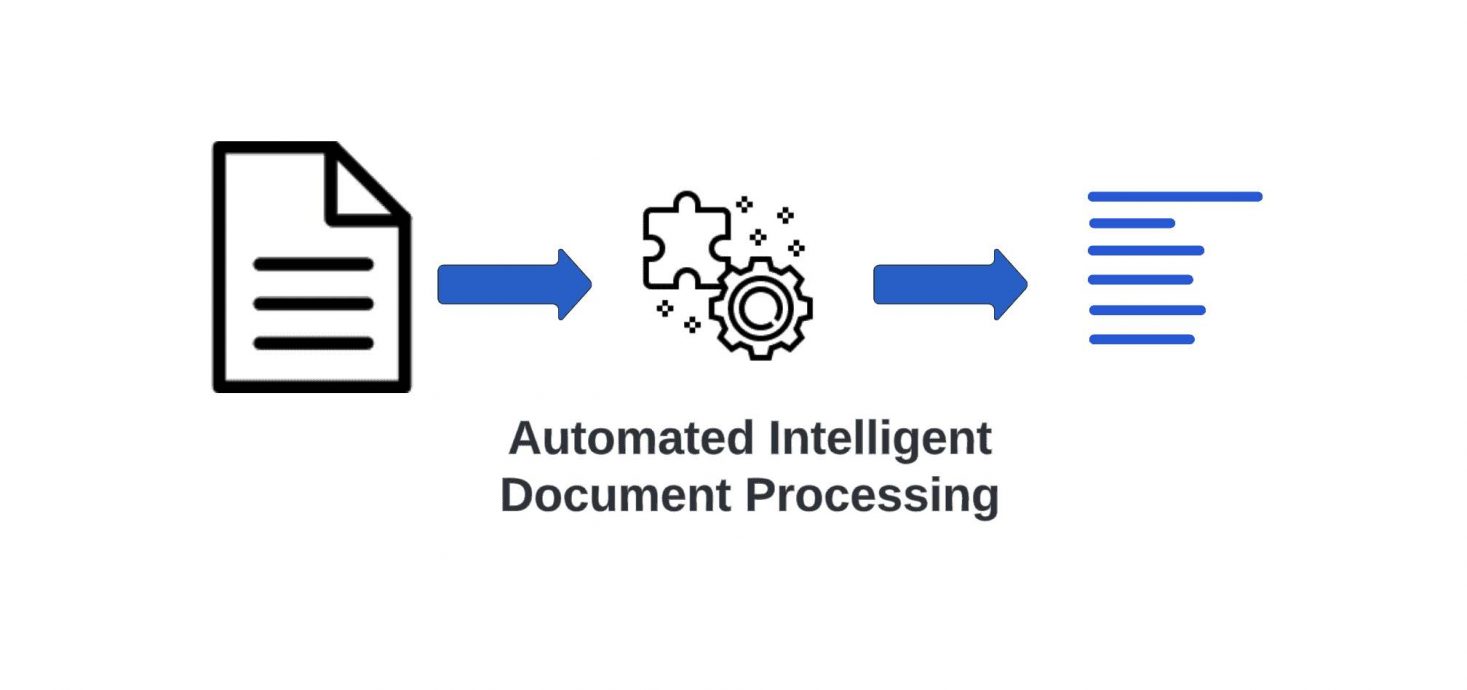
Intelligent document processing is AI software that reads business documents. It automatically captures, classifies, extracts, and validates their key data. The technology blends OCR, natural language processing, and machine learning. It turns invoices, contracts, and forms into clean structured data. That output then flows directly into core business systems.
IDP Savings and Accuracy Estimator
Adjust the inputs to see how intelligent document processing could affect cost and accuracy.
Illustrative estimates only. Assumes roughly $0.60 cost per automated document and up to 90% error reduction. Your results will vary by document type and platform.
How Intelligent Document Processing Works
Building on that definition, the value of intelligent document processing lives in a clear, repeatable pipeline. Every IDP system moves a document through ingestion, recognition, classification, extraction, validation, and delivery into business systems. Documents first enter from email, scanners, uploads, or APIs, then get cleaned and deskewed during preprocessing. An OCR layer converts images and PDFs into machine-readable text the rest of the pipeline can analyze. Trained models then classify each file by type, separating an invoice from a contract or a claim form. This staged approach lets the system handle messy, real-world inputs without manual sorting. Each stage passes structured signals to the next, which keeps the whole workflow auditable.
After classification, the extraction stage pulls specific fields such as vendor, date, totals, and line items. Natural language processing adds context so the model knows a number is an invoice total, not a quantity. Layout analysis maps where fields sit on the page, which matters for tables and complex forms. The system assigns a confidence score to every extracted value before anything moves forward. Low-confidence fields route to a human reviewer, while high-confidence values pass straight through. This design builds on how OCR technology works and then layers intelligence on top, as vendors like AWS describe.
Once validated, the structured data flows into downstream systems like ERPs, CRMs, or data warehouses. Many platforms learn continuously, improving accuracy as reviewers correct edge cases over time. This feedback loop is what separates a static rules engine from an adaptive IDP solution. Engineers at Databricks describe the flow as ingestion, OCR, classification, extraction, validation, then automation. The result is straight-through processing for the bulk of documents and focused human attention on exceptions. That balance is why the technology scales across millions of pages without a matching rise in headcount.
The Core Technologies That Power IDP
Shifting from the pipeline to its engine, several AI disciplines combine to make IDP work. Four core technologies underpin every capable platform: OCR, computer vision, natural language processing, and machine learning. OCR handles raw character recognition, turning pixels into text the system can parse. Computer vision interprets layout, tables, stamps, signatures, and the visual structure of a page. You can explore the foundations of computer vision and how it reads images in dedicated primers. Together these two layers give the machine both the words and their spatial meaning.
On top of vision sits language understanding, where natural language processing extracts meaning from raw text. Entity recognition identifies names, dates, and amounts inside dense paragraphs and tables. Machine learning ties the stack together by adapting to new layouts the system has never seen. The difference between machine learning and deep learning matters here, since deep models handle the hardest unstructured cases. Generative models and large language models now add reasoning, summarization, and flexible field mapping. This blend lets one platform read a clean form and a scanned handwritten note with similar competence.
Intelligent Document Processing vs OCR: What Actually Sets Them Apart
Turning to the comparison readers ask about most, OCR and IDP are related but far from identical. OCR reads characters, while intelligent document processing understands documents and then acts on them. Optical character recognition converts a scanned page into editable text, and little more. It does not know whether a number is a total, a date, or an account balance. As ABBYY notes, OCR is literal and lacks any sense of context or intent. That gap is exactly what IDP was built to close.
The practical difference shows up the moment documents vary in layout or quality. Traditional OCR breaks when a vendor changes an invoice template or a form arrives skewed. IDP absorbs that variation because machine learning generalizes across the formats it was trained to expect. It also validates extracted data against business rules, flagging a mismatched total before it reaches finance. A clear walkthrough of how OCR technology works shows why recognition alone leaves so much manual cleanup. IDP removes most of that cleanup by adding classification, context, and validation.
Cost and scale separate the two approaches just as sharply. OCR projects often stall in pilot because every new document type needs fresh templates and rules. IDP scales because the model learns from corrections rather than from hand-coded templates. According to Astera, IDP layers NLP and machine learning on top of OCR rather than replacing it. That means OCR remains a component inside IDP, not a rival to it. The relationship is foundation and superstructure, where one technology enables the other.
Choosing between them comes down to the complexity of the work involved. A single, fixed form at low volume may only need solid OCR. Variable documents, frequent exceptions, and downstream automation call for full intelligent document processing instead. Most enterprises eventually graduate from OCR to IDP as document volume and variety grow. The migration rarely means discarding OCR, since IDP reuses it as the recognition layer. This staged path keeps early investments useful while unlocking far broader automation.
How IDP Differs From RPA and Legacy Data Capture
Beyond OCR, another common mix-up involves robotic process automation. RPA executes repetitive software tasks, while IDP understands the documents those tasks depend on. Robotic process automation clicks, copies, and moves data between systems on fixed rules. It struggles the moment a document is unstructured or a layout shifts unexpectedly. Many teams discover that robotic process automation needs IDP to feed it clean, structured inputs. The two technologies pair naturally rather than compete for the same job.
Legacy data capture tools sit somewhere between OCR and modern IDP in capability. These older systems rely on rigid zonal templates that demand constant maintenance. They handle a stable invoice well but collapse when documents arrive in new shapes. Understanding automation versus AI clarifies why rules-only tools cannot adapt like learning systems. IDP earns its place by combining recognition, reasoning, and continuous improvement in one workflow. That combination is why analysts treat it as a distinct category rather than an OCR upgrade.
The Document Types IDP Handles Best
Building on that distinction, it helps to know which documents IDP handles best. IDP works across structured, semi-structured, and unstructured documents, with accuracy varying by complexity. Structured documents like standardized tax forms have fixed fields and yield the highest accuracy. Semi-structured documents such as invoices and purchase orders vary in layout but share predictable elements. Unstructured documents like contracts and emails carry meaning in free-flowing prose. Each category demands more language understanding than the one before it.
Invoices remain the flagship use case because volume and structure align so well. Accounts payable teams process thousands of them, and small extraction gains compound into large savings. Identity and onboarding documents follow closely, since banks must verify them at scale. Contracts and legal filings push the technology hardest, where tokenization in NLP helps parse dense clauses. Medical records and claims blend handwriting, tables, and codes into a single demanding workload. The harder the layout, the more the machine learning layer earns its keep.
Email and attachments represent the fastest-growing input channel for modern platforms. A single message may carry a PDF invoice, an image receipt, and a typed request together. IDP can split, classify, and route each component without a human opening the message. Logistics documents like bills of lading and customs forms add multilingual complexity on top. This breadth is why the technology spans nearly every document-heavy industry. Coverage across formats, not any single trick, defines a mature IDP platform.
Why Businesses Are Adopting Intelligent Document Processing
Shifting from capability to motivation, the business case for IDP is unusually concrete. Organizations adopt IDP to cut cost, speed up cycle times, and reduce error. Manual document processing costs roughly six to eight dollars per document on average, by one Paperwise analysis. Automation trims that figure sharply while freeing staff from tedious keying. Faster processing also improves customer experience, since approvals and payments move in hours, not days. Those gains explain why budgets keep shifting toward document automation.
Accuracy is the second major driver behind most adoption decisions. Human data entry carries a 1 to 4 percent error rate that rises under pressure. Errors are expensive, with a single mistake often costing 50 to 150 dollars once it spreads downstream. IDP reduces those errors by up to 90 percent compared with manual entry. Real-world results from streamlining business operations with IDP show how quickly the savings appear. Fewer errors also mean fewer compliance headaches and far fewer audit surprises.
Scalability seals the case for most enterprises evaluating the technology. Document volume rarely shrinks, yet hiring to match it is slow and costly. IDP absorbs surges without proportional staffing, which protects margins during growth. It also creates clean, structured data that fuels analytics and downstream AI. That data dividend often outlasts the original cost-saving rationale entirely. For many leaders, the strategic value of better data becomes the real prize.
Industry Applications Driving IDP Adoption
Beyond the general case, specific industries drive the steepest adoption curves for this technology. Banking, insurance, healthcare, legal, and logistics generate the document volumes where IDP pays off fastest. Banks lean on it for know-your-customer checks, loan files, and trade finance paperwork. Insurers apply it to claims, policy documents, and medical bills that arrive in countless formats. Healthcare systems extract data from referrals, lab results, and intake forms under strict privacy rules. Each sector shares the same pain of high volume, high stakes, and stubbornly unstructured inputs.
In financial services the returns are especially well documented across functions. The technology cuts know-your-customer processing time by 70 to 80 percent in many deployments. It also compresses mortgage cycles and reduces the manual review behind every account opening. The rise of generative AI in banking is pushing these systems toward richer reasoning over documents. Fraud detection benefits too, since the model flags altered or inconsistent paperwork almost instantly. These outcomes make banking one of the most mature markets for the technology today.
Insurance offers an equally compelling picture across the entire claims lifecycle. One Nordic insurer struggled with manual handling of bills, invoices, and medical records before automating. After deploying the technology, the firm sorted unstructured claim data faster and improved service. Studying how AI is applied in insurance reveals why claims are such a natural fit. Adjusters keep authority over decisions while the machine handles the tedious extraction work. The model still needs human review for ambiguous or disputed claims.
Healthcare, logistics, and the public sector round out the high-value applications. Hospitals digitize records, while shipping firms automate bills of lading and customs forms across languages. Even RPA in healthcare depends on clean extracted data to trigger its automated steps. Law firms triage contracts, discovery files, and case records at scale with similar tools. Government agencies convert decades of paper into searchable, queryable archives. Every one of these domains turns document backlogs into structured, usable data.
How to Implement Intelligent Document Processing in Your Organization
With that foundation, implementing IDP follows a repeatable sequence. A successful rollout moves from business case to pilot to phased production with human oversight throughout. Start by mapping document flows, target use cases, and clear success metrics with stakeholders. Choose one high-volume, high-pain process like accounts payable for the first pilot. Define what accuracy and cycle-time targets the project must hit to count as a success. This upfront clarity prevents the scope creep that stalls so many automation programs.
Next, prepare data and integrations before any model touches a live document. Gather representative samples of every document type, including the messy edge cases people dread. Confirm the platform integrates with existing systems, since deploying AI agents for workflow automation demands clean handoffs. Connect the pipeline to downstream tools like enterprise knowledge management so structured output lands where work happens. Map exactly which fields each process needs, rather than extracting everything by default. Tight scoping here keeps accuracy high and review queues short.
Then run a controlled pilot and measure it against the targets you defined earlier. Route low-confidence extractions to human reviewers and capture every correction they make. Feed those corrections back into the model so accuracy climbs with each cycle. Track straight-through processing rate, error rate, and cost per document throughout the pilot. Expand to new document types only after the first process clears its accuracy bar. This phased approach limits risk while building internal trust in the system.
Finally, move to production with monitoring, governance, and a clear exception workflow. Set confidence thresholds that decide when a document needs a human reviewer. Document those rules so the whole team can see and adjust them over time. Schedule regular reviews of accuracy and drift as document formats evolve. Treat the deployment as a living system, not a one-time project. Ongoing tuning is what keeps automation reliable as volumes grow.
Measuring Accuracy and ROI in Document Automation
Looking at returns, the numbers behind document automation are unusually concrete. Organizations commonly report 60 to 80 percent faster processing and 50 to 70 percent lower costs. Field-level accuracy reaches 95 to 99.5 percent on common document types after tuning. Manual entry, by contrast, carries a 1 to 4 percent error rate that grows under load. Financial services deployments often generate 300 to 400 percent returns within 18 to 24 months. Those figures explain why finance leaders treat the technology as a margin lever, not a cost.
Measuring ROI well means tracking the right metrics from day one. Straight-through processing rate shows how many documents skip human review entirely. Cost per document captures savings against the six to eight dollar manual baseline. Cycle time reveals how much faster approvals and payments now move. Tools for data extraction with LLMs push accuracy higher on the hardest unstructured files. Pairing these metrics gives a defensible picture of both speed and quality.
Realistic ROI models also account for the cost of getting there. Licensing, integration, and change management all consume budget before savings appear. Accuracy on novel document types usually starts lower and improves with feedback. Teams that expect instant perfection are often disappointed in the first quarter. The honest pattern is a steady climb, not an overnight transformation. Setting that expectation early keeps stakeholders patient and supportive.
Risks and Challenges of Intelligent Document Processing
Despite the upside, IDP carries real risks worth naming plainly. Data security and privacy rank as the single biggest challenge in most deployments. Feeding sensitive documents to large language models can expose data to breaches or misuse. Many models also need fine-tuning before they perform well on specialized formats. Accuracy still drops on poor scans, handwriting, and rare document layouts. Treating the technology as flawless invites costly errors downstream.
Model behavior introduces a second category of risk that teams underestimate. Generative components can hallucinate values that look plausible but are simply wrong. A deeper grasp of deep learning helps teams judge where models are weakest. Bias in training data can skew extraction across languages or document origins. Without monitoring, accuracy can drift quietly as real-world documents change. Continuous evaluation is the only reliable defense against silent degradation.
Operational and organizational risks round out the picture for adopters. Poorly scoped projects try to automate everything at once and collapse under complexity. Reviewing common NLP challenges shows why language understanding remains imperfect. Staff may resist tools they fear will replace rather than assist them. Vendor lock-in can also limit flexibility as needs evolve over time. Naming these risks early turns them into manageable design decisions.
Data Privacy, Security, and Ethical Responsibility
Beyond technical risk, responsible deployment demands real attention to privacy and ethics. Sensitive documents require encryption, strict access controls, and clear data-retention policies by default. Regulations like GDPR and HIPAA shape how extracted data may be stored and used, as Microsoft notes for regulated workflows. Vendors should disclose where data is processed and whether it trains shared models. A clear audit trail lets organizations prove compliance when regulators ask. Cutting corners on privacy can erase every efficiency gain in a single breach.
Ethical responsibility extends past security into fairness and transparency. Automated decisions about claims or loans must remain explainable to the people affected. Human oversight should govern any high-stakes outcome, not just rubber-stamp it. Teams must watch for bias that disadvantages certain languages or communities. Documenting how the system works builds trust with users and regulators alike. Responsible design is not a constraint on the technology but a condition for its longevity.
How to Choose an Intelligent Document Processing Platform
Given the risks, choosing the right platform deserves careful, structured evaluation. The best fit depends on document variety, accuracy needs, integration depth, and total cost. Some platforms excel at structured forms, while others handle messy unstructured text far better. Pre-built models for invoices or identity documents can shorten time to value dramatically. Ease of integration with existing systems often matters more than headline accuracy. A short proof of concept on your own documents beats any polished vendor demo.
Accuracy claims deserve scrutiny rather than blind acceptance. Vendors quote best-case numbers on clean documents that rarely match messy reality. Test each platform on your hardest files, not the curated samples they provide. Examine how the system handles low-confidence cases and human review. Check whether the model improves from your corrections or stays static. These tests reveal the gap between marketing and operational truth.
Total cost of ownership stretches well beyond the license fee. Integration, training, and ongoing tuning all add to the real bill over time. Cloud and on-premise options carry different security and cost trade-offs. Scalability matters, since document volumes rarely shrink once automation proves itself. Vendor stability and support quality protect the investment across years. Weighing all these factors prevents an expensive mistake later.
The Future of Intelligent Document Processing
Looking ahead, the trajectory of IDP points toward deeper intelligence. Purpose-built large language models and generative AI are reshaping how documents get understood. Industry-specific models tuned for finance, healthcare, and legal work are emerging quickly. These models read context, summarize, and reason rather than just extract fixed fields. End-to-end hyperautomation is becoming the default expectation for enterprise workflows. The line between document processing and broader AI automation keeps blurring.
Privacy-first architectures are rising alongside these capability gains. Vendors increasingly offer on-premise and private deployments to keep data in-house. Some explore blockchain-style records to prove document integrity and provenance. Multimodal models will soon read text, images, and tables in one unified pass. Accuracy on handwriting and complex layouts should keep climbing with better models. The next few years favor systems that are both smarter and more private.
Adoption will broaden as costs fall and tooling matures across the market. Smaller organizations will access capabilities once reserved for large enterprises. The technology will fade into the background as a default layer of business software. Human roles will shift toward exception handling, oversight, and higher-value judgment. Demand for clean, structured data will only intensify as AI systems multiply. That demand makes document intelligence a foundational technology for the decade ahead.
Intelligent Document Processing Market Growth, 2025 to 2034
Projected global IDP market size in USD billions. Source estimates vary by firm.
Source: Fortune Business Insights and Precedence Research market estimates, compiled by AIplusInfo.
Common Mistakes to Avoid When Adopting IDP
Stepping back, a few recurring mistakes derail otherwise promising projects. The most common error is trying to automate every document type at once. Boiling the ocean overwhelms teams and buries accuracy problems in needless complexity. Skipping the pilot phase removes the feedback that makes models steadily improve. Ignoring human review for high-stakes documents invites expensive, avoidable errors. Underinvesting in change management leaves capable tools sitting unused on the shelf.
Another trap is treating accuracy as a fixed property rather than a process. Models need ongoing tuning as document formats and vendors change over time. Choosing a platform on price alone often costs more once integration begins. Failing to define success metrics makes ROI nearly impossible to prove later. Neglecting data security can turn a productivity win into a compliance crisis. Avoiding these traps is mostly about discipline, not advanced technology.
Key Insights
- The global IDP market reached roughly USD 10.57 billion in 2025, reflecting fast enterprise adoption, according to Fortune Business Insights.
- One forecast projects the market will reach USD 43.92 billion by 2034 as automation spreads across industries, per Precedence Research.
- Modern systems reach field-level accuracy of 95 to 99.5 percent, far above typical manual entry, as documented by Astera.
- Manual data entry carries a 1 to 4 percent error rate that can spike sharply under deadline pressure, reports Lido.
- Automation can cut human error rates by up to 90 percent compared with manual keying, according to DigiParser.
- Manual document handling costs about six to eight dollars per document, a baseline that automation slashes, notes Paperwise.
- Financial services deployments often deliver 300 to 400 percent returns within 18 to 24 months, per research from Docsumo.
- HSBC’s IDP system extracts 65-plus data points per trade pack across nearly 100 million pages yearly, Evolution AI reports.
Taken together, these numbers explain why IDP has moved from novelty to necessity. The technology pairs sharp accuracy gains with steep cost reductions across document-heavy functions. Adoption is strongest where volume, stakes, and unstructured inputs collide, as in banking and insurance. The returns are real, yet they depend on disciplined implementation and honest human oversight. Risks around privacy, bias, and model drift temper the optimism without erasing it. The balance of evidence favors steady, well-governed adoption over rushed, all-at-once automation.
IDP vs OCR vs RPA: A Side-by-Side Comparison
Turning to a side-by-side view, the three technologies are easiest to grasp in one table. OCR reads, IDP understands, and RPA acts, which is why mature automation uses all three together. The comparison below maps each technology against the dimensions that matter most in practice. It shows where simple recognition ends and genuine document understanding begins. It also clarifies why robotic process automation needs structured data to function well. Reading the rows together prevents the common mistake of treating these tools as interchangeable. Use it as a quick reference when scoping any document automation project.
| Dimension | OCR | IDP | RPA |
|---|---|---|---|
| Core function | Convert images to text | Understand and extract document data | Automate repetitive software tasks |
| Handles unstructured documents | No | Yes | No |
| Understands context | No | Yes, via NLP | No |
| Adapts to new layouts | Poorly, needs templates | Yes, learns from data | No, breaks on change |
| Built-in validation | None | Confidence scoring and rules | Rule-based only |
| Human-in-the-loop | Manual cleanup | Routes low-confidence cases | Limited |
| Scalability | Low for variety | High across formats | High for fixed tasks |
| Accuracy ceiling | Text only | 95 to 99.5 percent on fields | Depends on inputs |
| Best use case | Single fixed form | Variable, high-volume documents | Moving data between apps |
Intelligent Document Processing in Practice
Accounts Payable Invoice Automation
Accounts payable teams deployed IDP among the very first adopters. One common pattern uses the technology to capture invoices from email, PDFs, and scans automatically. Deployments routinely cut invoice processing time by 60 to 80 percent while improving accuracy. The system still routed low-confidence invoices to human clerks for a final check. Integration with the ERP required careful field mapping before straight-through processing worked. Practical use cases compiled by Hyland show why invoices remain the flagship application.
Trade Finance Validation at HSBC
HSBC built a customized IDP solution on IBM technologies for trade finance validation. The bank deployed it to check invoices and insurance certificates inside global trade operations. The system extracts more than 65 data points from each trade transaction pack. It reduced manual validation time by roughly 50 percent across those operations. Human specialists still review complex or high-value packs before final approval. Details reported by Evolution AI highlight both the scale and the remaining oversight.
KYC and Customer Onboarding in Banking
Banks have widely adopted IDP for know-your-customer onboarding. They deployed it to read identity documents, proofs of address, and application forms. The approach reduced KYC processing time by 70 to 80 percent in many programs. Faster onboarding lowered abandonment and improved the customer experience measurably. Reviewers still verified flagged or low-confidence cases by hand. Industry analysis from KlearStack documents these banking gains in detail.
Lessons From Enterprise IDP Deployments
Case Study: Nordic Insurer Claims Triage
Case Study: a leading Nordic insurer faced slow, manual claims handling across many document types. The firm deployed IDP to sort bills, invoices, and medical records automatically. After rollout, the insurer processed unstructured claim data far faster than before. Cycle times fell by days and customer service efficiency increased across the claims team. The model still required human review for ambiguous or disputed claims. The deployment described by Evolution AI shows both the speed gains and the limits.
Case Study: Healthcare Records Digitization
Case Study: a healthcare provider used IDP to digitize patient records. The team deployed it on referrals, lab results, and intake forms under strict privacy controls. Extraction reduced manual data entry hours significantly across the records department. Staff redirected those saved hours toward patient-facing work rather than typing. Accuracy still required human checks on handwritten and low-quality scans. Use cases summarized by Cleveroad illustrate the healthcare opportunity and its constraints.
Case Study: Logistics and Customs Automation
Case Study: a logistics operator deployed IDP for shipping paperwork. It rolled the system out across bills of lading, customs forms, and proof-of-delivery documents. Automation reduced document handling time by a large percent during peak volumes. Multilingual extraction let one pipeline serve several markets at once. The system still required human review for unusual or damaged documents. Analysis from Auxis outlines why logistics is a strong fit for the technology.
Frequently Asked Questions About Intelligent Document Processing
IDP is AI software that captures, classifies, extracts, and validates data from documents. It combines OCR, natural language processing, and machine learning to automate document-heavy workflows. The output is clean, structured data ready for downstream business systems.
OCR converts images of text into machine-readable characters and little more. IDP layers machine learning and NLP on top to classify documents and understand context. It also validates fields and routes data across the full workflow. In short, OCR reads while IDP understands and acts.
No, the two technologies solve different problems. RPA automates repetitive software tasks based on fixed rules. IDP understands and extracts data from the documents those tasks depend on. The two often work together, with IDP feeding clean data to RPA bots.
Documents enter from email, scanners, or uploads and are cleaned during preprocessing. OCR converts them to text, then models classify each document by type. Extraction pulls key fields using NLP and layout analysis with confidence scores. Low-confidence values route to a human, while the rest flow into business systems.
Leading systems reach 95 to 99.5 percent field-level accuracy on common documents. Accuracy depends on document quality, layout complexity, and model tuning. Human-in-the-loop review handles low-confidence cases to keep results reliable. Performance usually improves over time as reviewers correct edge cases.
Yes, machine learning is central to how the technology adapts to new layouts. It learns from human corrections rather than relying on hand-coded templates. Deep learning and large language models handle the hardest unstructured cases. This adaptability is what separates IDP from older template-based capture.
IDP handles structured, semi-structured, and unstructured documents. Common examples include invoices, contracts, forms, identity documents, claims, and emails. Accuracy is highest on structured forms and lower on messy handwriting. Most platforms support many languages and file formats at once.
Banking, insurance, healthcare, legal, logistics, and government are the heaviest users. These sectors share high document volume and strict accuracy requirements. Invoices, claims, and identity documents are the most common starting points. Returns appear fastest where manual processing was slowest and most error-prone.
Costs vary by document volume, complexity, and deployment model. Pricing usually bundles licensing, integration, and ongoing tuning. Manual processing costs roughly six to eight dollars per document as a baseline. Most organizations reach positive ROI within the first year of use.
Many organizations report 60 to 80 percent faster processing and 50 to 70 percent lower costs. Financial services often see 300 to 400 percent returns within 18 to 24 months. Actual results depend on disciplined implementation and realistic scoping. Tracking cost per document and cycle time proves the value clearly.
Data security and privacy are the biggest concerns in most deployments. Models can hallucinate values or drift as document formats change over time. Poor scans, handwriting, and rare layouts still reduce accuracy. Ongoing monitoring and human oversight keep these risks manageable.
Not entirely, since human oversight remains essential for exceptions. Most deployments keep people in the loop for low-confidence or high-stakes cases. The technology automates repetitive extraction rather than full judgment. Roles tend to shift toward review, oversight, and higher-value work.
Begin with one high-volume process such as accounts payable. Map document flows, define success metrics, and run a small controlled pilot. Route low-confidence cases to reviewers and feed their corrections back to the model. Expand to new document types only after the pilot meets its targets.