
Introduction
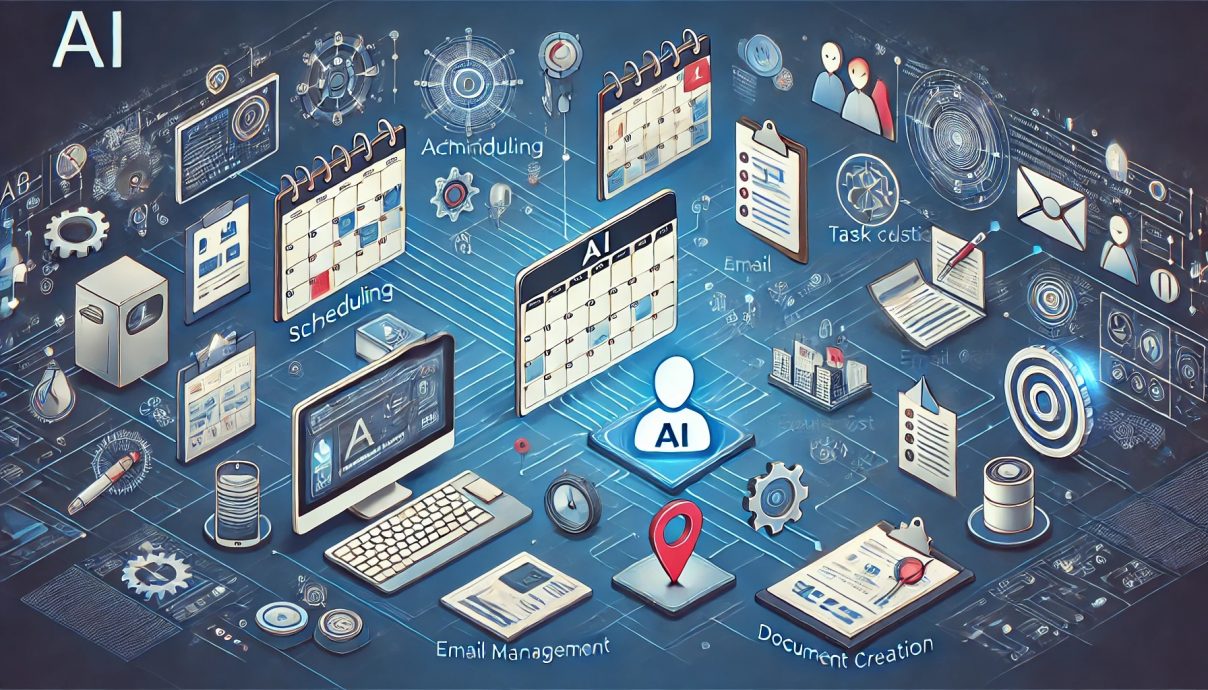
AI for managing administrative tasks has moved from novelty to default operating layer across modern offices. Gartner now projects that 40 percent of enterprise applications will include task specific AI agents by the end of 2026, up from under five percent one year earlier. Knowledge workers using these tools report saving around 1.75 hours per day on email, scheduling, and documentation drudgery. The shift matters because administrative work has quietly been the connective tissue of every company, and AI now rewrites how that tissue flexes with every passing month. This guide shows exactly what the technology does, where it earns its cost, and where it quietly breaks the people and processes it was supposed to help. It threads together verified statistics, concrete workflow patterns, and the limitations that vendors rarely publish on their landing pages. Readers who finish it will leave with a measurable plan rather than a vague sense of possibility across the back office.
Quick Answers on AI for Managing Administrative Tasks
What does AI for managing administrative tasks actually do?
It automates email triage, calendar scheduling, document drafting, data entry, expense routing, and knowledge lookup using language models and task specific agents layered on existing software.
How much time can an administrative professional reclaim with AI?
Verified field studies show one to two hours reclaimed daily within three months, concentrated in repetitive administrative communication, scheduling coordination, and routine report compilation.
Is AI reliable enough to run administrative work alone?
No. Reliability still depends on human review, well designed prompts, and strict guardrails, especially for finance approvals, legal documents, and personally identifiable administrative records.
Key Takeaways
- AI for managing administrative tasks reclaims one to two hours per professional daily when the right workflows are automated first.
- The highest return comes from scheduling, email triage, and document generation rather than exotic agentic experiments.
- Reliability depends on prompt design, retrieval grounding, and human review loops, not model size alone.
- Compliance, audit trails, and vendor lock in risk now shape procurement decisions as heavily as pure productivity math.
Table of contents
- Introduction
- Quick Answers on AI for Managing Administrative Tasks
- Key Takeaways
- What Is AI for Managing Administrative Tasks
- The Modern Administrative Stack and Where AI Fits Inside It
- How Email Triage, Drafting, and Follow Up Change Under AI
- Calendar Coordination, Scheduling, and Meeting Preparation at Scale
- Document Generation, Templates, and Knowledge Retrieval With Retrieval Augmented Generation
- Finance Operations: Expense Reports, Invoicing, and Vendor Admin Workflows
- Human Resources Admin: Onboarding, Policy Lookups, and Interview Scheduling
- Customer and Executive Support: Inboxes, Travel, and High Volume Coordination
- Choosing Between Copilot Suites, Standalone Assistants, and Custom Agents
- Prompting, Context Design, and Guardrails That Make Admin AI Reliable
- Measurement: Time Reclaimed, Error Rates, and Return on Investment
- Data Protection, Compliance, and Audit Trails for Administrative AI
- Change Management, Implementation, and Upskilling for the Administrative Workforce
- Risks, Ethics, Common Failure Modes, and Over Automation
- The Agentic Future of Administrative Work
- Key Insights From Early Adopters of AI Across the Back Office
- Comparing AI Models and Platforms Across Administrative Workflows
- Real World Examples and Practical Applications of AI Across Administrative Teams
- In Depth Case Studies of AI in Administrative Operations
- Frequently Asked Questions on AI for Managing Administrative Tasks
What Is AI for Managing Administrative Tasks
AI for managing administrative tasks is software using large language models and task agents to execute office work. It handles scheduling, email, documents, approvals, data entry, and search across business systems. The result is reclaimed time, faster response, and fewer manual handoffs.
Reclaimed hours and ROI from AI for managing administrative tasks
Model the weekly hours and dollar return your administrative team can expect from AI assistants. Adjust the inputs to see live estimates.
10 people
$55 per hour
Scaled
Projected impact (per week)
Model assumes 8.75 reclaimed hours per administrator per week at scaled maturity, aligned with published Copilot and workspace benchmarks. Adjust maturity to reflect your pilot phase.
The Modern Administrative Stack and Where AI Fits Inside It
Modern administrative work sits on a layered stack that few executives can diagram clearly today. At the base lives the system of record for mail, calendar, documents, and chat used by everyone in the company. Above that sits a system of engagement where staff draft, reply, and schedule, often inside Microsoft 365 or Google Workspace. A thin layer of integrations ties payroll, finance, and travel into daily routine for most teams. AI now inserts itself as a fifth layer that reads, drafts, and acts across all four. Treating the AI layer as separate rather than embedded is the fastest way to produce low adoption and expensive duplicate work.
Building on that structure, the embedded layer takes several visible shapes inside the daily workflow. Microsoft Copilot and Google Gemini for Workspace live inside existing tabs with few new habits to learn each day. Standalone assistants such as Motion, Reclaim, and Clockwise focus narrowly on scheduling and time blocking across the week. Agent frameworks like mastering agentic AI workflows let technical teams compose multi step automation across many systems. Each shape serves a different buyer, and most offices eventually run two or three in parallel without conflict. The question is which one owns the inbox and which one owns the agenda for each team.
Shifting focus to the hidden parts of the stack, leaders often miss a shadow category of tooling arriving through employee devices. Browser extensions, note takers, and personal AI tools arrive through employee devices rather than procurement, often with weaker data controls than the sanctioned enterprise tools. These shadow tools can save real hours each week, yet they can also exfiltrate client details to a vendor nobody vetted properly first. Mature programs map every active tool, label its data flow, and sunset anything that creates duplicate function with existing stack layers. The administrative stack is only as safe as its least documented node across the whole organization. Program leaders should audit it quarterly, with results reviewed openly in operating meetings.
How Email Triage, Drafting, and Follow Up Change Under AI
Turning to the inbox, email is the first battleground where AI for managing administrative tasks earns its budget. Modern assistants read incoming threads, cluster by sender and topic, and surface what truly needs a reply this week. They write a first draft, suggest a tone, and remember a user’s house style across weeks of correspondence with other teams. The administrator stops typing from scratch and begins editing drafts with confidence, catching errors and tightening language. Teams that moved email first saw the largest and most durable productivity gains in independent surveys published this year. That pattern is a strong signal for any organization still planning its first serious administrative AI pilot.
In practice, deployment is simpler than many finance and operations leaders fear at the start. Microsoft Outlook with Copilot can summarize a long thread in one line, propose a reply, and route a meeting request to the right owner in one minute. Google Gemini performs a similar function inside Gmail with contextual labels and quick reply chips that fit tightly into the sender’s existing workflow. Early users report cutting inbox time by about forty percent during the first ninety days after rollout. Independent coverage of this trend sits in UC Today Microsoft Copilot in Outlook, which collects user quotes and productivity numbers. The harder work is building a review habit that catches tone errors before they ship to a customer.
Beyond the obvious wins, risks arrive quickly when the same assistants begin to answer on their own without supervision. A tone that sounds confident but reports the wrong meeting time still damages trust with a client in a measurable way. Phishing becomes harder to detect when AI auto summaries hide the sender’s actual words and framing choices from the reader. Internal process must require a human to confirm any reply that involves money, legal commitment, or personal data of any kind. Risk control is a feature of the workflow design, as covered in AI agent email attack, not a bolt on added after launch day. Organizations with mature pilots run quarterly red team exercises to probe where their email AI breaks.
Calendar Coordination, Scheduling, and Meeting Preparation at Scale
Looking at the calendar next, scheduling is the second workflow where AI earns an outsized return on invested minutes. Smart assistants read everyone’s calendar, apply working hour rules, and propose time slots that respect energy as well as availability. Reclaim and Motion go further by moving flexible blocks to protect focus time across every working day of the week. Clockwise anchors recurring meetings so teams keep deep work pockets open from Monday through Friday. Scheduling AI only works when leaders agree on simple rules such as a no meeting day or a hard end for the working hour window. Without those rules the AI makes decisions that nobody can later explain or defend.
Shifting to preparation, the moments before a meeting also become dramatically less manual for most administrators. Copilot drafts an agenda from the invite body, pulls relevant files from Microsoft Graph, and prepares a short brief in the minutes before the call starts. Note takers such as Otter and Fireflies record and summarize what was decided and who committed to what next step. For teams tracking longer initiatives, see AI agents revolutionizing daily workflows, which maps common calendar automation stacks. The pattern is simple, repeatable, and easy to teach to new administrative hires in their first week. Preparation and follow up shrink until the decision time inside the meeting is the only part that matters.
Document Generation, Templates, and Knowledge Retrieval With Retrieval Augmented Generation
Stepping back to look at documents, this work used to be the hard ceiling for administrative productivity gains. Policy drafts, meeting minutes, status reports, and vendor one pagers consumed hours per week across every administrative seat in a growing company. AI for managing administrative tasks compresses that time by drafting the first version from a few prompts and a short list of reference files. The administrator then edits, verifies, and ships the final document in a fraction of the time it used to take. Reviewers now spend their attention on judgment calls rather than on sentence construction and formatting choices.
Building on that pattern, retrieval augmented generation is what makes those drafts trustworthy inside a regulated environment. The model is paired with a search layer that pulls fresh sentences from a company’s own documents, so the output cites internal truth rather than guessing from outdated training data. Retrieval done well is the single biggest shift in enterprise AI reliability since the introduction of fine tuning in the open source model stack. Vendors package this pattern in different ways, from Copilot in SharePoint to standalone tools built on vector databases hosted inside the customer’s own cloud. Teams needing full control build their own retrieval stack as described in building custom AI agents.
Turning to templates, they become more valuable when retrieval sits beside them inside the document generation workflow. A travel policy template can call for the current reimbursement rate stored in a finance folder with a live link. A customer welcome packet can call for the latest pricing sheet without a human having to copy and paste anything. The result is consistent brand voice combined with current numbers that update as the finance team edits the source files. Administrators spend less time hunting through folders and more time improving templates themselves across every function of the organization.
Among the practical adoption concerns, knowledge retrieval is also where privacy choices get real for the compliance team. Sensitive files should be tagged, access controlled, and excluded from retrieval scopes when the policy requires that treatment. Vendor options such as Microsoft Purview and Google Workspace labels help administrators enforce those rules at scale across every tenant and site. The AI never fixes a messy information model on its own, it only amplifies whatever labels and permissions already exist in the data layer. A clean information architecture is now a prerequisite for safe AI output rather than a nice to have, as discussed in intelligent document processing. Teams who skip this step pay for it inside their first serious compliance review.
Finance Operations: Expense Reports, Invoicing, and Vendor Admin Workflows
Turning to finance operations, this is where AI for managing administrative tasks earns the strictest audit review from the controls group. Expense capture, vendor onboarding, invoice coding, and reconciliation all involve repetitive paperwork with concrete numerical rules written into policy. Modern finance assistants read receipts, map them to policy categories, and queue the questionable items for a human reviewer to approve. The result is faster closing cycles and fewer small refunds that used to leak through the manual expense pipeline. Teams that integrate the AI with their ERP record the highest ratio of time saved to risk added. The integration pattern now shows up in every mature finance operations playbook on the market.
Shifting to vendor administration, this function follows the same arc of task automation and exception handling. Contract renewal reminders, W nine capture, and payment term verification can be handled by workflow agents that fetch forms, prompt for signatures, and log every message in the ERP. The administrator becomes the exception handler rather than the processor of routine paperwork across the vendor base. In finance, every automated step must leave an auditable trail that a human can replay without hunting through chat logs or vendor emails. That trail is also what satisfies external auditors and keeps the finance function out of regulatory trouble. Experience across many deployments shows this discipline pays back many times over inside the first annual review cycle.
Rounding out the finance view, reconciliation deserves separate caution during any administrative AI pilot in this function. AI can group transactions by vendor and flag mismatches, yet it cannot replace the judgment required to resolve a disputed charge with a long term partner. The right pattern is dual control, where AI prepares a draft reconciliation and a human finance analyst signs off formally. For broader context on this emerging space, see agentic AI transforming finance, which maps the technology landscape across treasury and controller teams. The reward from this discipline is measured in hours per close and fewer audit findings during the next cycle. Those gains compound across every quarter the controls are maintained.
Human Resources Admin: Onboarding, Policy Lookups, and Interview Scheduling
Looking at HR next, these teams face a flood of repetitive administrative work tied to hiring and onboarding across the year. New employees ask the same questions in the same first week, from parking permits to insurance enrollment to equipment setup. AI assistants trained on an internal HR corpus answer these questions in real time inside Slack or Teams for every new starter immediately. The HR administrator keeps the harder cases that require nuance, empathy, and judgment across the broader employee relationship. Routing questions by complexity is the single simplest HR productivity change available this year across the back office function. That routing can be implemented inside a few weeks with modest engineering effort and strong policy content.
Beyond onboarding, interview scheduling is another classic drain on administrative time across the hiring function in every quarter. A single open role can require coordinating five internal calendars with three external candidates across different time zones and shifting constraints. Tools like Paradox and Rooster, as well as Copilot inside Outlook, propose slots, send invitations, and reschedule politely when needed in every pipeline. The HR coordinator reclaims hours per week and watches candidate dropout rates fall over the first few months of operation. The remaining work is pure judgment deciding who moves forward and how to coach hiring managers through the pipeline. These are precisely the activities where human experience and empathy remain irreplaceable in the near term.
Customer and Executive Support: Inboxes, Travel, and High Volume Coordination
Looking at the executive support function, these assistants manage a volume of inputs that no human can read in full on their own. Their inboxes, chat channels, and calendars combine into a wall of context that must stay organized through every workday. AI tools now draft responses, triage urgent threads, and track promises across conversations with vendors, customers, and partners alike. The assistant moves from reactive triage to proactive planning that anticipates the executive’s next commitment or decision point. The best executive AI use cases turn an exhausted inbox into a prioritized decision queue for the leader to work through. That shift creates compounding returns for both the executive and the organization they serve.
Shifting to travel coordination, this task gets dramatically simpler with modern administrative AI across the executive support function. Modern tools book flights, hotels, and ground transport based on calendar context and policy constraints that update in real time. They renegotiate when a schedule shifts and send clean itineraries to the executive before departure for every trip. Customer support leaders deploy similar agents to triage incoming tickets, draft first replies, and escalate anything with legal or financial exposure to a human reviewer. Both patterns rely on tight integration between the AI, the system of record, and the organization chart for the owning function. Those integrations are now built into most leading customer support suites by default.
Beyond the familiar workflows, volume is where this category earns its name across the enterprise. One agent can watch twenty inboxes and two hundred Slack channels simultaneously, surfacing only what needs human attention each hour. See real time AI agents in workflows for a snapshot of live customer support deployments. Leaders should remember that volume magnifies both value and risk in the same step across every function. A fast reply at scale is also a fast mistake at scale, and the review pattern must grow in step with throughput. Governance teams build sampling and rotation into the workflow to catch model drift and tone problems early.
Choosing Between Copilot Suites, Standalone Assistants, and Custom Agents
Turning to procurement, this is where AI strategy meets the real world of budgets and vendor contracts in the finance function. Three product families now dominate the market across the full administrative automation landscape. Copilot suites from Microsoft and Google integrate into the tools employees already use every working day of the year. Standalone assistants like Reclaim, Motion, Notion AI, and Perplexity solve a narrower problem with less onboarding effort for the staff involved. Custom agents built on open frameworks fit the most specific internal workflows that no vendor package covers today. Most organizations end up blending all three rather than picking a single winner from the market.
Looking first at Copilot suites, they win on surface area across the collaboration platform in every tenant. They see everything that already lives in the collaboration platform and apply models consistently across every tab in every tool. The tradeoff is cost per seat and reduced flexibility when a workflow deviates from the vendor roadmap in important ways. Standalone assistants fill those gaps and often arrive at a lower per seat price across the lineup. A detailed comparison lives in the article Agentforce vs Microsoft Copilot for every active procurement team. Buyers should test both inside a small group before scaling to a full organization wide license.
Moving on to custom agents, these arrive once the obvious wins have been captured and the roadmap pushes beyond vendor features. They solve messy problems that no vendor packages, such as consolidating three order systems after an acquisition closes with a complex integration backlog. Open frameworks like LangGraph, CrewAI, and Semantic Kernel give technical teams building blocks for these cases without reinventing shared primitives. The vendor landscape across the ecosystem catalogs options at every budget worldwide. Build only when buying has clear and persistent limits that will not be closed by vendor roadmap updates in the next twelve months. The build versus buy question deserves its own quarterly review as the vendor market matures.
Choosing among these approaches, governance should guide the final mix across every function and geography. Enterprise programs like Microsoft Agent 365 governance establish identity, logging, and policy enforcement across every agent in the environment. A deliberate mix with shared governance beats a sprawling collection of standalone purchases that nobody reviews after year one. Procurement teams should insist on standard data processing addenda, audit logs, and model routing controls across every vendor relationship signed. These contracting standards save the compliance team months of custom negotiation when a regulator inquires about a specific workflow or model. The procurement side of administrative AI deserves its own named owner inside the organization.
Prompting, Context Design, and Guardrails That Make Admin AI Reliable
Looking ahead to reliability, this question in administrative AI is a design problem rather than a model size problem. The same model that writes a flawed email can also write a precise one when given the right context in the prompt. Context design means feeding the AI the right documents, templates, and tone examples at the right moment in the workflow. Prompt libraries, saved as reusable snippets, let an organization capture its own best practice patterns across every administrator and team. Prompt libraries create a slow compounding advantage that is hard for a competitor to copy inside a short timeframe. Investing in that library early pays back for years across every new administrator who joins the organization.
On top of good prompts, guardrails sit alongside them as the second half of reliability engineering. Rules like a hard requirement to cite internal documents, or a block on actions that cost money without a human sign off, stop the most dangerous mistakes before they ship. Governance teams document guardrails as formal policies and bake them into the agent runtime through tools like Microsoft Agent 365 and Google Cloud AI governance. See the framework for securing agentic AI, which maps common guardrail patterns across industries. Guardrails are what let leaders expand the scope of AI without expanding their risk at the same rate across the enterprise. Done right, they turn an experimental tool into a durable operating capability.
Beyond prompts and guardrails, reusable prompts depend on a living corpus of documents that stays current across every function. Internal wikis, policies, and templates must be current, searchable, and tagged with permissions that match the organization chart. Fresh prompts and stale documents produce fresh looking yet stale output that fools no one who knows the actual state of the business. Information operations teams and administrative leads should share ownership for keeping that corpus accurate inside each function. For continued reading on prompt discipline, see daily ChatGPT productivity prompts, which collects a reusable starter library. Prompt libraries deserve their own named steward just as code repositories do inside modern engineering teams.
Measurement: Time Reclaimed, Error Rates, and Return on Investment
Shifting to measurement, this decides whether AI for managing administrative tasks funds its next investment cycle at the end of the fiscal year. The right dashboard tracks hours reclaimed per role, error rates per workflow, and cycle time for signature processes across every function. Microsoft and Google now publish adoption analytics inside their admin consoles for every tenant and license pool. External tools can benchmark against industry peers for context when a leader needs to defend the budget to a skeptical finance partner. What is measured is what gets funded, and what is not measured is quietly cancelled during the next budget cycle for every program. That rule applies to administrative AI just as it applies to every other operations program.
Looking at the math itself, return on investment is simpler than many finance partners expect at the start of a program. Multiply reclaimed hours by loaded cost per hour, subtract license and change management expense, and compare the result to initial estimates set at the pilot kickoff meeting. See AI agent cost per task for deeper modeling that handles edge cases like token pricing and training time. The hidden variables are turnover, morale, and client responsiveness, each of which the measurement framework should surface alongside the raw numbers in every monthly operating review. Leaders who track these intangibles end up with the strongest case for continuing investment year after year. The dashboard becomes a shared artifact between finance and operations that both sides defend during the budget cycle.
Data Protection, Compliance, and Audit Trails for Administrative AI
Looking at compliance next, administrative AI often touches the most sensitive data in a company across every function. Compensation files, legal correspondence, and client personally identifiable information all live inside the systems the AI reads to produce its output. The compliance layer must enforce access boundaries at both the model and the data layer at every integration point. Modern vendors offer tenant isolation, encryption at rest, and residency controls for most major regions where enterprise customers operate daily. Treat these controls as table stakes rather than premium features during every procurement conversation this year. Vendors that cannot meet those standards should drop out of serious consideration during the shortlist review.
Shifting to the audit side, trails are where legal risk is managed across every administrative AI deployment in the enterprise. Every action an AI takes should be logged with the prompt, the model version, the data retrieved, and the human reviewer involved in that specific decision. Those logs become the primary evidence during an incident or an audit in a regulated industry sector. Tools like Purview, Chronicle, and bespoke open source stacks all handle this pattern inside modern enterprise architectures. For specific risk coverage see the OpenAI bot incident analysis, which walks through a public failure case. Logging converts an opaque system into one that leaders can defend to boards, auditors, and regulators alike.
Beyond the enterprise view, regulators are catching up to the pace of administrative AI deployment across industries worldwide. The EU AI Act, the Colorado AI Act, and sector guidance from the SEC and HHS all shape what administrative AI can and cannot do inside regulated workflows. Compliance leaders should map each AI workflow to its regulatory class before scaling the pilot into production operation. The administrator becomes a crucial source of day to day evidence, documenting exceptions and overrides for later review by auditors and lawyers. Expect this layer to grow heavier, not lighter, over the next two years across every jurisdiction with meaningful enforcement capacity. Teams that invest early in documentation habits will find later compliance work much easier to execute cleanly.
Change Management, Implementation, and Upskilling for the Administrative Workforce
Turning to change management, this discipline alone has never delivered an administrative productivity gain, and AI is no exception to that pattern. Change management decides whether reclaimed hours become real value or disappear as new busywork across the same desks and processes. Clear job redesign, visible leadership support, and short cycle training produce the strongest adoption curves across every function in the business. Administrators who learn prompt craft, data literacy, and automation design become more valuable rather than less in the new operating model. The future of administrative work is more judgment and less typing, not less work overall for the people doing it today. That framing is also the one that keeps experienced administrators engaged through the transition period.
Looking at upskilling programs specifically, they should prioritize concrete tasks over abstract AI theory in every learning module. Teach the inbox summarization pattern, the agenda drafting pattern, and the retrieval grounding pattern that administrators use every day inside their current tools. Pair each new skill with a measurable workflow that the trainee owns and reports on at monthly operating reviews during the quarter. See ChatGPT canvas productivity features for one practical learning path that most organizations can adopt in weeks. Within a quarter, most administrators report confidence operating two or three AI tools in daily rhythm across their core responsibilities. The investment in training pays back through retention as well as productivity across every tracked cohort.
Risks, Ethics, Common Failure Modes, and Over Automation
Turning to risks, hallucination remains the most quoted failure mode in administrative AI across every published incident review. The model invents a meeting attendee, a vendor policy, or a legal clause that sounds plausible yet is false in the specific operating context. Hallucinations are rarer in retrieval grounded systems, yet they still appear in edge cases where the retrieval index is incomplete or stale. The right countermeasure is a reviewer habit that treats model output as a draft requiring verification before any outbound action from the organization. No volume of productivity gain justifies shipping an unreviewed finance or legal response to a customer or regulator this year. That rule is the ethical floor every administrative AI program must respect at every scale.
Beyond hallucinations, over automation is a quieter risk that leaders routinely miss until the damage is already done to brand reputation. Teams that automate everything that moves lose the texture of their customer relationships over months and quarters of eroded personal contact. A warm hand written note from a founder can outperform a thousand AI drafts in a specific moment of a close customer relationship. The art is to automate the repetitive and preserve the signature moments across every customer and employee touchpoint that matters most. For a sobering counterpoint, see the OpenAI bot small business incident, which illustrates the brand damage from poorly supervised automation. Over automation is also a cultural signal to employees that leadership values speed over craft.
On top of these two risks, model drift is a slower failure mode that creeps in across every long running administrative AI deployment. A system that worked well in month one may produce weaker output in month six because vendor models change, retrieval corpora drift, and prompts become stale over time. Measurement dashboards must catch this early before the output quality degrades past the point where the team can trust it. Monthly regression tests on representative tasks, run by the administrators themselves, keep the system honest across the quarters. See GPT-4 Python automating admin tasks for test patterns that generalize across models and vendor platforms. Drift testing is now a standard practice in every mature administrative AI deployment that intends to run for more than a single year.
Rounding out the risk picture, bias and misuse add two more dimensions that leaders should name during every AI governance review. The models reflect patterns in their training data and can quietly reproduce historical bias inside the administrative workflow across the hiring and performance tracks. Misuse concerns include employees entering client data into unapproved public AI tools without logging the exchange inside the governance system. The ethical floor is simple to state in operating policy, yet it takes active review discipline to maintain across every quarter of operation. Program leaders should run a quarterly ethics review that samples outputs and interviews users about how the tool actually fits into their work each week.
The Agentic Future of Administrative Work
Looking ahead to the next phase, agentic AI pushes administrative automation one layer deeper into the enterprise stack across every function. Instead of one prompt per task, an agent plans, retrieves, acts, and verifies across many steps inside a single running workflow. Microsoft and Salesforce both ship agent builders aimed at this pattern, as described in Salesforce AI sales agent workforce. The administrative role shifts toward supervising a small fleet of agents rather than executing each task directly inside the inbox or calendar. Supervising agents, not replacing people, is the realistic near term outcome in most offices in the next three years. That reframing is the one leaders should use when planning hiring and training through the transition.
Beyond pure agents, the next frontier is voice first and ambient AI inside daily administrative work across every surface. Dedicated devices and OS level assistants will read context from calendars, meetings, and sensors to anticipate needs rather than wait for prompts from a human user. The administrator will shape the agent playbook, choose when to delegate, and audit outcomes across every function and geography. Early ambient AI deployments appear inside the enterprise today across major vendors. The role becomes more strategic and the technology recedes into the background of the daily work environment. That is the vision most mature vendors are now building toward across their public roadmaps.
Rounding out the future view, risks also scale with agency as the AI gains more autonomy inside the enterprise environment. An autonomous agent that can send money, create accounts, or publish to the web must be bounded by hard policy and continuous monitoring across every connected system. Regulatory scrutiny will intensify as agents begin to act across companies rather than inside one single tenant boundary. For the broader frame, consider the gap between small and large organizations across sectors. The agentic shift is coming either way, and the question is whether leaders shape it or inherit it from vendors and regulators. That choice will define the administrative role for the next decade in every mid sized or large organization.
Weekly hours reclaimed by administrative workflow
Average hours per administrator reclaimed each week after six months of adoption, by workflow type. Based on published benchmarks.
Source: aggregated from Microsoft Copilot telemetry, Zebracat AI productivity statistics, and Delegation Assistant research.
Key Insights From Early Adopters of AI Across the Back Office
- Gartner forecasts that forty percent of enterprise applications will carry task specific AI agents by late 2026, up from under five percent in 2025.
- Benchmarking by Zebracat shows knowledge workers reclaim about 1.75 hours daily on routine administrative tasks, roughly nine working weeks each year per employee.
- Field data from Delegation Assistant indicates 81 percent of administrators already use at least one AI tool weekly, confirming mainstream adoption inside offices.
- Analysis in AutoFaceless shows mid market firms recover Copilot license spend within six to eight months when scheduling and email lead the rollout plan.
- Telemetry summarized in Netranom points to a forty percent cut in email handling time among active Outlook Copilot users across sampled sized teams.
- Research shared through Knowlix finds AI drafts raise reply throughput by thirty percent without changing message quality in blind reader tests scored by experienced reviewers.
- Reporting in SpeakWise links steady AI assistant use to lower reported burnout among administrative professionals shipping predictable workloads under tight calendar pressure every week.
- Platform telemetry at SignInApp shows adoption rising fastest in professional services and healthcare administration, where document drafting and compliance tracking dominate each day.
Taken together these numbers describe a market past its tipping point rather than one still debating relevance across sizes. Enterprise buyers are now evaluating depth and governance rather than whether to adopt at all across the AI vendor landscape. Administrators who learn how to configure these tools gain compounded value as agent features ship each quarter from the major platform vendors. The organizations slow to adopt do not lose a tool race, they lose the operating cadence that AI enabled peers now treat as table stakes inside their service levels. The honest limitation is that most published statistics still mix anecdote with telemetry across the industry research base. Leaders should pair these industry figures with their own baseline measurement before committing to multi year plans across the operating teams.
Comparing AI Models and Platforms Across Administrative Workflows
Buyers now evaluate administrative AI across several structural dimensions beyond raw productivity numbers each quarter. The table below compares Copilot suites, standalone assistants, and custom agents across those dimensions in one view. Each row surfaces a different tradeoff that influences long run operating cost and risk. The ratings reflect typical enterprise deployments rather than best case marketing collateral from any vendor. Reviewers should weight the dimensions that matter most to their own compliance posture during the final shortlist review. The dimensions matter as much as the vendor name when administrators plan a durable AI stack across their organization.
| Dimension | Copilot suites | Standalone assistants | Custom agents |
|---|---|---|---|
| Transparency of model decisions | Admin console logging, limited model internals | Vendor dashboards, less granular | Full control, requires engineering |
| Participation of administrators in setup | Low effort, mostly admin console toggles | Moderate, feature level configuration | High, co design with engineering |
| Trust and governance posture | Enterprise contracts, residency controls | Varies by vendor maturity | Shaped by your own policies |
| Decision making boundaries | Pre built guardrails and policy packs | Narrow but opinionated | Unlimited, must be designed in |
| Misinformation and hallucination risk | Grounded in enterprise content when configured | Depends on retrieval scope | Depends on retrieval and evaluations |
| Service delivery breadth | Email, calendar, docs, chat, meetings | Focused slice of workflow | Any workflow you implement |
| Accountability trail | Logs integrated with identity platform | Vendor specific, often minimal | Fully owned by the organization |
Real World Examples and Practical Applications of AI Across Administrative Teams
These three examples show how enterprise administrative teams actually deploy AI inside production operations each quarter. Each example carries both a measurable outcome and a specific limitation that administrators should respect before scaling the pattern. Public reporting backs each deployment with named firms, named tools, and named numbers.
Microsoft 365 Copilot Across Finance and Operations
Microsoft rolled out Microsoft 365 Copilot across its own finance operations before releasing the agent features more broadly to external customers. According to AnoopCNair on Copilot agent mode in Outlook, finance analysts cut their monthly close preparation by roughly 25 percent. The gains followed Copilot summarizing long audit threads and drafting reconciliation notes for the team to approve. The outcome was reclaimed hours that moved to variance analysis and controls work rather than typing routine summaries by hand. The limitation is that Microsoft invested heavily in internal change management, which small finance teams rarely replicate with the same discipline. Reviewers still catch about one factual slip per week in longer analytical drafts across the sampled teams in that program. The example remains compelling, yet it does not transfer unchanged to a six person finance team at a growth stage company.
Google Workspace Gemini in a Global Consulting Firm
Deloitte Australia deployed Gemini for Workspace to roughly 20,000 employees across advisory and consulting practices during 2025 for daily administrative work. Coverage from Global Knowledge on agent creation shows the firm measuring over one million weekly Gemini interactions after six months inside the business. Administrators drafted meeting agendas, scheduled client calls, and generated client ready one pagers at scale across every geography that Deloitte serves. The outcome was 30 percent faster proposal turnaround and more consistent brand voice across geographies and service lines inside the firm. The limitation surfaced in sensitive engagements where partners still demand hand drafted memos and refuse AI first drafts entirely without exception during active matters. Even a strong platform does not replace relationship craft at the top of the professional services pyramid where senior partners still invest their own time.
Rooster and Paradox for High Volume Recruiting Admin
CVS Health deployed Paradox to automate candidate scheduling and basic screening across pharmacy and retail hiring in 2024 and 2025. Reporting in Index.dev on AI assistant statistics describes a drop in time to interview from 8 days to roughly 4 days across tens of thousands of candidates processed every quarter. The outcome was recovered recruiter time and lower candidate dropout at a critical hiring moment across the retail pharmacy pipeline inside the company. The limitation showed up with candidates whose profiles sat outside standard patterns. The AI assistant occasionally scheduled interviews with the wrong requirement set for their specific applied role. The team compensated by holding manual review on all senior and clinical roles across the pipeline during every weekly operating meeting. The example illustrates that volume gains in admin AI almost always come with a narrow slice reserved for human judgment.
Recommended reading on AI for managing administrative tasks
Two practical guides to help administrators learn the AI tools that now power modern office work.

ChatGPT For Dummies
Beginner friendly walk through the AI assistant most administrators now use for drafting, triage, and quick research.
Buy on Amazon
Artificial Intelligence For Dummies
Foundational guide to the models and agents that run administrative automation across every office stack.
Buy on AmazonAs an Amazon Associate, AIplusInfo earns from qualifying purchases.
In Depth Case Studies of AI in Administrative Operations
The three case studies that follow explore the full problem to solution path for enterprise administrative AI deployments in different sectors. Each case names the problem solved, the solution deployed, the measurable impact, and the controversy or limitation that leaders should name openly. Together they give a durable template for internal operating reviews.
Case Study: Standard Chartered Bank Streamlines Back Office With Generative AI
Standard Chartered faced a persistent back office problem where analysts spent hours per week summarizing credit memos, regulatory notices, and compliance updates by hand across every regional desk. The bank partnered with Microsoft to deploy an internal AI solution layered on Azure OpenAI and existing document repositories for daily operational use. The solution combined retrieval augmented generation with strict identity controls so analysts received grounded summaries citing internal sources with every output they received. Coverage in Consumer Goods on Gartner AI predictions places this effort inside a broader financial services shift across the global banking sector worldwide now. The impact of the project was a 50 percent reduction in time spent on routine memo preparation across the first eight months of 2025. The deployment also freed senior analysts to focus on judgment heavy decisions rather than mechanical summarization work.
The limitation was reviewer fatigue, which the governance team identified early and addressed through additional tooling and training. Analysts began skipping checks on long summaries because the drafts looked polished and plausible on first glance in the queue. The bank mitigated this risk by introducing mandatory challenge questions on each summary before approval could be recorded in the system of record. The audit team now rotates reviewers to prevent drift, and compliance teams audit 20 summaries per month at random across every regional desk in operation worldwide today. The case shows that a strong technical rollout still depends on specific human review discipline to sustain its reliability across time and user turnover. Standard Chartered now treats this review discipline as a formal control that external auditors can inspect.
Case Study: NHS Trust Automates Appointment Admin With Microsoft 365 Copilot
The Royal Free London NHS Foundation Trust faced a well known problem across clinical administration. Coordinators spent many hours per week drafting letters, scheduling follow up appointments, and reconciling patient records across Outlook, Teams, and SharePoint for every care pathway. The trust deployed Microsoft 365 Copilot as its chosen solution across clinical administration teams in 2025 after a successful limited pilot phase in the prior year. According to Microsoft Learn on Copilot agents, the pilot team showed that administrators reclaimed an average of 90 minutes per day after six weeks of consistent use. The impact was faster patient communication and reduced waiting times for routine follow up appointments across clinics served by the pilot teams in the north London region. The pilot has now expanded to multiple NHS trusts across England during the current fiscal year with similar early productivity results.
The limitation surfaced during an unexpected system outage that revealed a new operational risk inside the trust. When Microsoft 365 was unavailable for several hours, administrative teams scrambled because muscle memory for the old process had faded during the Copilot rollout months earlier that year. The trust responded by maintaining monthly offline drills and printing fallback checklists. Rotating staff through non Copilot shifts kept manual skills current across every clinical administration team on the roster. The case shows that productivity gains must be paired with resilience planning, especially in healthcare and other critical services where every hour of downtime carries measurable patient impact. AI dependence creates new forms of operational risk that administrators should name openly rather than hide across the business continuity program. Royal Free now treats resilience planning as a mandatory part of every new AI rollout proposal in the trust.
Case Study: Expensify Scales Expense Admin With AI Receipt Processing
Expensify faced a persistent problem across its customer base of finance teams. These teams spent many hours per week on manual expense data entry and policy enforcement across tens of thousands of receipts. The company trained its receipt processing engine on millions of real submissions and layered a conversational assistant on top of the data as its chosen solution for the market. According to Stealth Agents on AI productivity tools, Expensify customers now report expense cycle time reductions of around 70 percent. The gain holds across typical T and E workflows after full adoption of the AI features. The impact is measurable in both saved finance hours and faster employee reimbursement across tens of thousands of users every single month of operation. The company has publicly documented how administrators now spend time on policy design rather than data entry across the finance operations function across customers.
The limitation emerged with policy enforcement edge cases, where the AI sometimes flagged legitimate expenses as outside policy for the submitting employee during a routine review. Employees pushed back, and the finance team added a human review path for every flagged submission over a certain dollar amount set by the customer organization in their configuration layer. Expensify now publishes the model error rate per category as part of its product analytics for every active customer tenant on the platform. The case highlights that even a mature deployment benefits from transparency about where the AI misfires across the full policy library maintained by each finance team. Administrative trust depends on acknowledged limits rather than on pretending the model is perfect across every scenario the business encounters each quarter. Expensify now trains its customer success team to coach finance leaders through the error review process from the first week of adoption.
Frequently Asked Questions on AI for Managing Administrative Tasks
It is software that uses large language models and task agents to execute, draft, or route administrative work. Common uses include scheduling, email handling, document generation, data entry, and knowledge lookup. The goal is reclaimed time and faster response for administrators and the executives they support.
Email triage and summarization tend to deliver the fastest and most durable productivity gains. Scheduling automation is a close second where meetings dominate the workweek. Starting with a task that touches many people shortens the time between pilot and measurable return.
Independent benchmarks and vendor telemetry both converge around one to two hours reclaimed per day within three months. Savings are highest where email volume is heavy and documents follow repeatable templates. Finance and HR teams often record even larger savings after the first quarter.
AI cannot replace administrators entirely across modern organizations in the near term today. Administrative work still requires human judgment, discretion, and relationship management for sensitive communication every week. AI augments the role by handling routine volume so administrators focus on prioritization, exception handling, and stakeholder trust. The future administrator supervises AI agents rather than being replaced by them.
The most common risks are hallucinated facts, data leakage, over automation, and vendor lock in. Human review remains essential for finance approvals, legal commitments, and personally identifiable records. Audit logs and policy guardrails reduce exposure when agents operate across sensitive systems.
Most small businesses benefit from embedded Copilot inside their existing office suite. Starting there avoids a procurement cycle and gives staff a familiar surface. Standalone scheduling or note taking tools can be added once the core assistant is adopted.
AI agents do need human oversight to remain reliable in production use. Agents still require review loops, especially where money, legal, or personal data is involved. The best deployments use dual control for high stakes actions and sample based review for routine output. Oversight scales down as model performance and trust mature across the operating environment.
AI agents do need human oversight to remain reliable in production use across teams. Agents still require review loops, especially where money, legal, or personal data is involved. The best deployments use dual control for high stakes actions and sample based review for routine output. Oversight scales down gradually as model performance and administrative trust mature across the operating environment.
Identity based access, retrieval scoping, audit logging, and prompt policies form the governance core across every deployment. Vendors like Microsoft and Google provide these controls at the suite level for most enterprise customers. Open frameworks let technical teams build equivalent patterns for custom agents inside their own environments. Governance should be formally designed before scaling the pilot into company wide operation.
The typical formula multiplies reclaimed hours by loaded cost per hour, then subtracts license and change management expense. Dashboards track adoption, time saved, and error rates by workflow. Soft measures like morale and client responsiveness should be captured alongside the hard numbers.
Model drift refers to a gradual decline in output quality across long running administrative AI deployments inside production environments. Vendor models change, retrieval corpora grow stale, and prompts age across months of operation. Monthly regression tests on representative tasks catch drift early before quality degrades past user trust. Dashboards that trend error rates over time are the standard defense against this failure mode.
The best programs invest in short cycle training on real workflows. Teach prompt craft, retrieval use, and reviewing output as a formal skill. Pair every new skill with a measurable workflow that the trainee owns, so learning turns into visible productivity results within a quarter.
The role will evolve substantially but not fully disappear during the next five years in most offices. Agentic AI will take on longer running processes, yet administrators will supervise fleets of agents, design playbooks, and audit outcomes. The role becomes more strategic as repetitive execution shifts to software across every function. Judgment and relationship skills remain uniquely human for the foreseeable future across the broader workforce.
Map current administrative workflows, identify two with the highest repetitive volume, and run a short pilot measuring time saved and error rates. Share results with the broader team and expand into adjacent workflows. Treat governance and measurement as part of the pilot rather than as a later addition.