
Introduction
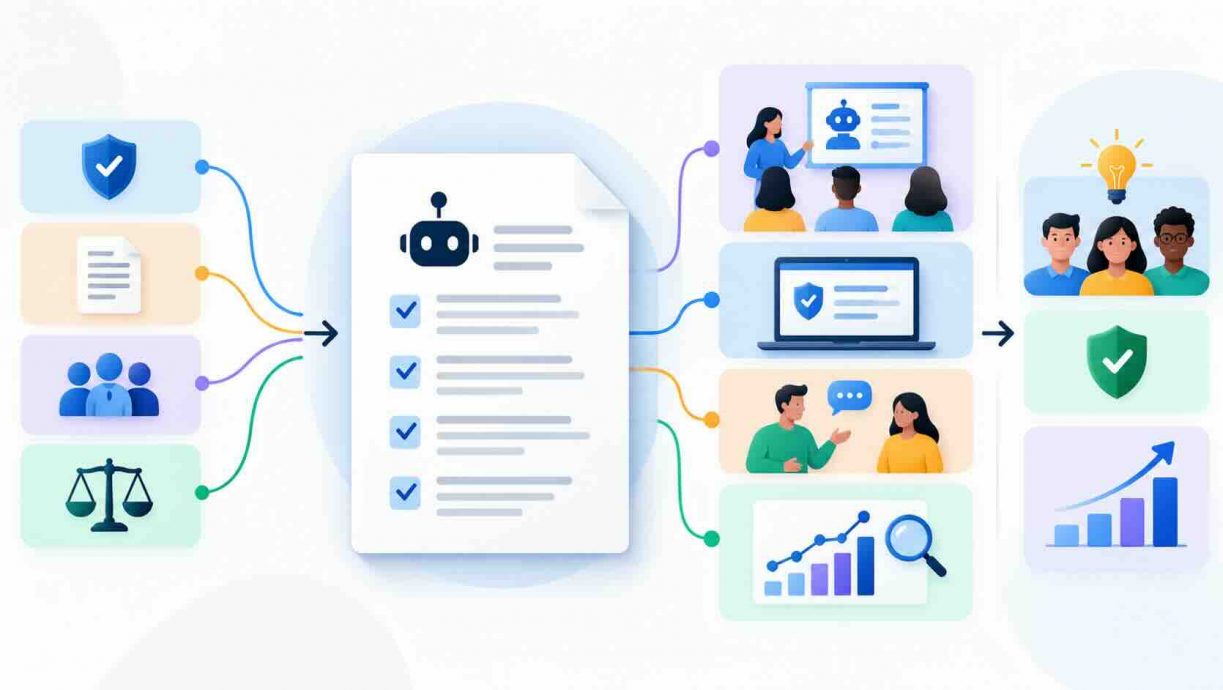
Most companies already have staff using generative AI, and many of those staff believe they are breaking the rules to do it. A 2026 PagerDuty survey of 1,250 office professionals found that 66% had used AI tools at work while believing company policy did not permit it. That gap between what workers do and what the handbook says is the problem this guide solves. Below you will learn how to build an AI usage policy for employees that is short enough to read, specific enough to enforce, and practical enough that people follow it. We cover the risks, the data rules, the approval process, and the training that keeps the document alive. You will also get a copyable template, a department-by-department rules table, and a policy-as-config example. If you want a broader starting point, our responsible AI policy template for companies pairs well with the steps here.
Quick Answers on How to Build an AI Usage Policy for Employees
What is the fastest way to build an AI usage policy?
Follow seven steps: inventory current AI use, classify your data, tier your tools, write permitted uses, require human review, train staff, and review the policy every quarter.
How long should an employee AI policy be?
Keep the core policy to two or three pages. When you work out how to build an AI usage policy for employees, move procedures into linked documents so the rules stay readable.
Should a company ban ChatGPT at work?
A blanket ban rarely works because staff drift to personal accounts. A tiered AI usage policy that approves safe tools and blocks risky data beats prohibition for most employers.
Key Takeaways
- Start from reality: audit how employees already use AI before you write a single rule.
- Data classification, not tool names, is the backbone of a policy that survives new products.
- Offer a fast, sanctioned path for new tools, because friction is what creates shadow AI.
- Assign one accountable owner, train every employee, and review the document on a fixed schedule.
Table of contents
- Introduction
- Quick Answers on How to Build an AI Usage Policy for Employees
- Key Takeaways
- What Is an AI Usage Policy for Employees?
- Why Employees Reach for AI Without Asking
- The Risks a Policy Has to Contain
- How Regulators Expect Employers to Govern AI Use
- Who Owns the Policy and Who Signs Off
- Data Classification as the Heart of the Policy
- Approved Tools, Vendor Vetting, and the Fast Lane
- Permitted and Prohibited Uses by Department
- Ethics, Disclosure, and Human Oversight at Work
- Implementation, Training, and Enforcement
- Why Well-Meant Policies Fall Short
- The Future of Workplace AI Policy
- How to Build an AI Usage Policy for Employees in Seven Steps
- Step 1 – Inventory how your people already use AI
- Step 2 – Classify your data into four tiers
- Step 3 – Tier your tools and build the register
- Step 4 – Write permitted, conditional, and prohibited uses
- Step 5 – Add human review, disclosure, and incident rules
- Step 6 – Train staff and run a pilot
- Step 7 – Enforce, measure, and review on a schedule
- Key Insights From the Latest Workplace AI Data
- AI Usage Policies in Practice at Real Companies
- Lessons From Costly Lapses in Unmanaged AI Use
- Common Questions About Writing an AI Usage Policy for Employees
What Is an AI Usage Policy for Employees?
An AI usage policy for employees is a short rulebook stating which AI tools staff may use, with what data, for which tasks, and who is accountable. Learn how to build an AI usage policy for employees below.
An Interactive From AIplusInfo
How Big Is Your AI Policy Gap?
Move the sliders to estimate how many employees may already be using unapproved AI, and see which policy step closes the gap fastest.
250
No written policy
14 days
Staff likely using unapproved AI
0
Staff who may have pasted customer data
0
Policy gap score (0 to 100)
0
Baseline rates come from the 2026 PagerDuty and Wakefield Research survey: 66% used AI they believed policy did not permit, and 34% entered customer data into public tools. The maturity and approval-time multipliers are illustrative assumptions of this tool, not survey findings.
Why Employees Reach for AI Without Asking
Employees adopt AI tools for the same reason they once adopted spreadsheets and messaging apps: the tools save time and nobody offered a better option. A knowledge worker facing a deadline will paste a draft into a chatbot long before filing a request with the security team. Our look at the 2025 shadow AI threat describes how quickly unmanaged tools spread once a few colleagues find them useful. Hidden AI use is rarely malicious; it is usually a rational response to friction. Managers often discover the habit only after an incident, which makes the first policy conversation feel like an accusation. A good policy starts from the assumption that your people want to do good work and need clear lanes to do it.
The scale of concealment is larger than most leaders expect. A KPMG and University of Melbourne study of 48,000 workers across 47 countries found that 57% of employees hide their AI use and present AI-generated work as their own. The same research found that only 40% of respondents said their workplace had a generative AI policy or guidance. When a rule does not exist, staff invent their own norms, and those norms differ from team to team. Concealment also destroys the visibility you need to manage risk, because you cannot review a workflow you never see. Treat every hidden use case as free market research on what your employees actually need.
Fear of punishment and uncertainty drive much of that secrecy. In the PagerDuty survey, 33% of respondents cited manager scrutiny as a reason to hide AI use. Another 30% cited restrictive policies or peer judgment, and 29% did not know whether their use was allowed. Those three answers describe three different failures: culture, policy design, and communication. Your policy has to repair all three, which means the document must explain the reasons behind each rule in plain language. It should also promise a fast, no-blame route for asking whether a new tool or use is acceptable. A policy that opens by offering amnesty for past undisclosed use will surface more risk in a month than a year of monitoring.
The Risks a Policy Has to Contain
Building on that picture of hidden usage, the next job is naming the specific harms the policy must prevent. Data leakage comes first, because anything typed into a public chatbot may be stored, reviewed, or used for training depending on the vendor's terms. The PagerDuty survey found that 34% of respondents had entered customer data into public AI tools and 31% had entered financial information or confidential documents. Every risk below maps to a rule you will write later, so list them before you draft anything. Our guide to AI data privacy best practices for businesses covers the underlying controls in more depth. The rest of this section walks through the main risks that matter for a typical employer.
Accuracy is the second major risk that the policy has to address. Generative models produce fluent text that can contain invented facts, fake citations, and wrong numbers, and employees who skim the output may forward those errors to clients. The KPMG study found that 56% of respondents reported making mistakes in their work because of AI. A policy therefore needs a rule that a named human owns every AI-assisted deliverable and verifies the facts before it leaves the building. The cost of skipping that rule can be steep, as the Deloitte Australia refund discussed later in this guide shows. Verification effort should scale with the stakes, so a brainstorm needs a glance while a legal citation needs a source check.
Intellectual property and confidentiality form the third cluster of risk. Source code, unreleased product plans, customer lists, and contract terms are all trade secrets that lose protection if they are shared carelessly with third parties. Output creates its own exposure, since generated text or images may resemble copyrighted material and ownership of generated work is unsettled in many jurisdictions. Vendor terms also matter, because consumer plans and enterprise plans often differ on retention, training use, and audit rights. Your policy should say which plan tier counts as approved and forbid personal accounts for work data. Contract language with customers may add further limits, so legal should review any promise made about not using third-party AI on client material.
The remaining risks concern money, law, and basic fairness to staff. IBM's 2025 breach research found that organizations with high levels of shadow AI paid $670,000 more per breach than those with little or none. The same report found that 63% of breached organizations had no AI governance policy or were still developing one. Automated decisions about hiring, credit, or performance can trigger discrimination claims and regulatory duties, which we cover in the next section. Finally, over-restriction is itself a risk, because a policy that blocks everything sends work into personal accounts where you have no visibility. The goal is not zero AI risk but known, bounded, and owned risk.
How Regulators Expect Employers to Govern AI Use
Beyond the internal risks, regulators now expect employers to show that staff are trained and that AI systems are overseen. The EU AI Act's Article 4 requires providers and deployers to take measures to ensure a sufficient level of AI literacy among their staff. According to Travers Smith's analysis of the AI literacy requirement, the duty has applied since 2 February 2025, and supervision and enforcement begin on 2 August 2026. Even outside the EU, a written policy with training records is becoming the baseline evidence of reasonable care. The NIST AI Risk Management Framework, released on 26 January 2023, gives US employers a voluntary vocabulary of govern, map, measure, and manage that fits neatly around a usage policy. Its Generative AI Profile, published in July 2024, adds risks specific to generative systems.
State laws add more detail for specific uses of AI at work. Our Colorado AI Act compliance guide explains that the original SB 24-205 was repealed and replaced by SB 26-189, which brings notice, explanation, and human-review duties for consequential decisions. Employment decisions are a core example of a high-risk use. Employers using AI to screen resumes or score performance should treat those uses as restricted and route them to legal review. Sector rules in finance, health care, and education layer on top of general law. A short regulatory register, owned by legal and updated each quarter, keeps the policy aligned without bloating the document. Link the register from the policy rather than copying statutes into it.
Who Owns the Policy and Who Signs Off
Turning to ownership, every policy needs one accountable person whose name appears on the first page. In larger firms that owner is often the chief information security officer, the general counsel, or a chief AI officer. Smaller companies usually assign it to the COO or head of IT. Tines advises assigning a single accountable owner with cross-functional input, and HR typically owns the training component. Without a named owner the document drifts, because nobody feels authorized to approve a new tool or update a rule. One accountable owner beats a committee that meets quarterly and decides nothing. Pair the owner with a small review group drawn from security, legal, HR, and two or three business units.
That review group can stay informal at first, as long as it meets regularly. If your organization is larger, our walkthrough on how to set up an AI governance board shows how to formalize it with a charter and decision rights. The group's job is narrow: approve tools, approve exceptions, review incidents, and revise the policy. Give the group a service-level target, such as a decision within five business days, so requests do not stall. Publish the decisions in a shared register so employees can see what was approved and why. Transparency about decisions builds the trust that makes self-reporting possible.
The NIST framework offers a useful map for dividing responsibilities. Its Govern function sets accountability, policy, and risk tolerance, which is exactly what the policy owner provides. The NIST AI Risk Management Framework page describes the framework as voluntary and built to help organizations manage risks to individuals, organizations, and society. Map, Measure, and Manage then translate into an inventory of AI uses, metrics such as incident counts, and a response process for failures. You do not need to adopt the framework wholesale to borrow its structure. Citing it in the policy also signals to auditors and customers that your approach follows a recognized standard.
Data Classification as the Heart of the Policy
Stepping back from governance structure, the most important technical section of the policy is data classification. Employees cannot judge a tool in the abstract, but they can judge whether the information in front of them is safe to share. Tines recommends a four-tier model of Public, Internal, Sensitive, and Prohibited, paired with a simple test: would you post this publicly? If the answer is no, the data does not belong in an unapproved AI tool. Four tiers are enough for most firms, and more tiers usually produce confusion rather than precision. Keep the labels identical to any classification scheme your company already uses for documents and email.
Define each tier with concrete examples drawn from your own business. Public data includes published blog posts, press releases, and marketing copy already on your website. Internal data covers meeting notes, draft memos, and process documents that would embarrass the company but not damage it if leaked. Sensitive data includes customer records, employee information, financial results before release, source code, and contract terms. Prohibited data covers credentials, regulated health or payment data, and anything under legal hold or a nondisclosure agreement. Examples teach faster than definitions, so add five to ten per tier and update them as incidents reveal gaps.
Next, map each tier to the tools allowed to handle it. Public data may go into any approved tool and, at the owner's discretion, into reputable consumer tools. Internal data may go only into enterprise-licensed tools with contractual retention and no-training commitments. Sensitive data requires a tool that your security team has reviewed and that logs prompts and outputs. Prohibited data never enters a generative AI tool, whatever the plan. This tier-to-tool matrix is the single table employees will consult most often, so print it on one page.
Handling personal data deserves special attention in every AI policy. Our guide to handling data privacy and security covers data protection impact assessments, vendor controls, and privacy-enhancing technology that apply when personal information touches an AI system. Teach employees to remove names, account numbers, and identifiers before using even an approved tool, unless the use case requires them. Anonymization is imperfect, so the policy should still forbid pasting entire customer files into any tool. Where an AI feature is embedded in software you already pay for, ask the vendor how it stores prompts. Record the answer in the tool register so the next employee does not have to repeat the question.
Approved Tools, Vendor Vetting, and the Fast Lane
Shifting from classification to tooling, the policy must say which tools are approved and how a new tool becomes approved. Publish a short register listing each tool, its owner, the highest data tier it may handle, the plan tier required, and the review date. Include AI features inside existing software such as email clients, browsers, and design tools, since these are easy to overlook. An approved list that nobody can find or add to is just a ban with extra steps. Make the register searchable and link it from the intranet home page and the onboarding checklist. Name a dedicated inbox or ticket category so that employees know exactly where to send requests.
Vendor vetting should be risk-tiered so that low-risk requests clear in days. A grammar checker that sees only public marketing copy needs a short questionnaire, while a tool that ingests customer data needs a full security review. Ask every vendor five questions: where data is stored, how long prompts are retained, whether inputs train models, who can access logs, and how deletion works. Request evidence such as a SOC 2 report or ISO 27001 certificate rather than accepting marketing claims. Record the decision and the conditions, for example enterprise plan only or no file uploads. Re-review annually, and immediately when a vendor changes its terms or adds a new AI feature.
Agents change the picture because they act on the user's behalf. Our overview of the Microsoft Agent 365 governance model shows one vendor approach, giving every agent an identity, a registry entry, and oversight. Your policy should apply the same principle to any AI agent, browser extension, or automation that can read or send company data. Require an owner, a documented scope, least-privilege access, and logging before an agent goes live. Forbid employees from connecting personal AI assistants to corporate mailboxes, calendars, or drives. Revisit these rules as the tooling matures, because the safe defaults of today will not match next year's capabilities.
Permitted and Prohibited Uses by Department
Looking at daily work, employees need examples written for their own jobs, not abstract principles. A table of permitted, conditional, and prohibited uses by department turns the policy from a lecture into a reference. Marketing may draft headlines and summarize published research, but it may not paste unreleased campaign plans into consumer tools. Engineering may use approved coding assistants on internal repositories, but it may not share secrets, credentials, or customer data in prompts. Rules written in the language of each team's tasks get followed; rules written in legal language get ignored. Collect two examples from a manager in each department before you finalize the wording.
| Department | Permitted | Needs approval | Prohibited |
|---|---|---|---|
| Marketing | Drafting headlines, summarizing public research | Using customer testimonials as input | Pasting unreleased campaign plans into consumer tools |
| Sales | Drafting outreach from public company information | Summarizing call recordings | Uploading full customer lists or pricing sheets |
| Engineering | Approved coding assistants on internal repositories | Sending proprietary code to a new tool | Sharing secrets, keys, or customer data in prompts |
| HR | Drafting job descriptions and policy FAQs | Any tool that touches employee records | Automated screening, ranking, or firing decisions |
| Finance | Explaining formulas, drafting commentary on public data | Analyzing nonpublic results with enterprise tools | Changing ledger entries without human sign-off |
| Legal | Summarizing public statutes, drafting plain-language notes | Reviewing client contracts with a vetted tool | Submitting AI-drafted citations unchecked |
| Customer support | Suggesting reply drafts from the approved knowledge base | Sending ticket text to an external model | Pasting payment or health data into any tool |
Some uses should be prohibited outright or require approval every single time. Fully automated decisions about hiring, firing, promotion, credit, or benefits belong in that category, as do uses that impersonate real people or generate deceptive content. Finance should not let a model alter ledger entries without human sign-off, and legal should never submit AI-drafted citations unchecked. For autonomous agents, our piece on deterministic guardrails for AI agents explains how to enforce tool limits at the gateway rather than relying on prompts alone. The same principle applies to humans: where a rule really matters, back it with a technical control as well as a written instruction. Review the table whenever a team adopts a new workflow.
Ethics, Disclosure, and Human Oversight at Work
From there, the policy must address the ethical questions that tools cannot answer for themselves. Fairness, transparency, and respect for colleagues and customers should appear as short principles with concrete behaviors attached. Our field guide to the dangers of AI ethical dilemmas covers bias, privacy, and deepfakes across hiring, courts, and medicine. Employees should know that biased output is their responsibility to catch, not the vendor's. Accountability stays with the human who uses the output, never with the model that produced it. State that sentence explicitly in the policy so nobody can claim the chatbot made the decision.
Disclosure rules prevent the quiet erosion of trust inside the company. Decide when employees must tell clients, colleagues, or regulators that AI contributed to a deliverable, and write the triggers plainly. A sensible default is to disclose whenever AI materially shaped the substance of external work, or whenever a contract or law requires it. Internally, require employees to note AI assistance in documents that others will rely on for decisions. The KPMG finding that 57% of workers hide their AI use shows what happens without such norms. Disclosure should be framed as professional practice, similar to citing sources, rather than as a confession.
Human oversight needs a clear method rather than a slogan. Our overview of LLM hallucination detection techniques describes checks such as semantic entropy and groundedness testing that organizations can apply to model output. For everyday use, a lighter routine works: verify every number, name, date, and citation against a primary source before sharing. Require a second reviewer for high-stakes output such as legal filings, medical content, financial statements, and public statements. Log which tool and version produced material that reaches customers, so incidents can be traced. Training should include live examples of hallucinations so that staff recognize them in the wild.
Implementation, Training, and Enforcement
On top of oversight rules, the policy needs an implementation plan that turns text into habits. Begin with a pilot group of volunteers from three departments, and ask them to test the draft against real tasks for two weeks. Collect the questions they ask, because every question marks a place where the draft is unclear. Publish the policy only after the pilot group can answer the top ten questions without asking you. Then announce it through the channels people actually read, such as team meetings and the intranet banner, rather than a single email. Pair the launch with an amnesty window so staff can disclose past tools without penalty.
Training makes the difference between a policy and a poster. Under the EU AI Act, AI literacy is a legal duty for covered organizations, and training records are the evidence regulators will ask to see. A strong program has three layers: a thirty-minute onboarding module for everyone, role-based sessions for high-risk teams, and short refreshers when tools or rules change. Use scenarios built from your own tier-to-tool matrix instead of generic slides. Measure comprehension with a short quiz and track completion by team. Our look at UK views on workplace AI covers worker sentiment, union pressure, and legal rights, all of which shape how staff receive new rules.
Enforcement should start with visibility into usage rather than blocking. Tines advises monitoring first, establishing baselines, identifying high-risk patterns, and only then applying targeted controls. Useful signals include network logs of AI domains, browser extension inventories, data loss prevention alerts, and expense reports for AI subscriptions. Gartner reports that 69% of organizations suspect or have evidence of prohibited public GenAI use, so assume some exists in yours. Consequences should be proportionate and written down, with coaching for first accidental breaches and formal discipline reserved for deliberate or repeated violations. Samsung's policy of discipline up to termination shows the upper end, but most cases deserve a conversation first.
Measurement is what closes the loop on the whole program. Track a handful of indicators: the percentage of staff trained, tool requests with their median decision time, policy exceptions, and incidents involving AI. Tines recommends reviewing the full framework yearly, approved tools and data rules quarterly, and scanning monthly for new tools and features. Trigger an out-of-cycle review after any incident, regulatory change, or major vendor update. IBM found that among organizations with a policy, only 34% regularly audit for unsanctioned AI, so scheduled audits already set you apart. Report the indicators to leadership every quarter to keep funding and attention steady.
Why Well-Meant Policies Fall Short
Despite the best drafting, many policies fail for predictable reasons. They run to thirty pages of legal language that nobody reads, or they list product names that go out of date within a quarter. Others ban everything and provide no approved alternative, which pushes use into personal accounts. A policy fails the moment following it is harder than breaking it. Some documents have no owner, no review date, and no training, so they decay quietly. The PagerDuty finding that 81% of respondents believe rules are applied differently to leadership than to staff shows how selective enforcement erodes credibility.
Political and public attention is also rising, which raises the stakes of a weak policy. Our report on politicians' concerns over AI in workplaces shows lawmakers focusing on job loss, privacy, and calls for regulation. Employers that can show a documented, enforced, and trained policy will be better placed to answer regulators, customers, and worker representatives. To avoid the common traps, keep the core document short, name product categories rather than brands, and apply the rules to executives first. Run a yearly sanity check by asking five random employees to explain the rules in their own words. If they cannot, the policy is failing regardless of how well it is written.
The Future of Workplace AI Policy
Looking ahead, agentic AI will push policies from governing what people type to governing what software does on their behalf. Browser agents, coding agents, and workflow agents can read files, send messages, and spend money without a human approving each step. Policies will need scopes, budgets, and kill switches for agents in the same way they have tiers and registers for tools today. The unit of governance is shifting from the prompt to the permission. Our analysis of AI governance trends and regulations maps how the EU AI Act, NIST guidance, ISO 42001, and US state laws are converging on that view. Expect procurement teams to ask vendors for the same controls.
Regulation will tighten on a known and fairly public timetable. Supervision of the EU's AI literacy requirement begins on 2 August 2026, and employers operating in Europe should assume regulators will ask for training records and policy documents. In the United States, state laws such as Colorado's replacement statute focus on notice, explanation, and human review for consequential decisions. Gartner predicts that by 2030 more than 40% of enterprises will report security or compliance incidents from unauthorized shadow AI. Those forecasts favor employers who build visibility and a fast approval lane now. The chart below summarizes how workers and organizations report policy coverage and hidden use today.
Policies themselves will also become far more automated over time. Policy-as-code approaches let security teams express tier rules in configuration that gateways, browsers, and data loss prevention tools enforce automatically. Ethics and oversight bodies will also mature, as our piece on the future roles of AI ethics boards describes, with powers to block launches and sign vendor contracts. Even so, automation does not replace judgment, trust, or training. The employers who do best will keep the human parts simple: a short document, a named owner, a fast lane, and a culture where asking is safer than hiding. Write the first version now, and plan to rewrite it twice a year.
Chart From AIplusInfo
How Much Hidden AI Use Is Out There?
Percent of workers reporting each behavior or policy condition
Source: PagerDuty and Wakefield Research, 2026 (n=1,250); KPMG and the University of Melbourne, 2025 (n=48,000).
How to Build an AI Usage Policy for Employees in Seven Steps
Moving on to the practical build, the seven steps below turn the concepts above into a policy you can ship in about a month. Each step ends with an artifact, such as an inventory, a classification table, a tool register, or the policy text itself. You can complete the steps in a small team with a security lead, an HR partner, and one person from legal. The code and templates are deliberately plain so you can paste them into your own documents and scripts. Adjust the wording to your industry, and have counsel review the final text before you publish it. Treat the first version as a working draft that you will improve after the pilot.
Step 1 - Inventory how your people already use AI
Start by finding out what is happening today, because a policy written from imagination will miss the tools people actually use. Send a five-minute anonymous survey that asks which AI tools people use, for which tasks, on which accounts, and what data they paste. Combine it with network or proxy logs, browser extension inventories, and expense reports to see the tools the survey misses. Promise in writing that this inventory is not a disciplinary exercise. Without that promise, answers will be as sanitized as the 57% concealment figure from the KPMG study suggests. Aim for responses from at least half of each department so the picture is representative.
The script below counts requests to common AI domains in an exported list of visited URLs. It is a starting point rather than a monitoring system, but it quickly shows which services are popular. Run it on a sample of a few weeks of logs and compare the ranking with the survey answers. Gaps between the two reveal tools that employees forget to mention or consider too minor to report. Record every tool in a spreadsheet with columns for tool, owner, accounts used, data types, and number of users. This spreadsheet becomes the seed of your tool register in Step 3.
# Count requests to well-known AI domains in a list of visited URLs (one URL per line)
grep -E -i "openai.com|chatgpt.com|claude.ai|gemini.google.com|copilot.microsoft.com|perplexity.ai" proxy_urls.txt \
  | sed -E 's#https?://([^/]+)/.*#\1#' \
  | sort | uniq -c | sort -rn | head -20
Step 2 - Classify your data into four tiers
Next, define the four data tiers from the earlier section in a short table or configuration file. Name the tiers consistently with any scheme your company already uses, and keep the definitions to one or two lines each. Add 5 to 10 concrete examples per tier, drawn from the inventory and from conversations with department heads. Decide who may reclassify data, because employees will ask whether a specific document counts as internal or sensitive. A named contact for these questions prevents guesses that lead to leaks. Store the definitions in a place that both humans and scripts can read.
The YAML example below captures the tiers and the most capable tool class allowed for each. Keeping it in version control gives you an audit trail of every change and who approved it. The same file can feed a browser plugin, a data loss prevention rule, or a training quiz generator. Keep tier names short, because employees will use them in conversation when asking whether something is internal or sensitive. Review the examples after each incident to see whether a missing example caused the mistake. Add the final table to the one-page cheat sheet you will publish with the policy.
data_classes:
  public:
    description: Already published or safe to post on our website
    examples: [press releases, published blog posts, public job ads]
    allowed_tools: [any_approved, consumer_reviewed]
  internal:
    description: Not public, low harm if leaked
    examples: [meeting notes, draft memos, process documents]
    allowed_tools: [any_approved]
  sensitive:
    description: Harm if leaked; customer, employee, financial, or source code data
    examples: [customer records, unreleased results, source code, contracts]
    allowed_tools: [enterprise_logged]
  prohibited:
    description: Never enters a generative AI tool
    examples: [credentials, payment card data, health records, legal hold material]
    allowed_tools: []
owner: security-lead
review_cycle_days: 90
Step 3 - Tier your tools and build the register
With the data tiers defined, assign each tool in the inventory to an approval status: approved, approved with conditions, under review, or prohibited. For every approved tool, record the highest data tier it may handle, the required plan, the business owner, and the next review date. Rely on the 5 vendor questions from earlier: storage location, retention, training use, log access, and deletion. Prefer enterprise plans with single sign-on, because SSO lets you revoke access instantly when someone leaves. Make the register visible inside the company so that employees can search it before they ask. Close the loop by adding a request form with a promised response time.
The JSON entry below shows the fields that are worth capturing. Notice that the entry encodes decisions, not just facts, such as the maximum tier and the conditions of use. Keep conditions concrete, for example no file uploads, enterprise workspace only, or no connection to personal email. If a tool is prohibited, say why in one sentence, so employees understand the reasoning and can suggest alternatives. Review prohibited tools every quarter, since vendors often fix the issues that caused the ban. Publish an expedited path for low-risk tools so that a simple request can be approved within a few business days.
{
  "tool": "Example Assistant Enterprise",
  "status": "approved_with_conditions",
  "owner": "it-operations",
  "max_data_tier": "sensitive",
  "required_plan": "enterprise with SSO, no training on inputs, 30-day retention",
  "conditions": ["no file uploads over 10 MB", "enterprise workspace only", "no personal email connection"],
  "vendor_review": {"soc2_report": true, "dpa_signed": true, "reviewed_on": "2026-09-15"},
  "next_review": "2027-03-15"
}
Step 4 - Write permitted, conditional, and prohibited uses
Now draft the policy text itself, starting from the template below and the department table earlier in this guide. Use the word must for hard requirements and be deliberate with the word should, because ambiguity weakens enforcement. Replace broad principles with observable behaviors, such as verifying every figure against a primary source, which an auditor could actually check. Keep the whole document to 2 or 3 pages and link to separate procedures for vendor review and incident response. Write in the second person and plain language, and define any term of art the first time it appears. Ask two employees from different departments to read the draft and mark every sentence they could not act on.
The template covers purpose, scope, data rules, approved tools, permitted uses, human review, disclosure, incidents, accountability, and review. Replace the bracketed placeholders with your own names, tools, and dates. Have legal review the sections on discipline, monitoring, and employee privacy, because local labor law may require notice or consultation. If your workforce spans several countries, add a short annex for jurisdiction-specific rules rather than weakening the global text. Keep a plain-language summary on one page for the intranet, and link the full text for reference. Version the document with a date and an owner in the footer.
[COMPANY] AI USAGE POLICY FOR EMPLOYEES
Owner: [NAME, TITLE]    Version: [1.0]    Effective: [DATE]    Next review: [DATE]

1. PURPOSE
We encourage the safe use of AI tools to do better work. This policy tells you which tools you may use,
with what data, and who is accountable. If a situation is not covered, ask [CONTACT] before you proceed.

2. SCOPE
This policy applies to all employees, contractors, and interns, on any device, and to AI features
built into other software, browser extensions, and AI agents.

3. DATA RULES
You must not enter Prohibited data into any AI tool.
You must not enter Sensitive data into any tool that is not marked "Sensitive" in the AI Tool Register.
You must not use personal AI accounts for work data.
Test: if you would not post it publicly, do not put it in an unapproved tool.

4. APPROVED TOOLS
Only tools in the AI Tool Register [LINK] are approved. To request a new tool, submit the form [LINK].
We will respond within [5] business days.

5. PERMITTED USES
You may use approved tools to draft, summarize, brainstorm, translate, and analyze data within the
tier allowed for that tool. Department examples are listed in Annex A.

6. PROHIBITED USES
You must not use AI to make final decisions about hiring, firing, promotion, credit, or benefits.
You must not use AI to impersonate a person or to create deceptive content.

7. HUMAN REVIEW AND OWNERSHIP
You own everything you send, including AI-assisted work. You must verify every number, name, date,
and citation against a primary source. High-stakes output needs a second reviewer.

8. DISCLOSURE
You must disclose AI assistance where a contract, law, or client requires it, and when AI materially
shaped external work. Suggested wording: "This document was prepared with AI assistance and reviewed by [NAME]."

9. INCIDENTS
Report any suspected misuse, data exposure, or harmful output to [CHANNEL] within one business day.
Good-faith reports are treated as learning events.

10. ACCOUNTABILITY AND REVIEW
Breaches may lead to coaching or disciplinary action, in line with [HR POLICY]. Leaders are held to the
same rules. We review this policy every year, the tool register every quarter, and new tools every month.
Step 5 - Add human review, disclosure, and incident rules
Move on to the rules that protect quality and trust once the tools and data are settled. Define who verifies AI output, what verification means, and which deliverables need a second reviewer. Set disclosure triggers for clients, regulators, and colleagues, and include sample wording employees can reuse. Tell employees explicitly that they own the final product, including any errors an AI tool introduced. Add a clause that no AI output may be presented as original human work where a contract, exam, or law forbids it. Keep each rule to 1 or 2 sentences so it can be recalled under pressure.
Incident rules deserve equal care because early reporting limits damage. Define an AI incident broadly: sensitive data pasted into an unapproved tool, a wrong output that reached a customer, or a tool that behaved unexpectedly. Provide a single reporting channel and promise that good-faith reports will be treated as learning events. The template below gives a short incident form that takes under five minutes to complete. Commit to a response timeline, such as acknowledging within one business day and containing the issue within three. After each incident, update the examples, training, and tool register so the same failure cannot recur quietly.
AI INCIDENT REPORT (takes under 5 minutes)
Reporter (optional): ____________    Date/time: ____________
1. Which tool was involved? ____________
2. What happened? (data entered, wrong output, unexpected action) ____________
3. Highest data tier involved: Public / Internal / Sensitive / Prohibited
4. Was the output sent outside the company? Yes / No / Not sure
5. What did you already do? (deleted chat, changed password, told manager) ____________
Triage owner fills in: severity, containment steps, vendor contacted, lessons for the policy.
Step 6 - Train staff and run a pilot
Before the launch, pilot the draft with volunteers from 3 or 4 departments for 2 weeks. Give them real tasks, such as drafting a customer email or summarizing a meeting, and ask them to follow the policy exactly. Collect every point of confusion in a shared document, and sort the points into missing examples, unclear wording, and process friction. Fix the draft, then retest the three most confusing scenarios with a fresh group. This loop usually takes two rounds and prevents embarrassing questions at rollout. Record the pilot results, since they double as evidence of due diligence for auditors.
Training should follow the pilot, using the examples that confused people most. Build a thirty-minute module with five scenarios, a short quiz, and a pointer to the tool register and incident form. Add role-based sessions for managers, who must handle questions and violations, and for teams working with sensitive data. Under the EU AI Act, keep records of who attended and what was covered, because AI literacy is a legal expectation for covered employers. Schedule short refreshers whenever the policy changes or a new tool is approved. Track completion rates by team and share them with leaders every month.
Step 7 - Enforce, measure, and review on a schedule
Finally, turn the written rules into lightweight controls and a review rhythm. Start with visibility, using SSO logs, network telemetry, and data loss prevention alerts to measure real usage against the register. Add technical guardrails where the risk is highest, such as blocking uploads of files labeled prohibited or sensitive to unapproved AI domains. Pair every control with a human process, because automated blocks without an explanation frustrate staff. Review the policy every 12 months, the tool register every 3 months, and the horizon for new tools monthly. Document each review so that you can show regulators, customers, and auditors a continuous record.
The Python sketch below shows a pre-send check that a browser extension or gateway could run on text before it reaches an external model. It flags common secrets and identifiers, and it returns the strictest tier it finds. Real deployments should use a maintained detection library and your own patterns, but the structure stays the same. Log only the tier and the rule that fired, not the text, so the control does not become a new privacy risk. Tune the rules using false positives from the pilot group. Report the number of blocked and warned events each month alongside training completion.
import re

RULES = [
    ("prohibited", "aws_access_key", re.compile(r"AKIA[0-9A-Z]{16}")),
    ("prohibited", "private_key", re.compile(r"-----BEGIN (RSA |EC )?PRIVATE KEY-----")),
    ("prohibited", "card_number", re.compile(r"\b(?:\d[ -]?){13,16}\b")),
    ("sensitive", "us_ssn", re.compile(r"\b\d{3}-\d{2}-\d{4}\b")),
    ("sensitive", "email_address", re.compile(r"\b[\w.+-]+@[\w-]+\.[\w.-]+\b")),
]
ORDER = {"public": 0, "internal": 1, "sensitive": 2, "prohibited": 3}


def check_prompt(text):
    """Return the strictest tier found and the rule names that fired (never the text)."""
    tier, fired = "public", []
    for rule_tier, name, pattern in RULES:
        if pattern.search(text):
            fired.append(name)
            if ORDER[rule_tier] > ORDER[tier]:
                tier = rule_tier
    return tier, fired


if __name__ == "__main__":
    print(check_prompt("Summarize this note for [email protected]"))
Key Insights From the Latest Workplace AI Data
- A PagerDuty and Wakefield Research survey of 1,250 office professionals found that 66% used AI tools while believing policy forbade it, proving that rules without approved alternatives get bypassed.
- Researchers at KPMG and the University of Melbourne surveyed 48,000 people across 47 countries and learned that 57% hide their AI use, while just 40% report a workplace AI policy.
- IBM's 2025 breach research found that high shadow AI levels added $670,000 to average breach costs and that 63% of breached organizations lacked an AI governance policy.
- A Gartner survey of 302 cybersecurity leaders found that 69% of organizations suspect prohibited public GenAI use, which signals that hidden usage is now the norm.
- Within the PagerDuty data, 81% of respondents said AI rules are applied differently to leaders, a credibility gap that any new policy must close by binding executives first.
- The EU AI Act's literacy duty has applied since 2 February 2025, and enforcement begins on 2 August 2026, so documented employee training is fast becoming mandatory evidence.
- Moderna reported that employees built 750 GPTs within two months of adopting ChatGPT Enterprise, which suggests a sanctioned platform channels demand that might otherwise move to unapproved tools.
Taken together, these figures describe a gap between rules and reality that is wide, global, and expensive. Workers use AI because it helps, hide it because they fear consequences, and rely on unclear guidance because few employers have written any. The cost shows up in breach statistics, regulatory deadlines, and credibility with staff who see leaders exempt themselves. A usage policy that classifies data, offers a fast approved path, and trains everyone attacks each of those problems at once. The seven steps in this guide are designed to be completed quickly so the policy exists before the next incident forces it. Revisit the numbers each year, because the best evidence that your policy works is a shrinking gap between reported and actual use.
| Dimension | Ban everything | Allow everything | Tiered usage policy |
|---|---|---|---|
| Employee trust | Low; staff feel distrusted and hide use | High at first, then confusion | High when rules are clear and fair |
| Data protection | Strong on paper, weak in practice | Weak; sensitive data flows freely | Strong, tied to data tiers |
| Productivity | Lost gains or unsanctioned workarounds | High but uneven in quality | High with approved tools and training |
| Visibility into usage | Poor; usage moves to personal accounts | Poor; no register or logs | Good; register, SSO, and logging |
| Enforcement effort | High; constant blocking and policing | None until an incident occurs | Moderate; risk-based controls |
| Regulatory readiness | Weak; no training or oversight records | Weak; cannot show reasonable care | Strong; policy, training, and audit trail |
| Speed of adopting new tools | Very slow | Instant but unvetted | Days, through a fast approval lane |
| Accountability | Unclear; rules ignored | Unclear; nobody owns outcomes | Clear; named owner and human reviewers |
AI Usage Policies in Practice at Real Companies
In practice, real employers have taken very different routes, and their results show which design choices matter. The common thread is that every durable approach paired a restriction with a sanctioned alternative. The three examples below cover a hardware maker, a biotech company, and a group of large banks. Each paragraph describes what was implemented, what changed, and where the approach fell short. Use them as reference points when you debate how strict your own first draft should be. The case studies that follow examine costly failures rather than design choices.
Samsung's Restriction and In-House Tool
Samsung placed restrictions on generative AI on 2 May 2023 after three reported incidents in which employees leaked sensitive information, reportedly including source code, through ChatGPT. According to TechRadar's report on the Samsung ban, the company applied the limits to company phones, tablets, and computers. Staff were asked not to upload sensitive information from personal devices, and violations could lead to discipline up to termination. Samsung then reportedly deployed an in-house AI service for employees that caps each prompt at 1024 bytes. The measurable change is a hard cap on how much code any single request can carry, which is a reduction in the exposure per prompt. The limitation is that a temporary ban pushes people toward personal devices, which the company could only address by instruction. The example shows that an outright restriction works best as a bridge to an approved tool rather than a permanent answer.
Moderna's Governed ChatGPT Enterprise Rollout
Moderna rolled out ChatGPT Enterprise across the company, and according to OpenAI's Moderna case study, employees built 750 GPTs within two months. Its earlier internal chatbot, mChat, had been adopted by more than 80% of employees, which gave leaders a base of trusted behavior to build on. About 40% of weekly active users created their own GPTs, and each user averaged 120 conversations per week. The company supported adoption with trained AI champions, an internal forum with 2,000 active weekly participants, and human-led review of AI outputs in clinical data analysis. The outcome is a sanctioned platform that absorbed demand that might otherwise have moved to unapproved tools. The limitation is that these figures are self-reported in a vendor-published case study and have not been independently verified, and the page does not describe a formal governance framework. The lesson for policy writers is that a fast approved path and visible champions drive more compliance than prohibition alone.
Wall Street Banks and the Blanket Ban
In the weeks after ChatGPT launched in November 2022, several large employers adopted restrictions on it. As Semafor documented in its roundup of companies banning ChatGPT, JPMorgan Chase restricted global staff in February 2023. Verizon told employees the tool was no longer accessible from corporate systems. Bank of America added ChatGPT to its unauthorized apps list, Citigroup and Goldman Sachs blocked access, and Wells Fargo imposed usage limits while it evaluated safe use. The outcome was fast containment, with restrictions reported within roughly twelve weeks of launch, which closed the most obvious channel for leaking customer information. The limitation is that blocking one named product did little about the many other tools and personal devices staff could use, and the reports offer no figures on leaks prevented. Banks that paired a block with an evaluation path, as Wells Fargo did, kept the option of approved use open.
Recommended by AIplusInfo
Books to go deeper on AI at work
Two hand-picked titles that map to the policy decisions described in this guide.
As an Amazon Associate, AIplusInfo earns from qualifying purchases.

Book
Co-Intelligence: Living and Working with AI
A practical, readable guide to working alongside AI at the office, useful for managers writing rules that employees will accept.
Buy on Amazon
Book
The AI Playbook: Mastering the Rare Art of Machine Learning Deployment
Explains how to move AI from pilot to production, the organizational discipline that a workplace usage policy ultimately depends on.
Buy on AmazonLessons From Costly Lapses in Unmanaged AI Use
With that evidence in hand, it helps to study what happens when AI use goes unmanaged inside professional work. Every lapse below traces back to missing verification rather than to the technology itself. The first two cases involve elite professional services, where the stakes of a fabricated citation are obvious. The third looks at survey data on how large enterprises behave when policy and practice drift apart. None of these organizations lacked intelligence or good intentions at the time. They lacked a simple rule that a named person checks the work before it leaves the building.
Case Study: Deloitte Australia's Refunded Welfare Report
The problem began when an Australian government department commissioned Deloitte for an independent review of its welfare compliance system, a report priced at about A$440,000. After publication, researchers found fabricated citations and other errors, which Deloitte later attributed to hallucinations from OpenAI's GPT-4o. The firm agreed to a partial refund of almost $98,000 and revised the report, stating that the main findings remained unchanged. According to the OECD AI incident record for the case, coverage ran across six days, from 5 to 10 October 2025, and drew criticism from a Labor senator. The failure was not that a model was used but that nobody verified the citations before delivery. A usage policy with a named human owner and a source-check rule would have been the direct solution to this gap.
The lessons for employers from this episode are concrete and practical. Require every AI-assisted deliverable to name a human verifier who checks each citation against its original source. Contracts with clients should state whether AI tools may be used and how outputs are verified. Deloitte said its findings were unaffected, yet the episode shows that credibility, not the accuracy of conclusions alone, is what clients buy. Build the verification step into delivery checklists so that it cannot be skipped under deadline pressure.
Case Study: Mata v. Avianca and the Fabricated Citations
The problem arose when two New York lawyers filed a brief in an aviation injury case that cited judicial opinions which did not exist, all produced by ChatGPT. When the court questioned the filing, one lawyer misled the court about why he had needed an extension, which the judge treated as bad faith. In a decision issued on 22 June 2023, two weeks after the 8 June sanctions hearing, the court imposed a $5,000 fine on the lawyers and their firm. According to Seyfarth's update on the sanctioned counsel, the judge also required letters to the client and to the judges named as authors of the fake opinions. The judge noted that the tool did what the lawyer asked, which was to generate supporting cases, and that it invented them. The practical solution that any firm can adopt is a rule that no citation is filed until a person has read the cited case in a trusted database. A limitation worth noting is that the fine was modest, so the real cost fell on reputation and client trust.
Case Study: The Unsanctioned AI Gap in Large Enterprises
The problem is visible in a 2026 Wakefield Research survey for PagerDuty of 1,250 office professionals at companies with at least $500M in annual revenue. PagerDuty's survey results show that 66% had used AI tools while believing policy did not permit it, rising to 72% at firms with 1,500 or more employees. Respondents also reported entering work correspondence (43%), customer data (34%), and financial or confidential material (31%) into public AI tools. Consequences were uneven, with 53% receiving informal guidance and 48% facing formal consequences such as warnings or discipline. A further 81% believed rules were applied differently to leadership, and 86% believed their company had formal AI policies, so the documents existed but did not command trust. The solution implied by these numbers is a short policy with an approved fast lane, applied equally to executives, which is the design built in the steps above.
The survey has limits that readers should keep in mind. It covers office professionals outside technology roles in Australia, Japan, the UK, and the US, so engineering-heavy firms may see different patterns. Answers are self-reported, and respondents may overstate or understate their own behavior. Even so, the pattern matches other research, including the KPMG finding that 57% hide their AI use. Use the survey as a prompt to run your own anonymous inventory in Step 1 rather than as a prediction of your numbers.
Common Questions About Writing an AI Usage Policy for Employees
A usable policy covers purpose, scope, data rules, approved tools, permitted and prohibited uses, human review, disclosure, incident reporting, accountability, and a review schedule. Data rules matter most, because they tell staff what may never enter an unapproved tool. Keep the core text to two or three pages so employees will actually read it. Move detailed procedures such as vendor review into separate linked documents.
A usage policy tells employees what to do and not to do with AI tools in their daily work. A governance framework is broader, covering committees, risk assessments, model lifecycles, and regulatory mapping. The usage policy is usually one important output of the wider framework. Smaller companies can start with the policy and add governance structures as their AI use grows.
Approving a list of tools usually works better than a ban. Blanket bans push people toward personal accounts, where you lose all visibility, and research shows many employees hide AI use already. A short approved register, tied to data tiers and a fast request process, keeps usage visible. A temporary ban can still make sense while you build that register, as Samsung did.
Start with four tiers named Public, Internal, Sensitive, and Prohibited. Give each tier five to ten concrete examples from your own business. Then map each tier to the tool classes allowed to handle it. A simple test helps employees decide quickly: if you would not post it publicly, it does not belong in an unapproved tool.
Personal accounts should be limited to Public data, if they are allowed at all. Consumer plans often differ from enterprise plans on retention, training use, and audit rights, and you cannot see or delete what happens there. The safest rule is that work data goes only into approved tools under company accounts. Provide an approved alternative so that the rule is realistic for employees.
Start with visibility rather than blocking, using SSO logs, network telemetry, and anonymous surveys to learn what people actually use. Offer amnesty for past undisclosed use and a fast, no-blame way to ask about new tools. Apply the rules to executives as well as staff, because perceived double standards destroy trust. Reserve formal discipline for deliberate violations or repeated breaches of the same rule.
One named person should be accountable, with cross-functional input from security, legal, HR, and business units. In large firms that is often the CISO, general counsel, or a chief AI officer. In smaller companies it is usually the COO or head of IT. HR typically owns the training component of the program for all staff.
It depends on contracts, sector rules, and the law that applies to you. A sensible default is to disclose when AI materially shaped the substance of external work or when a contract or regulation requires it. Write the triggers in the policy so employees do not have to guess. Legal should review any client promises about not using third-party AI.
Review the full policy once a year and the approved tool register and data rules every quarter. Scan monthly for new tools and for vendors adding AI features to existing software. Trigger an extra review after any incident, regulatory change, or major vendor update. Record each review so you can show a continuous trail to auditors.
Article 4 of the EU AI Act requires providers and deployers to take measures to ensure a sufficient level of AI literacy among their staff. The obligation has applied since 2 February 2025, and supervision and enforcement start on 2 August 2026. The Act does not prescribe one single training format for every employer. Keeping a written policy and training records is the practical way to show compliance.
Begin with the seven steps in this guide and keep the document short. Use the template, the four data tiers, and a one-page tool register. Ask an employment lawyer or your insurer to review the discipline and monitoring clauses once. Run a two-week pilot with a few volunteers before you announce the policy to everyone.
Treat them as tools with extra risk, because they can read files, send messages, and act without a human approving each step. Require an owner, a documented scope, least-privilege access, and logging before any agent goes live. Forbid employees from connecting personal assistants to corporate mailboxes or shared drives. Review agent permissions on the same schedule as other approved tools.
Consequences should be proportionate to the breach and written down in advance. First accidental breaches usually deserve coaching and a fix to the unclear rule or missing example. Deliberate or repeated violations, especially involving Prohibited data, can lead to formal discipline under your existing HR process. Always ask what made the breach easy, and update the policy or tools accordingly.