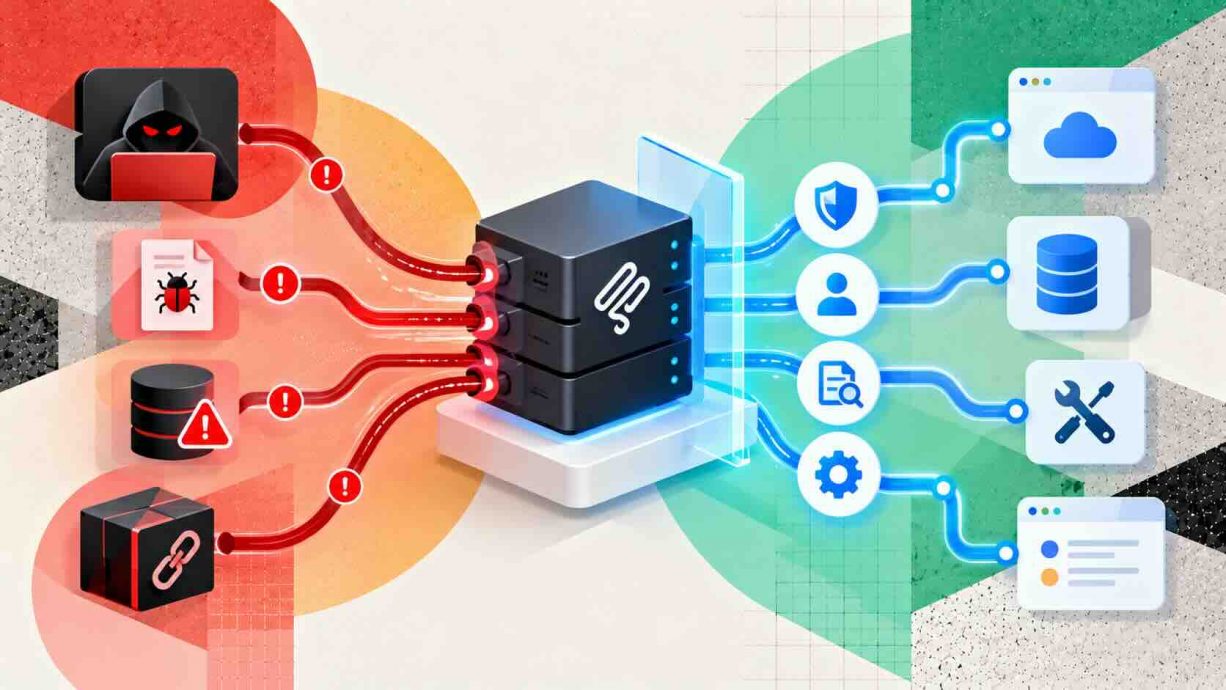

Introduction
Teams that want to understand MCP server security risks and how to mitigate them are asking the right question at the right moment. The Model Context Protocol now connects language models to databases, code repositories, email, and cloud consoles through thousands of small servers. A statistics roundup that cites Anthropic’s December 2025 figures reports more than 97 million monthly SDK downloads across the Python and TypeScript libraries. That reach turns every server into a new doorway, and researchers have already walked through many of them, from poisoned tool descriptions to a backdoored npm package. This guide explains where the real weaknesses sit, which attacks have actually happened, and which controls close each gap. It also includes an interactive exposure estimator, a step-by-step hardening plan, and an honest look at where today’s defenses still fall short. Read it as a working reference for builders, security reviewers, and leaders who approve agent integrations.
Quick Answers on MCP Server Security Risks
What are the main MCP server security risks?
Understanding MCP server security risks and how to mitigate them starts with six threats: tool poisoning, prompt injection, command injection, weak authentication, token theft, and malicious or squatted packages that reach agents through ordinary installs.
How do you reduce MCP server risk quickly?
MCP mitigation combines version pinning, least-privilege credentials, OAuth for remote servers, process sandboxing, reviewed tool descriptions, and full tool-call logging. No single control is enough, so layer them across client, server, and network.
Are local MCP servers safe by default?
No. A local MCP server runs with your operating system privileges, so a flawed or malicious one can read files and execute commands. Treat every server as untrusted code and isolate it accordingly.
Key Takeaways
- MCP servers sit between a model and valuable systems, so a single poisoned description or flawed handler can redirect an agent without any visible exploit.
- Published CVEs cluster around shell injection, tooling flaws, authentication bypass, and path traversal, which means ordinary secure coding catches most of the damage.
- The MCP authorization specification requires OAuth 2.1 patterns, resource indicators, and token audience checks for remote servers, and teams should enforce them rather than treat them as optional.
- Layered defenses work best: pin versions, scope credentials, sandbox processes, review tool descriptions, and log every call with its parameters.
Table of contents
- Introduction
- Quick Answers on MCP Server Security Risks
- Key Takeaways
- What Is MCP Server Security?
- Why the Model Context Protocol Widened the Attack Surface
- Mapping the Trust Boundaries Around an MCP Server
- Tool Poisoning and Rug Pull Attacks on Tool Descriptions
- Prompt Injection and the Lethal Trifecta in Agent Workflows
- Command Injection, Path Traversal, and SSRF in Server Code
- Authentication, Authorization, and Token Theft
- Supply Chain Risks From Squatted and Malicious Servers
- Network Exposure, Local Servers, and Shadow Deployments
- Reading the OWASP MCP Top 10 as a Control Checklist
- Putting MCP Server Hardening Into Practice
- Monitoring, Logging, and Incident Response
- Where MCP Server Defenses Still Fall Short
- Ethics, Consent, and Accountability for Delegated Tool Use
- The Future of MCP Server Security
- How to Mitigate MCP Server Security Risks Step by Step
- Key Insights on MCP Server Security
- MCP Security Failures Seen in Practice
- Lessons From Real MCP Security Incidents
- Common Questions About MCP Server Security Risks
What Is MCP Server Security?
MCP server security risks and how to mitigate them cover the threats facing Model Context Protocol servers, including tool poisoning, command injection, and token theft, plus controls like authentication, sandboxing, and least privilege.
An Interactive From AIplusInfo
How Exposed Is Your MCP Setup?
Adjust four choices and watch an illustrative exposure score and the control that matters most respond.
Local process
Read only
6 servers
40 percent
Illustrative exposure score
0
Low
Where the points come from
Illustrative model, not a measurement. Benchmarks that informed the weights: 43 percent of tested servers were vulnerable to command injection and 492 servers sat on the open internet without authentication, and the MCP authorization specification defines the remote controls.
Why the Model Context Protocol Widened the Attack Surface
The Model Context Protocol gives language models a standard way to call tools, read resources, and fetch prompts from external servers. Anthropic introduced it in late 2024, and adoption spread quickly across coding assistants, chat clients, and enterprise agent platforms. The same statistics roundup counts more than 10,000 active public servers by December 2025, with SDK downloads in the tens of millions each month. Every one of those servers is a small program that sits between a model and something valuable. Because the model decides which tool to call, the server inherits the model’s trust, and the model inherits whatever the server says. That two-way trust is the heart of the problem, and it did not exist in the same form when applications simply called APIs from fixed code. The protocol standardized integration, and it also standardized the places where an attacker can interfere.
Traditional API clients are deterministic, so a developer decides in advance exactly which endpoint is called with which arguments. An agent using MCP chooses at runtime, guided by natural language descriptions that the server itself supplies. That design makes the tool description part of the model’s prompt, which means a server author can influence behavior without writing a conventional exploit. It also means a harmless server can change after approval, because nothing in the protocol freezes a description once a user has agreed to it. Security teams used to reviewing code paths now have to review language as well. The discipline of context engineering for LLM agents matters here, since everything placed in context is effectively executable influence.
Real incidents followed quickly after the first public demonstrations of the technique. Researchers showed poisoned tools exfiltrating chat histories, prompt injection leaking private repositories, and command injection in widely used helper packages. A single review of early 2026 filings counted more than 30 CVEs in roughly 60 days, which suggests the ecosystem is being probed at scale. Most of those flaws were not exotic machine learning attacks but familiar web and systems bugs in new places. That pattern is encouraging for defenders, because familiar bugs have familiar fixes, and it is sobering for anyone who assumed a new protocol would arrive with new safety.
Mapping the Trust Boundaries Around an MCP Server
Stepping back from individual exploits, it helps to draw the boundaries that every request crosses. A typical deployment has four parties: the user, the host application that embeds the model, the MCP client inside that host, and one or more MCP servers that expose tools. Each arrow between those parties is a trust decision, and most documented failures come from an arrow that nobody explicitly decided about. The user trusts the host to show honest approval prompts, the host trusts the client to relay faithfully, and the client trusts each server to describe its tools truthfully. The server in turn trusts its own inputs, which arrive from a model that may have been steered by hostile text.
Beyond the arrows, there are the assets that servers touch, which usually include files, credentials, databases, and downstream APIs. The function calling in LLMs mechanism turns model output into real calls against those assets, so any text that influences the model can influence the asset. Mapping this on a whiteboard before deployment is cheap, and it exposes questions such as which server can read secrets, which can write, and which can reach the network. Teams that skip the exercise tend to discover the answers during an incident review instead. A useful rule is that the whole chain holds the permissions of its most privileged server, because the model can combine tools across servers in one task.
Tool Poisoning and Rug Pull Attacks on Tool Descriptions
Turning to the most discussed MCP-specific attack, tool poisoning hides instructions inside a tool’s description, name, or schema. The model reads that text when it lists available tools, and it may follow the hidden instructions even if the user never calls the tool. Invariant Labs demonstrated the pattern in April 2025 with a poisoned calculator tool that silently exfiltrated an SSH private key from a Cursor session. The attack works because the interface shows users a friendly summary while the model reads the full unfiltered text. Researchers measured how often it succeeds in the MCPTox benchmark, which tested 45 live servers against 20 language models. According to a Cloud Security Alliance research note, attacks succeeded 36.5 percent of the time on average and up to 72.8 percent against one model.
A related technique is the rug pull, in which a server presents a benign description during approval and swaps in a malicious one later. Most clients ask for consent once, so a changed description may never trigger a second prompt. The Cursor flaw tracked as CVE-2025-54136, known as MCPoison, showed the same weakness in configuration form, because approval was tied to a server’s name rather than its contents. A committed configuration file could therefore be swapped for a hostile command that ran for every teammate. Pinning exact versions and hashing descriptions are the practical countermeasures, since they turn silent changes into visible diffs.
Researchers have since widened the picture well beyond descriptions to the rest of the schema. A CyberArk analysis describes full-schema poisoning, where parameter names and extra fields carry the payload. In the author’s tests a poisoned parameter name worked while the description stayed clean. The same work describes advanced tool poisoning, where the tool output, such as a fake error message, asks the model to hand over secrets. The common lesson is that the whole tool schema and every response must be treated as untrusted input to the model. A scanner that only reads description fields will miss these variants entirely.
Defenders have a few reliable moves that do not depend on spotting every clever phrasing. Allowlist the exact tool names and schemas you expect, and reject any extra fields or unexpected changes. Show the full description to a human reviewer during approval, not a summarized version. Strip or flag tool outputs that ask the model for credentials, key material, or unrelated files. Finally, assume a determined attacker can phrase instructions to evade filters, and rely on permission scoping so that a fooled model still cannot reach the crown jewels.
Prompt Injection and the Lethal Trifecta in Agent Workflows
Looking at attacks that need no malicious server, prompt injection hides instructions in data the agent reads, such as a ticket, an issue comment, or a web page. The agent cannot reliably tell instructions from content, so it may obey text written by a stranger. Simon Willison popularized a useful test he calls the lethal trifecta. A system is exposed when it combines private data, untrusted instructions, and a way to send data out. If all three legs are present in one agent session, an attacker only needs to plant the right sentence. The deeper background on how these attacks work is covered in our guide to prompt injection attacks explained for practitioners.
The Supabase integration gave a clean demonstration of this pattern in 2025. General Analysis showed that an attacker could file a support ticket containing hidden instructions, and when a developer asked Cursor to list recent tickets, the agent followed them. Running with service-role access that bypasses row-level security, the agent read an integration tokens table and wrote the contents back into the ticket thread. In Willison’s write-up of the Supabase case, all three trifecta legs lived inside a single MCP server, which made the exploit unusually direct. The recommended mitigation was read-only, project-scoped access, which removes the write channel and therefore one leg of the trifecta.
The practical takeaway is to design agent workflows so that no single session holds all three legs at once. Separate the agent that reads untrusted content from the agent that holds secrets, and require human approval before any action that sends data outward. Prefer read-only credentials for exploratory work, and scope database roles to the minimum tables the task needs. Keep outbound network access closed by default for sessions that touch sensitive data. These choices cost little, and they convert a catastrophic leak into a harmless failed attempt.
Command Injection, Path Traversal, and SSRF in Server Code
Moving from model manipulation to ordinary software defects, many MCP servers are thin wrappers that pass tool arguments into shell commands, file paths, or HTTP requests. When those arguments come from a model that may have been steered, every classic injection bug becomes reachable. A review of more than 30 early-2026 CVEs found that about 43 percent were shell or exec injection, the largest single category. The same CVE breakdown attributes roughly 20 percent to tooling flaws in clients, inspectors, and proxies, 13 percent to authentication bypass, and 10 percent to path traversal. These are the bugs that secure coding checklists have warned about for decades.
Path traversal deserves particular attention because file tools are among the most popular servers. A flaw in a reference filesystem server let attackers escape the intended directory sandbox, which shows that even official examples need hardening. Scanning studies report high exposure rates, with one academic-style survey of 2,614 implementations finding that 82 percent used file operations prone to traversal. Those numbers measure risky patterns rather than proven exploits, so they should be read as a prompt to audit, not as a prediction of breach. Resolve every path to its canonical form and verify it stays inside an allowed root before touching the disk.
Server-side request forgery is the third recurring weakness, because fetch-style tools take URLs from the model. One report cited by the same roundup puts SSRF exposure at 36.7 percent across more than 7,000 servers. An attacker who can steer the URL can reach cloud metadata endpoints and internal services that were never meant to be public. Block private and link-local address ranges, resolve DNS once and pin the result, and cap redirects. Where a tool truly needs arbitrary URLs, route it through an egress proxy that enforces an allowlist.
The fixes are mostly unglamorous engineering that any competent team can apply. Avoid shell invocation entirely and call libraries or pass argument arrays to avoid string concatenation. Validate every argument against a strict schema with types, lengths, and character classes before use. Run the server as an unprivileged user inside a container with a read-only root filesystem, and drop capabilities it does not need. Add tests that feed hostile arguments into every tool, because a model will eventually do the same by accident or by design.
Authentication, Authorization, and Token Theft
Next, the question of who may talk to a server at all deserves a blunt answer, because many deployments skip it. Authorization is optional in the Model Context Protocol, and the specification says implementations using stdio transport should read credentials from the environment instead of following its OAuth flow. For remote HTTP servers, the MCP authorization specification builds on OAuth 2.1, protected resource metadata, and dynamic client registration. The specification requires servers to validate that every access token was issued specifically for them and forbids passing a received token through to upstream APIs. Those two rules block the confused deputy problem, where a server is tricked into spending authority it was never granted.
Clients carry equally important duties under the very same specification text. They must send a resource parameter, defined by RFC 8707, so that tokens are bound to the intended server. They must use PKCE to stop authorization code interception, and redirect URIs must be registered and matched exactly. Tokens must travel in the Authorization header and never in a query string, and authorization servers should issue short-lived access tokens with rotating refresh tokens for public clients. Following these requirements is not optional for a production remote server, even though the protocol itself treats authorization as an optional feature.
Real-world practice still lags well behind what the specification actually requires. An Astrix analysis of more than 5,200 servers found that 88 percent require credentials. Yet 53 percent rely on static API keys or personal access tokens, and only 8.5 percent use OAuth. About 79 percent pass keys through environment variables, which is convenient and also easy to leak through logs and crash dumps. GitGuardian’s 2026 report counted 24,008 secrets in MCP-related configuration files on public GitHub, and 2,117 of them were still valid. A leaked long-lived token gives an attacker the same standing as the legitimate agent for as long as it works.
The remedy is to treat credentials as short-lived, narrow, and audited. Issue per-session tokens with the smallest scope the task needs, and rotate anything that has ever appeared in a configuration file or chat transcript. Store secrets in a managed vault and inject them at runtime rather than committing them to repositories. Enforce audience validation in code, and write a test that proves a token minted for a different resource is rejected. Log every authorization decision so that a stolen token produces a visible trail instead of silent access.
Supply Chain Risks From Squatted and Malicious Servers
Beyond the code itself, the largest unaddressed risk is where servers come from in the first place. Developers install MCP servers from npm, PyPI, GitHub, and community registries, usually with one copy-and-paste command. The official registry API lists 9,652 current server records in a May 2026 pull cited by one roundup, and unofficial marketplaces list far more. Names are easy to imitate, publishers are rarely verified, and an install script runs with the privileges of the person who typed it. Typosquatting and impersonation work against MCP exactly as they have against every package ecosystem before it. Nothing in the protocol tells a user whether a server named like a vendor tool actually belongs to that vendor.
Agent skills and plugins extend the same exposure into a fresh layer of third-party code. The roundup reports that Snyk’s ToxicSkills audit found at least one critical issue in 13.4 percent of 3,984 agent skills, and a separate analysis confirmed 1,184 malicious ones. Verizon’s 2025 breach report attributes about 30 percent of breaches to third parties, which is the same dynamic at enterprise scale. Compromised packages are also not unique to MCP, as the Ultralytics library malware incident showed for a popular AI toolkit. The difference with MCP is that a poisoned server can speak directly to a model that holds the user’s credentials.
Treat every third-party server the way you would treat a new production dependency. Pin exact versions rather than tracking the latest tag, and review the diff before each upgrade. Verify the publisher against the vendor’s own documentation, and check whether the repository has real history rather than a single recent commit. Mirror approved servers into an internal registry so that developers install from a vetted source. Record each approved server in an inventory with an owner, a purpose, and the credentials it receives.
Network Exposure, Local Servers, and Shadow Deployments
Shifting focus to where servers listen, exposure turns out to be as common as it is avoidable. Trend Micro found 492 MCP servers reachable on the internet with no authentication or encryption in July 2025, and together they exposed 1,402 tools. The statistics roundup notes that over 90 percent of those allowed direct read access to their data. A server bound to every network interface by default is one misconfigured firewall away from becoming a public service. Local development tools are the usual culprit, because a laptop on a coffee shop network is a hostile environment for a service that assumes friendly neighbors.
Shadow deployments multiply the problem because security teams cannot protect servers they do not know exist. The roundup cites Clutch Security data indicating that 86 percent of servers run locally, and only 5 percent run in production environments. That means most MCP activity happens on developer machines, outside the review process applied to production services. Our overview of the shadow AI threat describes the same pattern for unsanctioned tools in general. Endpoint inventory, egress monitoring, and a clear policy on approved servers close most of the visibility gap.
Reading the OWASP MCP Top 10 as a Control Checklist
Among the available frameworks, the OWASP MCP Top 10 offers the most direct checklist for builders and reviewers. The OWASP MCP Top 10 project names token mismanagement, privilege escalation through scope creep, tool poisoning, supply chain tampering, command injection, and prompt injection. It continues with insufficient authentication and authorization, lack of audit and telemetry, shadow MCP servers, and context injection with over-sharing. The project describes itself as a production project that is moving through beta release and pilot testing, so the wording may evolve. Even so, the categories map cleanly onto the incidents that have already been documented.
A useful exercise is to turn each risk into a yes or no question that a reviewer can answer from evidence. Does the server avoid long-lived static tokens, and are secrets kept out of logs and configuration files? Does each tool request only the scopes it needs, and are broad scopes reviewed individually? Are tool descriptions pinned and diffed, and are dependencies locked with integrity hashes? Is every call logged with enough detail to reconstruct what happened, and is there an inventory that exposes shadow servers? Any question that someone answers with a shrug should immediately become a tracked ticket.
Mapping findings to the list also helps with communication, because executives and auditors already understand the format. A single page that shows ten risks, the current status of each control, and an owner is easier to fund than a long technical report. Treat the list as a floor rather than a ceiling, since it will not capture risks specific to your environment. Revisit it whenever a new server, client, or model is added, because the answers change with every integration. The goal is a living checklist that tracks reality instead of a one-time review that decays.
Putting MCP Server Hardening Into Practice
Moving from frameworks to execution, a hardening program starts with an honest inventory of every server, client, and credential in use. Search developer machines, build systems, and shared configuration repositories for server definitions, including global configs and workspace folders that tools read automatically. Cloud Security Alliance guidance recommends reviewing configuration changes with the same rigor as production code, since a committed file can launch a process on every teammate’s machine. A short allowlist of approved servers, enforced by the client, does more for safety than any amount of after-the-fact scanning. Anything outside the list should be blocked by default rather than merely discouraged.
Graduated trust is a practical way to roll out new servers without freezing innovation. The same research note describes starting each new server at a read-only level, with no write access and no outbound network, and promoting it only after it earns trust. Isolate server processes in containers or virtual machines, and revoke ambient cloud credentials so a compromised process cannot inherit them. Use short-lived credentials issued per session instead of shared keys. Deterministic checks outside the model, such as the patterns described in our guide to deterministic guardrails for AI agents, keep a fooled model from taking a forbidden action.
People and process matter just as much as technical configuration does. Name an owner for every approved server, and require a short review whenever its permissions, description, or dependencies change. Teach developers to treat approval prompts as security decisions, and to read the full text of what a tool claims to do. Add the inventory to onboarding and offboarding so credentials do not outlive the people who requested them. Finally, budget time for upgrades, because pinned versions only help if someone actually moves them forward when a fix ships.
Monitoring, Logging, and Incident Response
Turning to detection, the central principle is that every tool call should leave a record that a human can read later. Log the tool name, the full arguments, the identity of the user and the model session, and a timestamp. Without that trail, a compromised server looks identical to a busy one, and investigators are left guessing which data left the building. The fastest early-warning signal is a tool that suddenly asks for something outside its purpose, such as a calculator requesting a private key. Cloud Security Alliance and CyberArk guidance both recommend watching for unexpected tool calls immediately after errors and for outputs that request sensitive information.
Detection rules should be simple enough that every responder can explain them. Alert when a server calls a tool it has never called before, when response sizes jump sharply, or when a session touches credentials and the network in the same minute. Rehearse the response before you need it, including how to revoke a token, quarantine a server, and rotate every secret it could reach. Adversarial testing helps validate those rules, and our guide to red teaming AI models shows how to structure such exercises. HackerOne reported a 540 percent surge in prompt injection reports in its 2025 annual report, so expect real findings.
Where MCP Server Defenses Still Fall Short
Despite the progress, current defenses have clear gaps that honest teams should acknowledge. Prompt injection remains unsolved at the model level, which means every mitigation reduces impact rather than eliminating the possibility. Scanners help, but the roundup cites an April 2026 evaluation reporting a false-positive rate near 78 percent for YARA-based MCP scanners, which breeds alert fatigue. Approval prompts suffer from habituation, because users who click yes dozens of times a day stop reading what they approve. A control that depends on a tired human reading unfamiliar text at the right moment is not a control that scales.
Organizations also lag in their readiness to defend against these particular threats. A Cisco survey cited by the roundup found only 29 percent felt prepared to secure agentic AI. The Cloud Security Alliance reported that just 23 percent have a formal enterprise agent identity strategy. Reports such as our coverage of Clawbot exposing AI vulnerabilities show how quickly experimental agents spread before controls catch up. Standards are young, vendor tooling is uneven, and the measurements themselves vary by methodology. Percentages quoted across studies often describe risky patterns rather than confirmed exploits, so compare them with care.
The practical response is defense in depth with realistic expectations. Combine preventive controls such as scoping and sandboxing with detective controls such as logging and anomaly alerts. Keep a human in the loop for actions that are destructive, expensive, or irreversible, and make those approvals specific. Accept that some residual risk remains, and size it by asking what the worst reachable action is for each server. That question, answered honestly, usually points straight at the next control worth building. Our report on an AI agent email attack vector is a reminder that worst cases often arrive through mundane integrations.
Ethics, Consent, and Accountability for Delegated Tool Use
Stepping back from engineering, MCP raises ethical questions about consent and responsibility when software acts on a person’s behalf. A user who connects an agent to email, files, and calendars is delegating authority they may not fully understand. Meaningful consent requires that people see, in plain language, what each tool can read, change, and send before they approve it. Vague prompts such as allow access erode that consent, and so do tool descriptions that hide behavior from the human while exposing it to the model. Builders owe users honest summaries that match what the model actually reads.
Accountability is the harder question, and it has no settled answer yet. When a poisoned server causes an agent to leak customer data, responsibility is shared among the server author, the host vendor, the deploying organization, and the model provider. Governance frameworks such as the ones described in our overview of enterprise agent governance assign owners, identities, and audit trails to agents. Regulators are moving the same way, as covered in our guide to AI governance trends and regulations. Organizations should decide in advance who answers for an agent’s actions, and document it before the first incident.
The Future of MCP Server Security
Looking ahead, the protocol itself is hardening, and the authorization chapter keeps evolving with new revisions, including one dated July 28, 2026. Standard identity flows, audience-bound tokens, and clearer guidance on token passthrough reduce the room for improvisation that attackers exploit. Registries are likely to add publisher verification, signed releases, and provenance data so users can tell a genuine server from an imitation. Clients are moving toward stricter defaults, such as asking before running project-defined servers and re-prompting when a description changes. The direction of travel is from trust by name toward trust by verifiable evidence.
Forecasts from analysts suggest the stakes will keep rising over the next few years. The statistics roundup cites Gartner predictions that more than half of successful attacks on AI agents through 2029 will exploit access-control weaknesses. Gartner also expects that by 2028, 25 percent of enterprise generative AI applications will see at least five minor incidents a year, up from 9 percent in 2025. Adoption data in our summary of agentic AI adoption statistics shows why: more agents mean more servers and more credentials. Security teams that build inventories and controls now will absorb that growth more calmly.
Expect runtime policy engines, per-tool permission manifests, and hardware-backed isolation to move from research into products. Attackers will adapt in parallel, probing description fields, tool outputs, and multi-server interactions for new weaknesses. The healthy response is continuous testing rather than a one-time certification. Follow protocol revisions, subscribe to advisories for every server you run, and rehearse your incident process twice a year. Teams that treat MCP server security risks and how to mitigate them as an ongoing practice, not a launch checklist, will stay trusted with delegated authority.
Chart From AIplusInfo
Where MCP Server Flaws Come From
Share of 30+ MCP CVEs filed in January and February 2026, by root cause (percent).
Source: heyuan110 analysis of MCP security CVEs filed in early 2026. Counts in the second view are approximations that apply each published share to 30 CVEs. Chart by AIplusInfo.
How to Mitigate MCP Server Security Risks Step by Step
Step 1 – Inventory every server and credential
To manage MCP server security risks and how to mitigate them, list what is installed, because you cannot secure even 1 server you cannot see. Search home directories, project folders, and shared configuration repositories for the files that declare servers. Record each entry with its command, its arguments, the environment variables it receives, and the person who added it. Pro tip: run the search on every developer laptop and build runner, not just the production hosts. Many risky servers live only on local machines, so a central inventory that skips them will be misleading. Review every path the command returns and note which servers hold credentials. Remove any server that nobody can justify, and put the rest into a tracked register that becomes your allowlist.
# Find common MCP configuration files under the home directory
find "$HOME" -maxdepth 4 \( -name "mcp.json" -o -name ".mcp.json" -o -name "claude_desktop_config.json" \) 2>/dev/null
Step 2 – Pin versions and verify publishers
Next, stop installing servers from floating tags such as latest, because a silent upgrade can introduce a backdoor. Look up the current version of each approved package, confirm it against the vendor’s documentation, and install that exact version. Record the SHA-512 integrity hash in your lockfile so that tampering becomes visible during installation. A version pin turns an invisible change into a reviewable diff, which is exactly what rug pull attacks try to avoid. Check the publisher’s account and the repository history before you trust any package name. A recent account with one release and no linked source repository deserves suspicion, and a careful name comparison catches most impersonation attempts.
# Check the published version, then install it with an exact pin
npm view @modelcontextprotocol/server-filesystem version
npm install --save-exact @modelcontextprotocol/[email protected]
Step 3 – Sandbox the server process
From there, run each server with the fewest privileges that still let it do its job. A container with a read-only root filesystem, no extra capabilities, and no network access removes entire classes of damage. Mount only the directories the tool needs, and mount them read-only unless writing is essential. Run the process as an unprivileged user such as UID 10001 so that a code execution bug does not become a host compromise. If a tool genuinely needs network access, route it through an egress proxy with an allowlist instead of opening the network entirely. Revoke ambient cloud credentials inside the sandbox, and treat the container definition as part of the server’s security review.
# Run a local server with no network, a read-only filesystem, and no capabilities
docker run --rm -i --read-only --cap-drop ALL --network none \
  --user 10001:10001 -v "$PWD/workspace:/data:ro" my-mcp-server:1.4.2
Step 4 – Validate inputs and confine file access
Building on the sandbox, harden the server code itself against hostile arguments. Treat every argument as untrusted, because the model may have been steered by text the user never saw. Resolve file paths to their canonical form and verify they remain inside an allowed root before reading or writing. Define strict schemas with types, lengths, and character classes, and reject anything unexpected. Avoid building shell commands from strings, and pass argument lists to libraries instead. Add unit tests that feed at least 3 hostile inputs, such as traversal strings, symlinks, and oversized values, into every tool, since the model will eventually send something strange.
from pathlib import Path

ALLOWED_ROOT = Path("/data").resolve()

def safe_path(user_path: str) -> Path:
    candidate = (ALLOWED_ROOT / user_path).resolve()
    if ALLOWED_ROOT not in candidate.parents and candidate != ALLOWED_ROOT:
        raise PermissionError("path escapes the allowed root")
    return candidate
Step 5 – Require OAuth and validate token audience
Moving to remote servers, require authentication on every request and bind tokens to the server that receives them. Follow the MCP authorization specification by using OAuth 2.1, PKCE, and the resource parameter from RFC 8707. Validate the signature, expiry, and audience claim of each token, and reject tokens minted for other resources. Never forward a received token to an upstream API, because that is the token passthrough pattern the specification forbids. Keep access tokens short-lived and rotate refresh tokens for public clients. Write a test that presents a valid token issued for a different audience and confirm the server answers with a 401 response.
import jwt

def validate_token(token: str, public_key: str, expected_audience: str) -> dict:
    # Raises an exception if the signature, expiry, or audience is wrong
    return jwt.decode(
        token,
        public_key,
        algorithms=["RS256"],
        audience=expected_audience,
    )
Step 6 – Log every tool call and alert on anomalies
Finally, make the system observable so that MCP server security risks and how to mitigate them stay measurable and a compromise leaves a readable trail. Emit one structured log line per tool call with the tool name, arguments, user, session, and result size. Ship the logs to a store that the server process cannot modify. Create alerts for first-time tools, sudden jumps in output size, and sessions that touch secrets and the network together. Redact secrets from the arguments before logging, since logs are a common leak path. Rehearse your response by revoking a test token and quarantining a test server, then review a sample of 20 records weekly.
import json
import logging
import time

audit = logging.getLogger("mcp.audit")

def log_tool_call(user: str, session: str, tool: str, args: dict, result_bytes: int) -> None:
    audit.info(json.dumps({
        "ts": time.time(), "user": user, "session": session,
        "tool": tool, "args": args, "result_bytes": result_bytes,
    }))
Key Insights on MCP Server Security
- A review of early 2026 filings counted over 30 CVEs in about 60 days, and 43 percent were shell injection flaws, so classic coding mistakes still dominate MCP risk.
- In the MCPTox benchmark of 45 live servers and 20 models, tool poisoning succeeded 36.5 percent of the time on average, so descriptions deserve the same scrutiny as code.
- A statistics roundup reports that 492 MCP servers sat on the open internet with no authentication, exposing 1,402 tools, which proves network binding is a first-line control.
- JFrog scored the mcp-remote flaw CVE-2025-6514 at 9.6 out of 10 because a hostile server could turn an OAuth discovery response into command execution on the client machine.
- Backslash Security scanned thousands of public servers and found hundreds configured to listen on every network interface, which makes default binding a serious and avoidable exposure.
- The rogue postmark-mcp package was downloaded 1,643 times before it was removed, proving that one added line in a trusted-looking server can silently copy every email it sends.
- The OWASP project lists ten MCP risks from token mismanagement to context over-sharing, which gives reviewers a ready checklist that maps onto documented incidents.
- Gartner expects more than half of successful attacks on AI agents through 2029 to exploit access-control weaknesses, so identity and permission design should come before clever detection.
Taken together, these figures describe an ecosystem that is growing faster than its safeguards. The most common failures are familiar ones, such as injection, missing authentication, and exposed interfaces, which means disciplined engineering removes much of the risk. The newer failures, such as poisoned descriptions and rug pulls, exploit the fact that a model treats text as instruction. Network and supply chain exposure turn a single weak server into a path toward credentials and data. The best response layers controls across the client, the server, and the network so that no single mistake becomes a breach. Teams that measure MCP server security risks and how to mitigate them against these benchmarks can decide where the next hour of effort pays off most.
| Control or risk | Local stdio | Local HTTP | Remote, static API key | Remote, OAuth 2.1 |
|---|---|---|---|---|
| Network exposure | None by design | Loopback only if bound correctly | Public internet | Public internet |
| Authentication | Process ownership | Often missing | Shared secret | Per-user tokens |
| Token theft impact | Environment secrets | Session and cookie reuse | Full key reuse | Scoped and expiring |
| Command injection impact | User privileges | User privileges | Server host privileges | Server host privileges |
| Cross-origin and DNS rebinding | Not applicable | High risk without Origin checks | Moderate | Moderate |
| Audit attribution | Weak | Weak | Per key only | Per user and client |
| Best primary control | Sandbox and pinning | Bind to loopback and check Origin | Replace with OAuth | Audience and resource checks |
MCP Security Failures Seen in Practice
The Postmark Impersonation Package on npm
Beyond the theory, the postmark-mcp package shows how little it takes to turn trust into theft. An attacker published a copy of an official Postmark Labs library under the same name, and developers installed it and used it as intended. Version 1.0.16, released on September 17, 2025, added one line that copied every outgoing email to an outside address, a 100 percent exposure of mail passing through the server. Koi Security found the backdoor, and The Hacker News reported that the package had 1,643 downloads before it was deleted from npm. Victims were told to remove the package, rotate credentials that appeared in email, and review logs for copies sent to the attacker. The limitation of that advice is that installed copies kept working until someone noticed, and nothing in the protocol warns users when a package changes.
The mcp-remote Command Injection Flaw
Turning to client-side risk, many developers used mcp-remote to connect desktop assistants to remote servers through a local proxy. JFrog’s researchers found that a malicious server could answer the OAuth discovery step with a crafted authorization endpoint, and the tool passed that value to the system’s open function. The flaw, tracked as CVE-2025-6514 with a CVSS score of 9.6, affected versions 0.0.5 through 0.1.15, and JFrog’s write-up reports full command control on Windows. A statistics roundup cites more than 437,000 downloads of the package, which explains why the case drew so much attention. The maintainers shipped a fix in version 0.1.16, and applying it takes only minutes with a standard package update. The limitation is that plain HTTP connections remained risky for users who never upgraded, and the exposure still reached anyone who trusted an untrusted server.
The Asana Cross-Tenant Exposure
Looking at hosted services rather than local tools, the June 2025 Asana incident shows what a logic flaw costs in a multi-tenant MCP deployment. An incident summary describes cross-tenant access to other tenants’ project data through the company’s MCP server, a failure of isolation rather than a prompt trick. Customers who deployed agents against the integration had to trust the provider to keep every tenant separate. The CVE and incident analysis from heyuan110 lists the event alongside the GitHub prompt injection and MCP Inspector cases from the same month. The outcome was an increase in blast radius, because one provider-side bug could reach many customers at once. That dependence is a trade-off every team accepts when it adopts a hosted server. The limit of customer-side controls is that they cannot inspect tenant boundaries, which argues for scoped credentials.
Recommended by AIplusInfo
Books to go deeper on securing agent integrations
Hand-picked titles that map to the threat modeling, API testing, and adversarial defense work described above.
As an Amazon Associate, AIplusInfo earns from qualifying purchases.

Book
Threat Modeling: Designing for Security
A practical method for mapping the trust boundaries and attack paths that this guide asks teams to draw before deploying any server.
Buy on Amazon
Book
Hacking APIs: Breaking Web Application Programming Interfaces
Many MCP servers are thin wrappers over HTTP APIs, and this book teaches how attackers probe their authentication and injection flaws.
Buy on Amazon
Book
Adversarial AI Attacks, Mitigations, and Defense Strategies
A hands-on look at attacks on machine learning systems and the defenses that complement the MCP controls described in this guide.
Buy on AmazonLessons From Real MCP Security Incidents
Case Study: Backslash Security's Scan of Public Servers
Among the most useful field studies, Backslash Security faced a simple problem: nobody knew how many public MCP servers were misconfigured. The team scanned thousands of servers published in public repositories and built a picture of common mistakes. The analysis found hundreds of servers bound to the 0.0.0.0 address by default, a weakness the researchers named NeighborJack, and dozens with paths to arbitrary command execution. Some servers combined network exposure with excessive permissions, which is the worst pairing because a stranger on the network could act with the server's authority. CSO Online's coverage of the findings lists the recommended solution as input validation, restricted filesystem access, access controls on tools, and stdio transport for local tools. Dozens of exploitable servers amounted to a small percent of those scanned, yet the study did not publish exact counts, which limits how precisely anyone can size the problem.
Case Study: Cursor Configuration Attacks CurXecute and MCPoison
In August 2025, Cursor users faced a problem rooted in trust: project files could define MCP servers that the editor would launch with the developer's privileges. Researchers at AIM Security disclosed CurXecute, tracked as CVE-2025-54135 with a CVSS score of 8.6, where a prompt injection rewrote the user's MCP configuration and ran attacker code. Check Point disclosed MCPoison a few days later, as CVE-2025-54136, because approval was tied to a server's name rather than its contents. The vendor introduced fixes, and a Cloud Security Alliance research note points to Cursor 1.3.9 or later as the patched baseline. The same note cites the MCPTox result that tool poisoning succeeded 36.5 percent of the time on average, a reminder that patches do not remove the underlying model behavior. The controversy is that approval prompts still depend on users reading unfamiliar configuration, which is a human control rather than a technical one.
Teams that rely on these editors should treat configuration files as executable code. Require review for every change to a committed MCP configuration, and block project-defined servers in headless automation unless they are explicitly approved. Keep the editor updated, because the vendor fixes shipped quickly once the reports arrived. Inventory global and workspace configuration folders so that a copied repository cannot quietly add a server. The lesson from both CVEs is that approval must bind to the exact content that will run.
Case Study: The Miasma Worm and Auto-Launched Project Configs
By mid-2026, defenders faced a challenge that grew from the same weakness: developer tools that auto-run project-defined MCP servers after a trust prompt. In May 2026, Adversa AI described a weakness it named TrustFall. Several command-line assistants launched project servers after a folder trust prompt that defaulted to yes, and headless CI runs skipped the prompt entirely. The affected vendors responded with prompts and patches, and Amazon published a security bulletin after Wiz reported two CVEs in the Amazon Q Developer configuration handling in June 2026. Attackers then used the Miasma worm to plant malicious MCP configurations in 73 GitHub repositories, aiming to harvest credentials from developers who opened them. The Cloud Security Alliance note on tool poisoning and auto-execution recommends isolating MCP processes, revoking ambient cloud credentials, and using short-lived keys. Defenders hope for a reduction in silent execution, but the fix remains partial because a trust prompt that defaults to yes is still a weak control.
Common Questions About MCP Server Security Risks
An MCP server is a small program that exposes tools, resources, and prompts to a language model through the Model Context Protocol. It often holds credentials for email, databases, or code repositories. The model chooses which tools to call at runtime, so text that influences the model can influence real actions. That combination of delegated authority and steerable behavior is why these servers need their own review.
Tool poisoning hides malicious instructions inside a tool's description, name, or schema so the model follows them without the user noticing. Invariant Labs demonstrated it in April 2025 with a calculator tool that exfiltrated an SSH key. The instructions work even if the tool is never called, because the model reads descriptions when it lists available tools. Pinning versions and reviewing full descriptions are the main defenses.
The lethal trifecta describes a session that has access to private data, exposure to untrusted instructions, and a way to send data out. An MCP agent that reads support tickets, queries a database, and writes replies can hold all three at once. Removing any one leg breaks the attack, for example by using read-only credentials. Design sessions so that no single agent holds all three.
Authorization is optional in the protocol, but when a remote HTTP server supports it the specification sets firm requirements. Servers must implement protected resource metadata, validate that tokens were issued for them, and reject tokens meant for other resources. Clients must also use PKCE and send the resource parameter with every authorization request. Local stdio servers are told to read credentials from the environment instead.
Token passthrough happens when an MCP server accepts a token from a client and forwards it unchanged to an upstream API. The specification forbids it because the upstream service may wrongly trust the token as if the server had validated it. That creates a confused deputy problem in which the server spends authority it was never granted. Servers should obtain a separate token for the upstream service instead of reusing it.
Local stdio servers avoid network exposure, which removes a large class of attacks. They still run with the privileges of the person who launched them, so a flawed or malicious server can read files and execute commands. One roundup reports that most servers run locally and few run in production, which means local risk matters a great deal. Sandboxing and pinned versions therefore remain essential for any local deployment.
Verify the publisher against the vendor's own documentation, and check that the repository has meaningful history rather than a single recent commit. Read the source and the full tool descriptions before connecting it to an agent. Pin an exact version and review every upgrade as a diff. Start the server with read-only access and no network, then promote it only after it has earned trust.
A rug pull occurs when a server shows a harmless description during approval and later swaps in a malicious one. Because most clients ask for consent only once, the change may never trigger another prompt. The Cursor flaw known as MCPoison showed a related weakness, because approval was tied to a server's name instead of its contents. Hashing tool descriptions and pinning exact versions make silent changes visible to reviewers.
Start with token mismanagement, insufficient authentication, and command injection, because they appear most often in published incidents. Next, address tool poisoning and supply chain tampering with pinned versions and publisher checks. Add audit logging early, since it supports every other control. The project is still in beta and pilot testing, so treat the list as a living checklist.
Keep secrets out of configuration files and repositories, and inject them at runtime from a managed vault. GitGuardian counted 24,008 secrets in MCP-related files on public GitHub, and 2,117 were still valid. Use short-lived, narrowly scoped tokens and rotate anything that has appeared in a chat transcript or log. Redact secrets from tool arguments before writing them into any audit records.
Log the tool name, the full arguments, the user and session identity, a timestamp, and the size of the result. Send the records to a store that the server process cannot modify. Alert on first-time tools, sudden jumps in output size, and sessions that touch credentials and the network together. These records let investigators reconstruct what data left and why.
Scanners help, but they are not reliable on their own. A statistics roundup cites an April 2026 evaluation that reported a false-positive rate near 78 percent for YARA-based MCP scanners. Scanners that only read description fields also miss full-schema poisoning and poisoned tool outputs. Use them as one layer alongside pinning, sandboxing, and runtime monitoring.
The timeline depends on how many servers you run and how they are deployed. An inventory and version pinning can usually be finished in days, while sandboxing and OAuth rollout take longer because they touch infrastructure and clients. Logging and alerting come last, since they depend on the earlier steps. Start with the inventory so you know the real scope.